Como pré-selecionar etiquetas no projeto
Tradução automática do inglês. Exibindo o original em inglês.
Help the people responsible for your actions find and choose the correct labels: preselect the labels in your action list.
Preselect the labels
Edit the action list settings
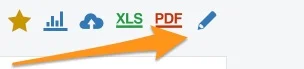
Go to your action list settings and click the edit pencil.
Allow preselected labels only
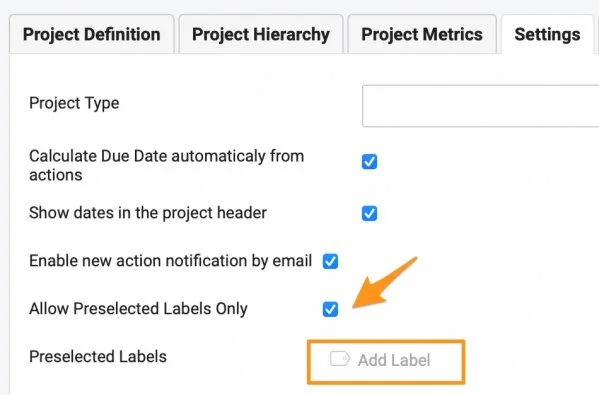
Scroll down to the Settings tab, tick Allow Preselected Labels Only and click Add Label.
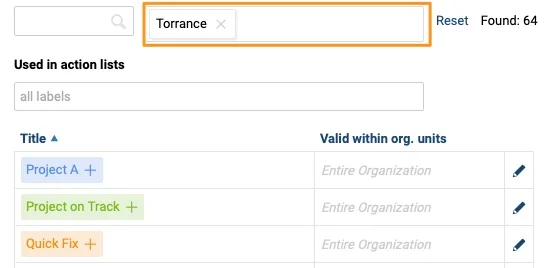
Here you see all the labels available in the system, based on the filter setup. You can filter by location and by document.
Filter labels by location
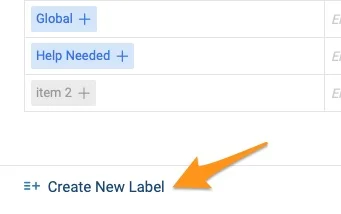
Choose from the existing labels of the location, or remove the location from the filter and search the entire organization. If you don’t find the label you need, you can create a new one.
Filter labels by document
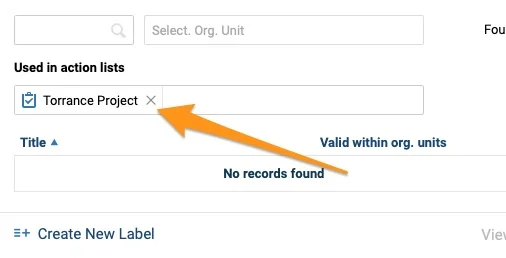
To copy labels from a different action list, use the document filter option (Used in Action Lists).
Select the labels
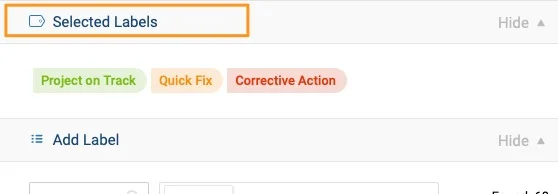
Click a label to add it at the top, among the Selected Labels.
Save the settings
When you close the window, the preselected labels appear in your project settings. Click Save.

Use the preselected labels
Add a label to an action
The action owner sees the available labels when adding a label to an action.

Ajude os responsáveis pelas ações a encontrar e escolher as etiquetas certas: pré-selecione as etiquetas no plano de ação.
Pré-selecionar as etiquetas
Editar as configurações do plano de ação
Abra as configurações do plano de ação e clique no lápis de edição.
Permitir apenas etiquetas pré-selecionadas
Role até a aba Configurações, marque Permitir apenas etiquetas pré-selecionadas e clique em Adicionar etiqueta.
Aqui você vê todas as etiquetas disponíveis no sistema, conforme o filtro. É possível filtrar por local e por documento.
Filtrar etiquetas por local
Escolha entre as etiquetas existentes do local ou remova o local do filtro e pesquise em toda a organização. Se não encontrar a etiqueta de que precisa, crie uma nova.
Filtrar etiquetas por documento
Para copiar etiquetas de outro plano de ação, use o filtro de documento (Usadas em planos de ação).
Selecionar as etiquetas
Clique em uma etiqueta para adicioná-la no topo, em Etiquetas selecionadas.
Salvar as configurações
Ao fechar a janela, as etiquetas pré-selecionadas aparecem nas configurações do projeto. Clique em Salvar.
Usar as etiquetas pré-selecionadas
Adicionar uma etiqueta a uma ação
O responsável pela ação vê as etiquetas disponíveis ao adicionar uma etiqueta à ação.
Precisa de mais ajuda?
Escreva para nós. Em dias úteis, costumamos responder em até uma hora.