Ako vopred vybrať štítky v projekte
Strojový preklad z angličtiny. Zobrazený je anglický originál.
Help the people responsible for your actions find and choose the correct labels: preselect the labels in your action list.
Preselect the labels
Edit the action list settings
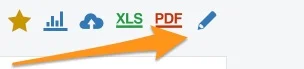
Go to your action list settings and click the edit pencil.
Allow preselected labels only
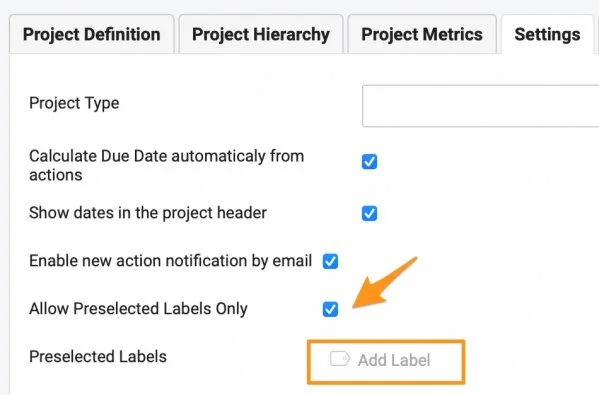
Scroll down to the Settings tab, tick Allow Preselected Labels Only and click Add Label.
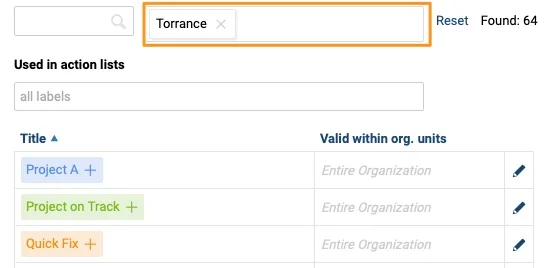
Here you see all the labels available in the system, based on the filter setup. You can filter by location and by document.
Filter labels by location
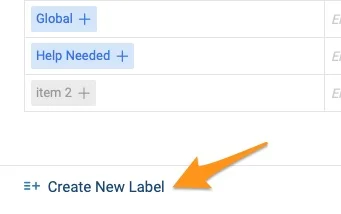
Choose from the existing labels of the location, or remove the location from the filter and search the entire organization. If you don’t find the label you need, you can create a new one.
Filter labels by document
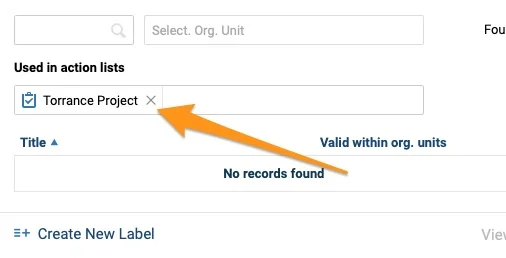
To copy labels from a different action list, use the document filter option (Used in Action Lists).
Select the labels
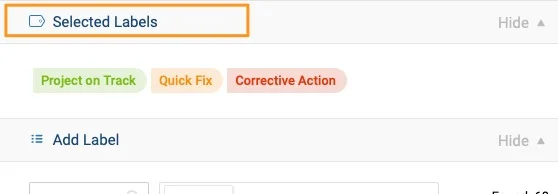
Click a label to add it at the top, among the Selected Labels.
Save the settings
When you close the window, the preselected labels appear in your project settings. Click Save.

Use the preselected labels
Add a label to an action
The action owner sees the available labels when adding a label to an action.

Pomôžte zodpovedným za akcie nájsť a zvoliť správne štítky: vyberte im štítky v akčnom zozname vopred.
Výber štítkov vopred
Upravte nastavenia akčného zoznamu
Otvorte nastavenia akčného zoznamu a kliknite na ceruzku.
Povoľte len vopred vybrané štítky
Posuňte sa nadol na kartu Nastavenia, začiarknite Povoliť len vopred vybrané štítky a kliknite na Pridať štítok.
Tu vidíte všetky štítky dostupné v systéme podľa nastavenia filtra. Filtrovať môžete podľa umiestnenia a podľa dokumentu.
Filtrujte štítky podľa umiestnenia
Vyberte z existujúcich štítkov daného umiestnenia, alebo umiestnenie z filtra odstráňte a hľadajte v celej organizácii. Ak potrebný štítok nenájdete, môžete vytvoriť nový.
Filtrujte štítky podľa dokumentu
Ak chcete prevziať štítky z iného akčného zoznamu, použite filter dokumentov (Použité v akčných zoznamoch).
Vyberte štítky
Kliknutím na štítok ho pridáte hore medzi Vybrané štítky.
Uložte nastavenia
Po zatvorení okna sa vopred vybrané štítky zobrazia v nastaveniach projektu. Kliknite na Uložiť.
Používanie vopred vybraných štítkov
Pridajte štítok k akcii
Vlastník akcie pri pridávaní štítka k akcii uvidí dostupné štítky.
Potrebujete ďalšiu pomoc?
Napíšte nám. V pracovné dni zvyčajne odpovedáme do hodiny.