如何创建文本指标
本文由英文机器翻译。 当前显示英文原文。
You can create a metric whose values are text.
Set the data type to text
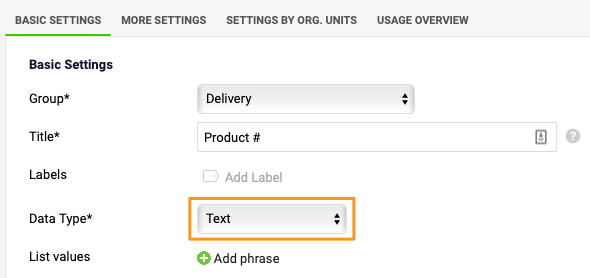
In the metric settings, select Text from the Data Type menu.
Predefine a list of text values
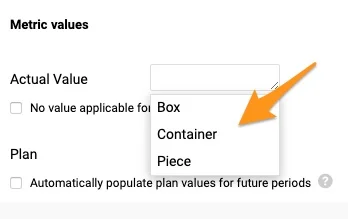
You can create a predefined list of text values that users can choose from when entering values. Click the Add phrase button and enter your text.

Enter your own text
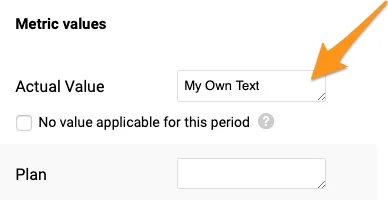
The predefined list of text values is not locked: users can still enter their own text.
您可以创建一个指标,其值为文本。
将数据类型设为文本
在指标设置中,从数据类型菜单中选择文本。
预定义文本值列表
您可以创建一个预定义的文本值列表,供用户在输入数值时选择。点击添加短语按钮,输入文本。
输入自定义文本
预定义的文本值列表并不是锁定的:用户仍然可以输入自己的文本。
还需要帮助吗?
请给我们留言。工作日我们通常会在一小时内回复。