How to close / reopen an 8D report
An 8D report is usually closed when all its sections are completed. If needed, you can also close it without completing all the sections: you only get a message that not all the sections have been completed, asking whether you want to close it anyway.
-
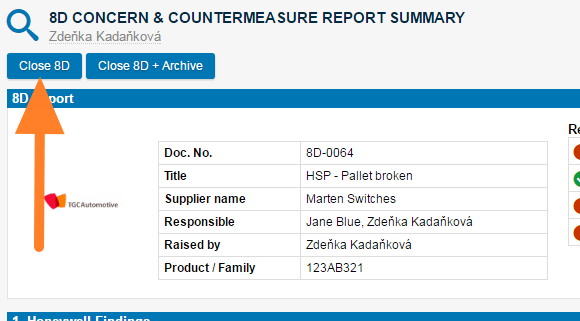
Close the 8D. Click the Close 8D button in the first section of the report.
-
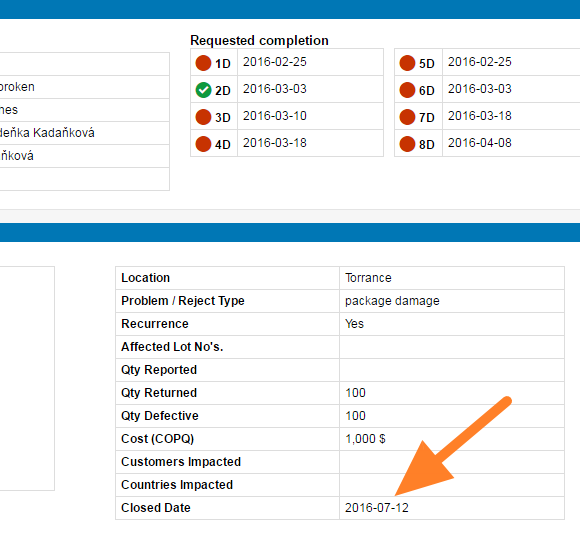
Check the closed date. Once you close the report, the closed date is visible in the description part (usually the first step of the 8D document).
-
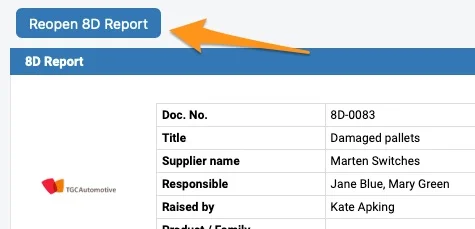
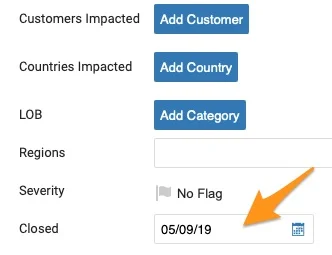
Reopen the 8D if needed. To reopen the document, either click the Reopen 8D Report button or remove the Closed date in the settings of your document. To be able to reopen the 8D document, you have to be either the Raised by person or a document administrator.
Still need help?
Write to us. We usually reply within an hour on business days.