What happens if I archive an incomplete task? Can I re-activate it?
If you archive an incomplete task, the system closes it automatically. If needed, you can reactivate the archived task.
Archive a task
-
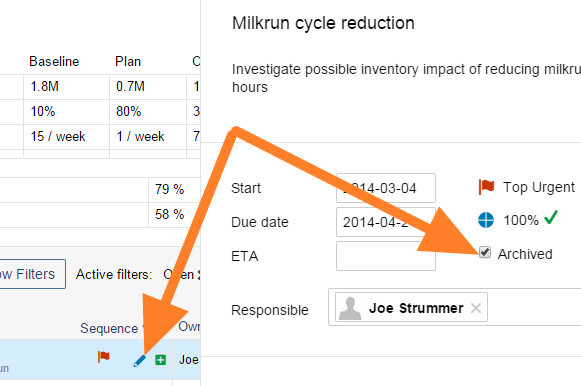
Open the task. Click the task’s Edit icon.
-
Archive it. Tick the Archived box.
Reactivate an archived task
-
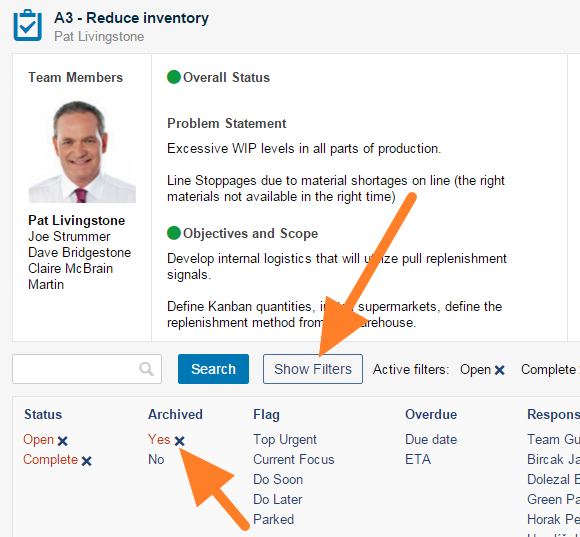
Filter the archived tasks. Click the Show filters button and check that Yes is selected in the Archived column.
-
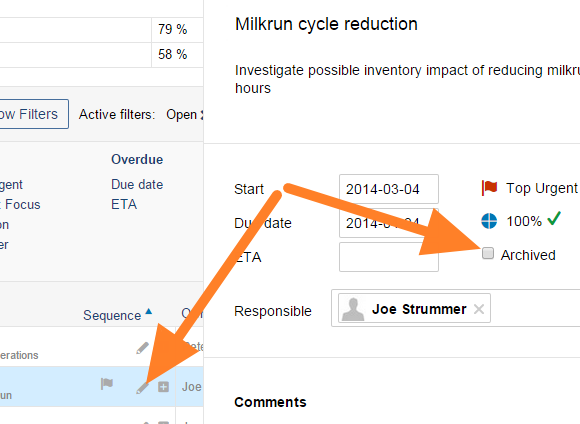
Open the task. Click the task’s Edit icon.
-
Un-archive it. Untick the Archived box.
-
Save. Save and close the task.
-
Check the result. The task is reactivated.
Still need help?
Write to us. We usually reply within an hour on business days.