Jak powiązać dokumenty TeamGuru – Powiązane dokumenty
Tłumaczenie maszynowe z angielskiego. Wyświetlany jest oryginał po angielsku.
All TeamGuru documents can be linked together for quick access to one another. You manage the links on the Related Documents tab of the document edit screen, and you can create as many as you need.
Link documents
-
Open the document edit screen. Click the Edit icon.
-
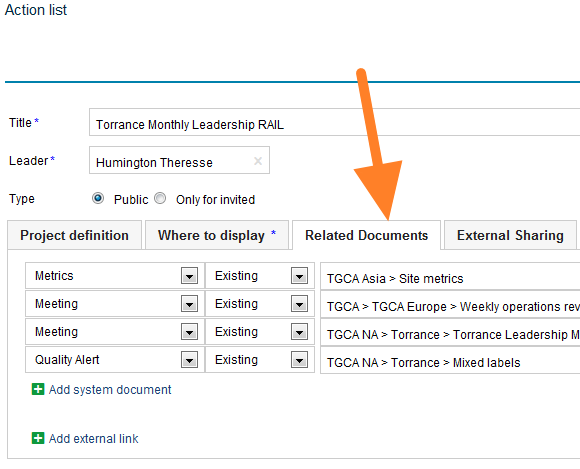
Go to the Related Documents tab. Select the Related Documents tab.
-
Find the document to link. Select a module and find your document in the directory (or create a new one).
-
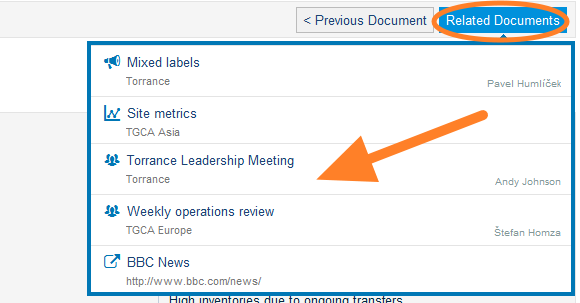
See your related documents. The linked documents are listed as related documents.
Note: If you need to add a link to an external document or a website, look here.
Display related documents as a list
Choose the display option
Related documents can also be displayed as a list underneath the main document. To do this, select the Display as option as shown below:
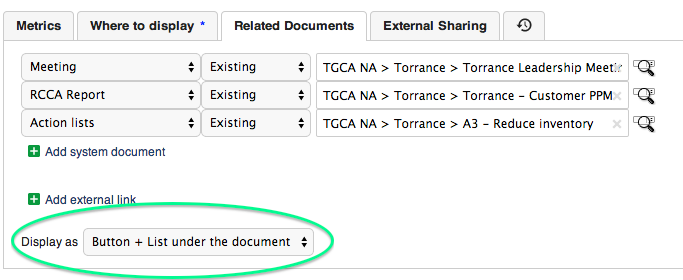
See the list under the document
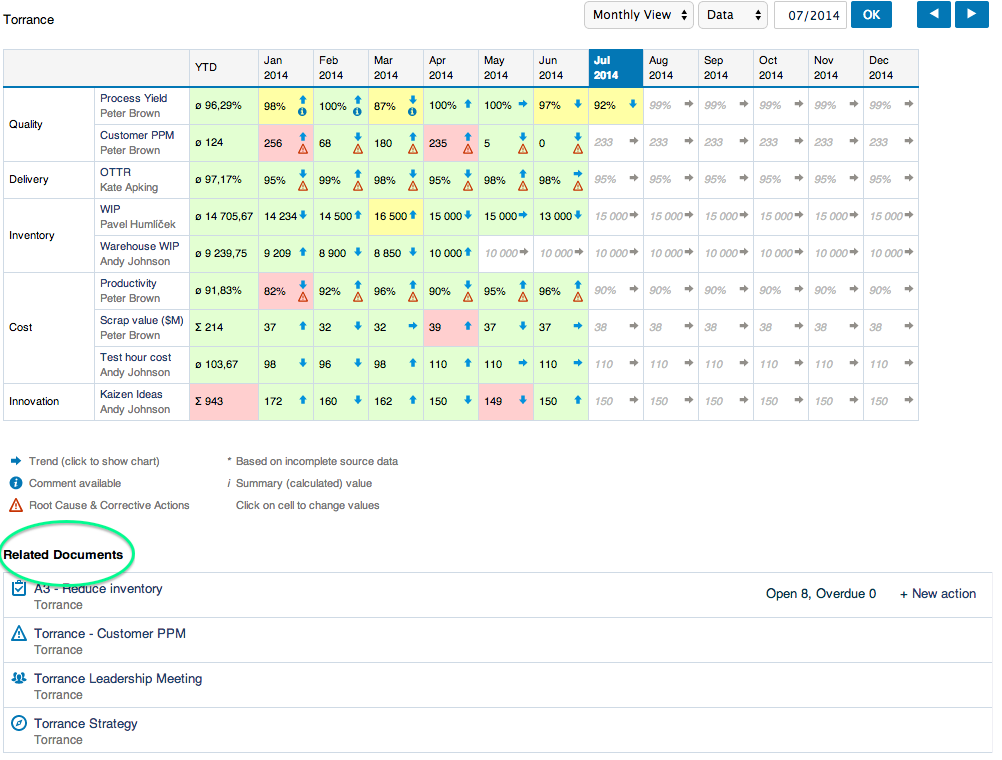
The related documents are then listed in this format:
Wszystkie dokumenty TeamGuru można ze sobą powiązać, aby szybko przechodzić z jednego do drugiego. Powiązaniami zarządzasz na karcie Powiązane dokumenty na ekranie edycji dokumentu i możesz ich utworzyć dowolnie wiele.
Powiąż dokumenty
-
Otwórz ekran edycji dokumentu. Kliknij ikonę Edytuj.
-
Przejdź do karty Powiązane dokumenty. Wybierz kartę Powiązane dokumenty.
-
Znajdź dokument do powiązania. Wybierz moduł i znajdź dokument w katalogu (albo utwórz nowy).
-
Zobacz powiązane dokumenty. Powiązane dokumenty pojawią się na liście dokumentów powiązanych.
Uwaga: jeśli chcesz dodać link do zewnętrznego dokumentu lub strony internetowej, zajrzyj tutaj.
Wyświetl powiązane dokumenty jako listę
Wybierz sposób wyświetlania
Powiązane dokumenty mogą też być wyświetlane jako lista pod dokumentem głównym. Aby to ustawić, wybierz opcję Wyświetl jako, jak poniżej:
Lista pod dokumentem
Powiązane dokumenty będą wtedy wyświetlane w tej postaci:
Potrzebujesz dalszej pomocy?
Napisz do nas. W dni robocze zwykle odpowiadamy w ciągu godziny.