Ako prepojiť dokumenty TeamGuru – súvisiace dokumenty
Strojový preklad z angličtiny. Zobrazený je anglický originál.
All TeamGuru documents can be linked together for quick access to one another. You manage the links on the Related Documents tab of the document edit screen, and you can create as many as you need.
Link documents
-
Open the document edit screen. Click the Edit icon.
-
Go to the Related Documents tab. Select the Related Documents tab.
-
Find the document to link. Select a module and find your document in the directory (or create a new one).
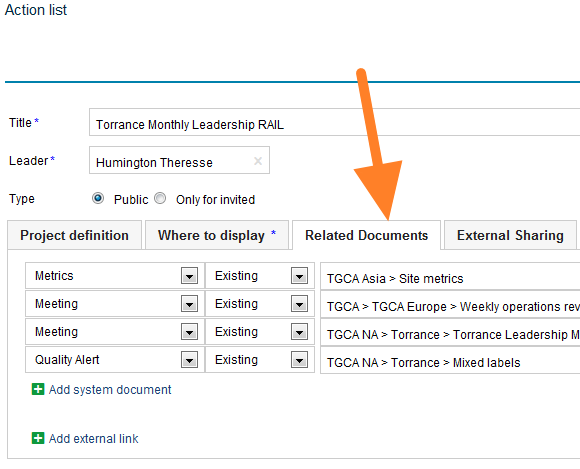
-
See your related documents. The linked documents are listed as related documents.
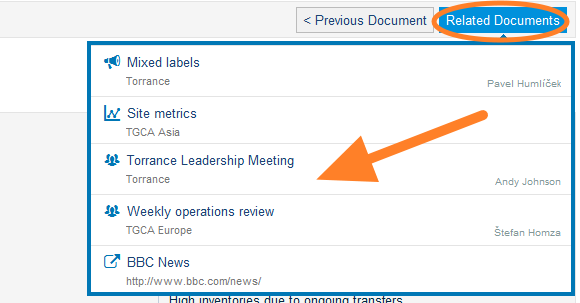
Note: If you need to add a link to an external document or a website, look here.
Display related documents as a list
Choose the display option
Related documents can also be displayed as a list underneath the main document. To do this, select the Display as option as shown below:
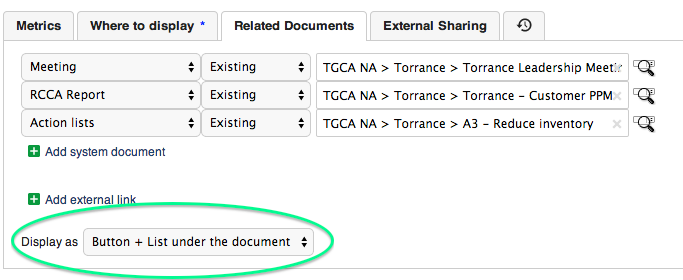
See the list under the document
The related documents are then listed in this format:
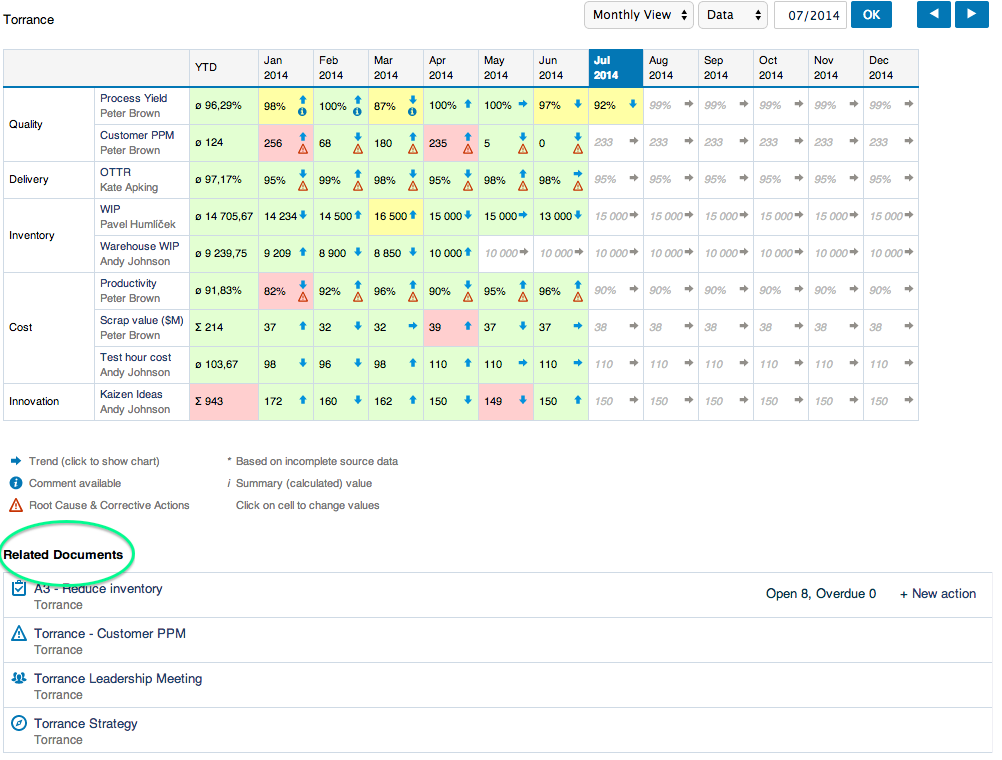
Všetky dokumenty TeamGuru môžete navzájom prepojiť a rýchlo sa medzi nimi presúvať. Prepojenia spravujete na karte Súvisiace dokumenty na obrazovke úprav dokumentu a môžete ich vytvoriť, koľko potrebujete.
Prepojenie dokumentov
-
Otvorte obrazovku úprav dokumentu. Kliknite na ikonu Upraviť.
-
Prejdite na kartu Súvisiace dokumenty. Vyberte kartu Súvisiace dokumenty.
-
Nájdite dokument na prepojenie. Vyberte modul a nájdite dokument v adresári (alebo vytvorte nový).
-
Pozrite si súvisiace dokumenty. Prepojené dokumenty sa zobrazia v zozname súvisiacich dokumentov.
Poznámka: Ak potrebujete pridať odkaz na externý dokument alebo webovú stránku, pozrite si tento návod.
Zobrazenie súvisiacich dokumentov ako zoznamu
Výber spôsobu zobrazenia
Súvisiace dokumenty sa môžu zobrazovať aj ako zoznam pod hlavným dokumentom. Na to zvoľte možnosť Zobraziť ako, ako vidíte nižšie:
Zoznam pod dokumentom
Súvisiace dokumenty sa potom zobrazia v tomto formáte:
Potrebujete ďalšiu pomoc?
Napíšte nám. V pracovné dni zvyčajne odpovedáme do hodiny.