How to display prior year values in a dashboard
Besides actual, plan and forecast values, you can view prior year data and the percentage change of the actual values from the prior year.
Video guide
The text instructions follow below the video.
View prior year values and the change from the prior year
-
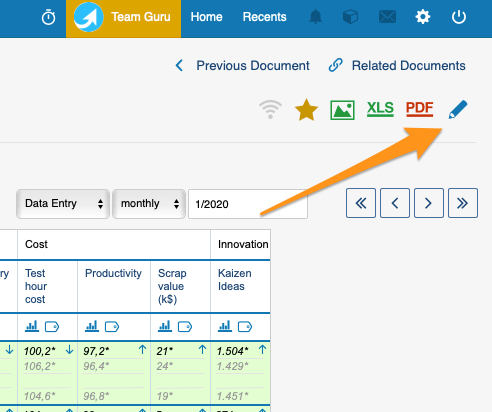
Open the dashboard settings. Go to your dashboard settings.
-
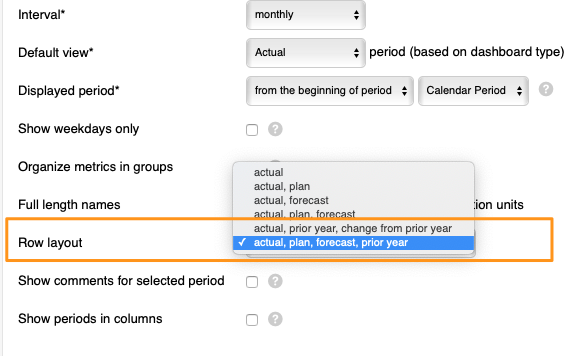
Choose the row layout. Scroll down to Row layout and select either Actual, plan, forecast, prior year or Actual, prior year, change from prior year from the menu.
-
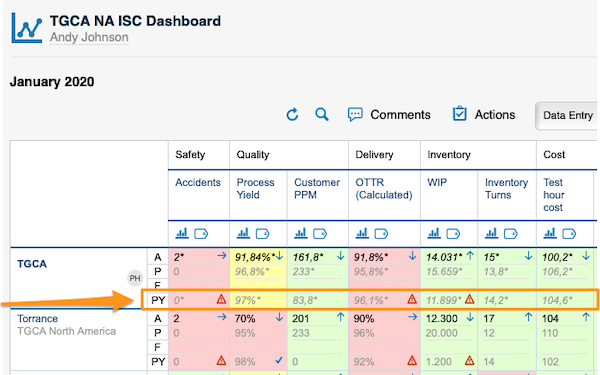
View the values. Your dashboard displays the values based on your selection. PY stands for prior year values:
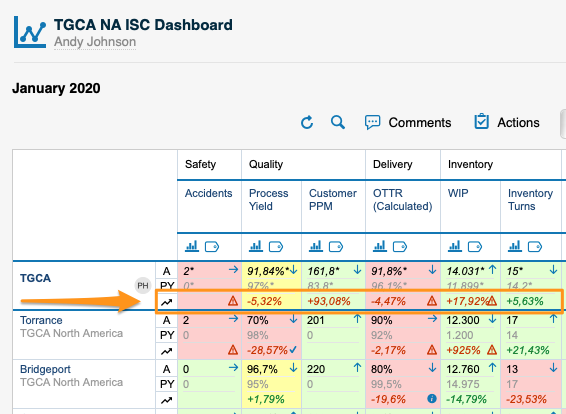
The change from prior year values:
PY values are filled in automatically by the system with the actual values of the prior year. To see PY values, you have to upload the actual values for the previous year into the system.
Still need help?
Write to us. We usually reply within an hour on business days.