How to set up object groups
Object groups help you create your metric dashboards faster and more easily. You can predefine a group of objects composed of your organizational units, partners, actions and others, or their combination. Then you can add this object group (a list of org. units) to your dashboard with one click, instead of adding each unit separately.
Please note that at the moment, an object group does not behave as a live group: if you modify your object group, the change is not automatically applied to your dashboards. We plan to add this functionality in the future.
To create a new object group, your account needs to be set up with a sufficient role.
Create an object group
-
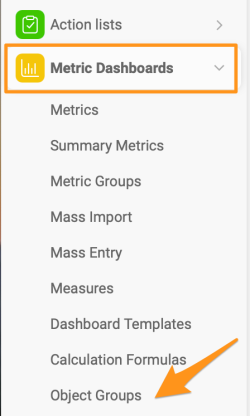
Open the object groups. Click the Metric Dashboards module and select Object Groups from the submenu.
-
Add a new object group. Click the green plus icon in the upper right corner.

-
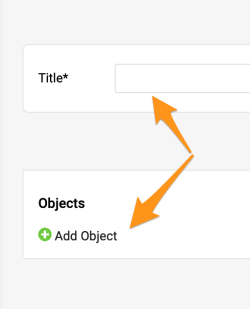
Enter the title and add objects. Fill in the Title and click the green plus button to Add Object.
-
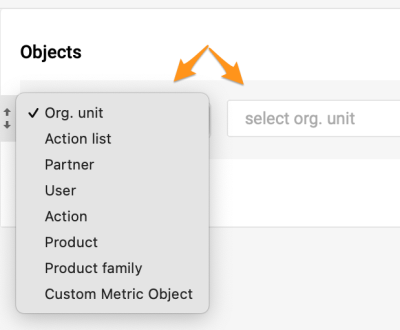
Select the objects. Select the objects and their locations.
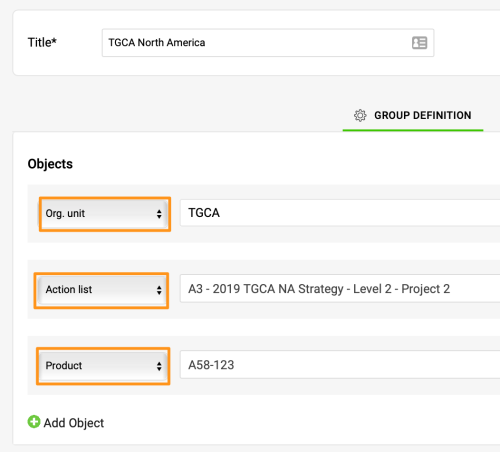
This is an example of a combined object group including an org. unit, an action list and a product.
Add the group to a dashboard
-
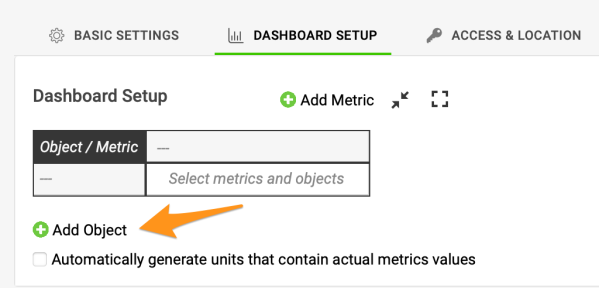
Add an object to the dashboard. Once the group is created, you can use it in a dashboard. Click the green plus button to Add Object to your dashboard.
-
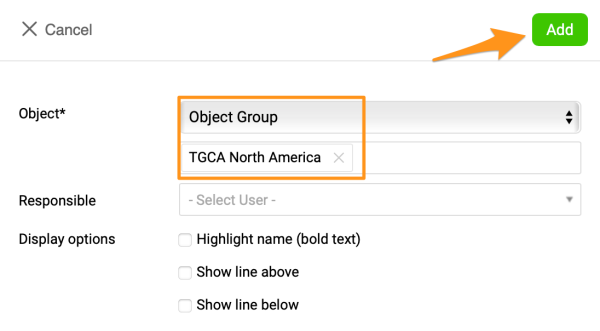
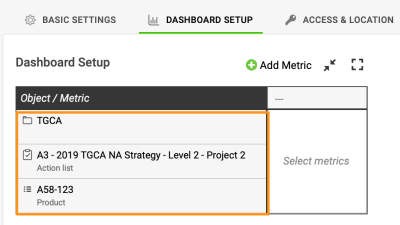
Select the object group. Select Object and the specific group in the submenus. Click Add, and your objects are added to your dashboard.
-
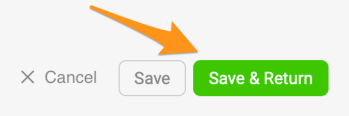
Save the dashboard. Save your dashboard’s settings.
Still need help?
Write to us. We usually reply within an hour on business days.