Como ativar os limites de controle estatístico
Tradução automática do inglês. Exibindo o original em inglês.
TeamGuru can determine the control limits automatically using the principles of SPC (Statistical Process Control). This helps you react quickly to abnormal variations in your process.
Open the Statistical Limits tab
To enable the control limits, click into the relevant metric value cell to open the metric data entry window, and switch to the Statistical Limits tab.

Choose how the limits are set
-
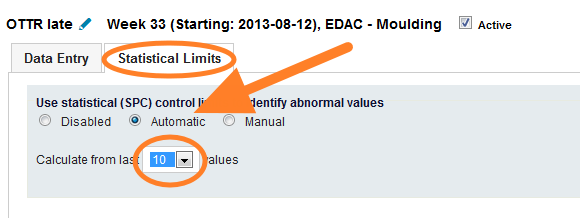
Automatic. The system calculates the limits automatically from a selected number of historical values.
-
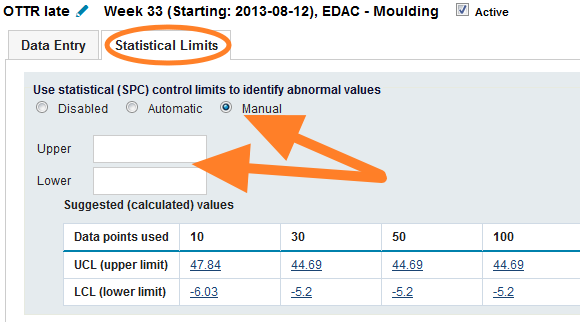
Manual. You set the control limits manually. To set them correctly, TeamGuru recommends following the limits calculated from historical data, which are displayed in the chart below the fields.
Set natural limits for a metric
If your metric has natural limits (e.g. it cannot be lower than 0), you can set them in the metric definition screen. This setting is global and affects the control limits of all org. units. See the pictures below.
-
Without natural limits. The control limits before natural limits are set for the metric.
-
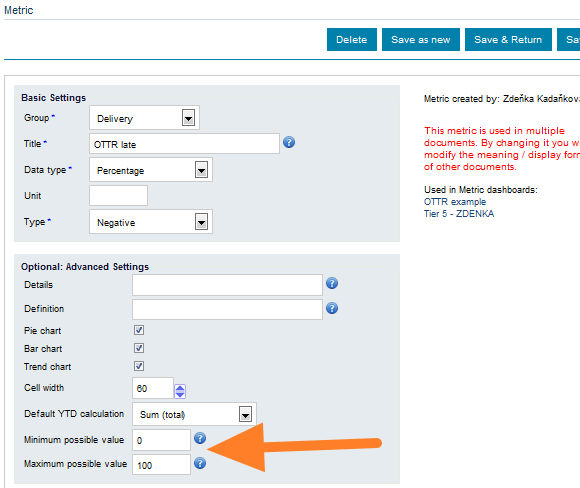
Natural limits in the metric setup. The control limits setup of the metric.
-
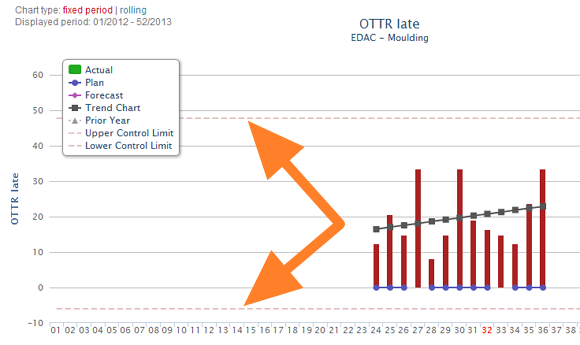
With natural limits. The control limits after natural limits are set for the metric.
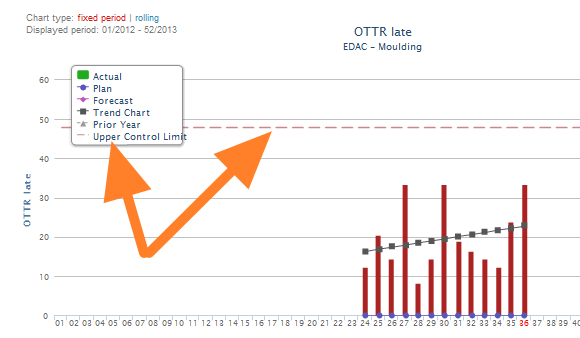
O TeamGuru pode definir os limites de controle automaticamente com base nos princípios do CEP (Controle Estatístico de Processo). Isso ajuda você a reagir rápido a variações anormais no processo.
Abrir a aba Limites estatísticos
Para ativar os limites de controle, clique na célula do valor da métrica para abrir a janela de entrada de dados e mude para a aba Limites estatísticos.
Escolher como os limites são definidos
-
Automático. O sistema calcula os limites automaticamente a partir de um número selecionado de valores históricos.
-
Manual. Você define os limites de controle manualmente. Para defini-los corretamente, o TeamGuru recomenda seguir os limites calculados a partir dos dados históricos, mostrados no gráfico abaixo dos campos.
Definir limites naturais para uma métrica
Se a métrica tiver limites naturais (por exemplo, não pode ser menor que 0), você pode defini-los na tela de definição da métrica. Essa configuração é global e afeta os limites de controle de todas as unidades organizacionais. Veja as imagens abaixo.
-
Sem limites naturais. Os limites de controle antes de definir limites naturais para a métrica.
-
Limites naturais na configuração da métrica. A configuração dos limites de controle da métrica.
-
Com limites naturais. Os limites de controle depois de definir limites naturais para a métrica.
Precisa de mais ajuda?
Escreva para nós. Em dias úteis, costumamos responder em até uma hora.