Como definir o responsável no dashboard de KPI
Tradução automática do inglês. Exibindo o original em inglês.
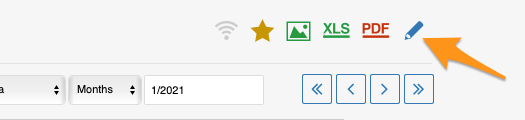
You can set up the responsible in the metric dashboard settings, on the Dashboard Setup tab.
Set up the responsible manually
Responsible for an org. unit and metric
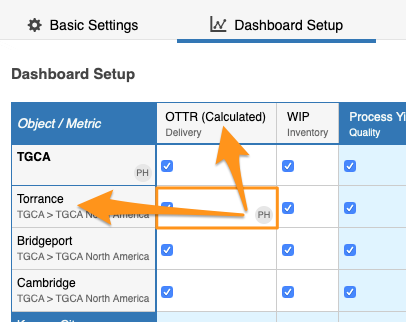
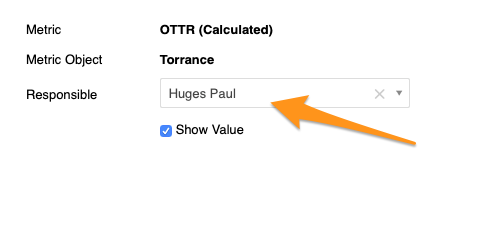
To set up the responsible for a combination of an org. unit and a metric, click the cell, choose your responsible and apply the changes.
Responsible for a whole org. unit
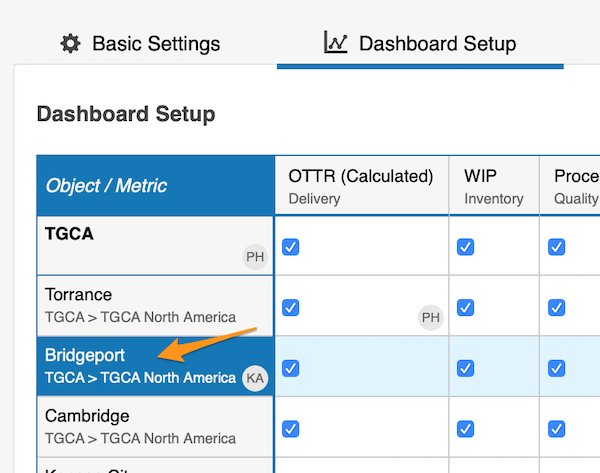
To set up the responsible for the whole org. unit, click the org. unit, choose the responsible and apply the changes.
See the responsible in the dashboard
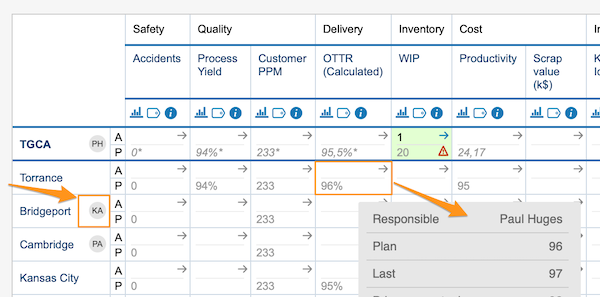
The initials of the responsible for the whole org. unit are displayed in the dashboard right next to that org. unit. In this view, however, the responsible for an org. unit and metric combination is shown only when you hover over the cell.
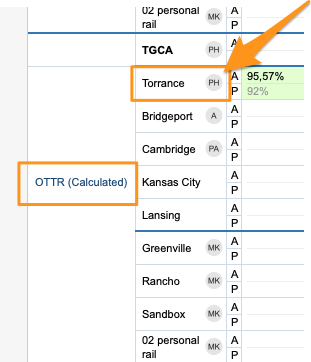
In a dashboard view set up as “show time periods in columns” by metrics or units, you also see the initials per metric or org. unit right next to it.
Set up the responsible automatically
Use the project leader in automatic dashboards
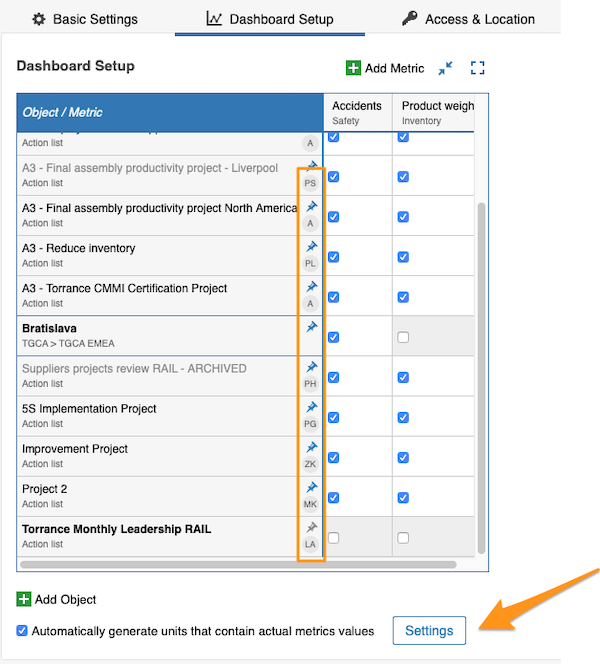
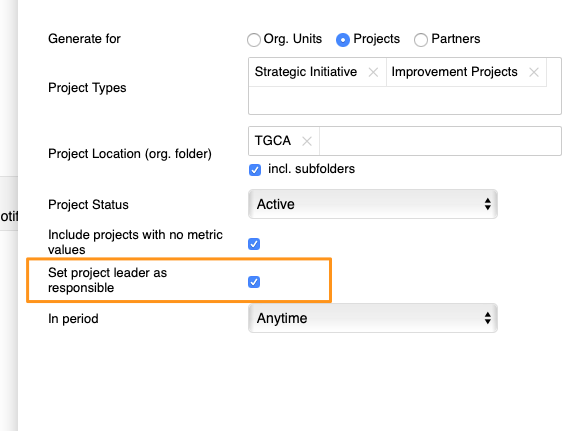
You can also set up the responsible for your projects in automatic metric dashboards. When you use an automatic metric dashboard for your projects, just tick the Set project leader as responsible box in the settings, and the responsible is added to your dashboard automatically.
You can assign only one responsible per project.
Você define o responsável nas configurações do dashboard de KPI, na aba Configuração do dashboard.
Defina o responsável manualmente
Responsável por uma unidade org. e uma métrica
Para definir o responsável por uma combinação de unidade org. e métrica, clique na célula, escolha o responsável e aplique as alterações.
Responsável por uma unidade org. inteira
Para definir o responsável pela unidade org. inteira, clique na unidade org., escolha o responsável e aplique as alterações.
Veja o responsável no dashboard
As iniciais do responsável pela unidade org. inteira aparecem no dashboard logo ao lado dessa unidade. Nesta visualização, porém, o responsável por uma combinação de unidade org. e métrica só aparece quando você passa o mouse sobre a célula.
Em uma visualização do dashboard configurada para “mostrar períodos em colunas” por métricas ou por unidades, você também vê as iniciais ao lado de cada métrica ou unidade org.
Defina o responsável automaticamente
Use o líder do projeto em dashboards automáticos
Você também pode definir o responsável pelos seus projetos em dashboards de KPI automáticos. Ao usar um dashboard de KPI automático para os projetos, basta marcar a caixa Definir líder do projeto como responsável nas configurações, e o responsável é adicionado automaticamente ao dashboard.
Cada projeto pode ter só um responsável.
Precisa de mais ajuda?
Escreva para nós. Em dias úteis, costumamos responder em até uma hora.