Ako nastaviť zodpovednú osobu v KPI dashboarde
Strojový preklad z angličtiny. Zobrazený je anglický originál.
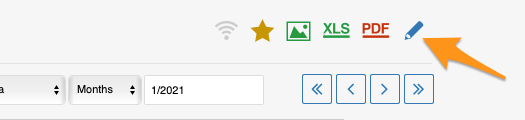
You can set up the responsible in the metric dashboard settings, on the Dashboard Setup tab.
Set up the responsible manually
Responsible for an org. unit and metric
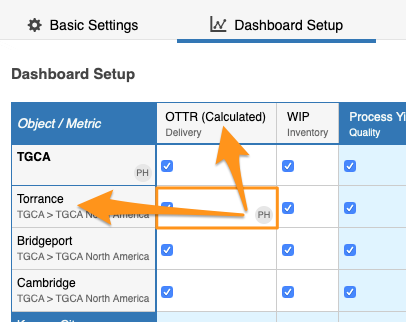
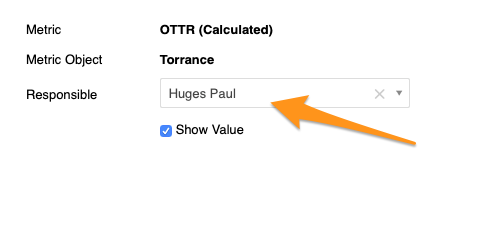
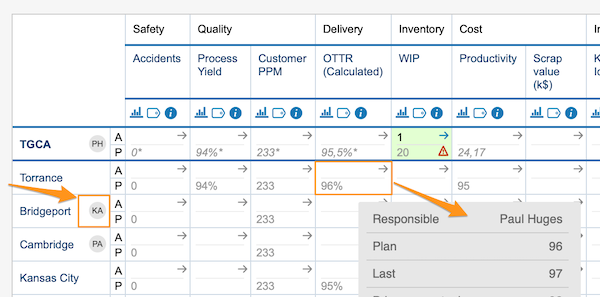
To set up the responsible for a combination of an org. unit and a metric, click the cell, choose your responsible and apply the changes.
Responsible for a whole org. unit
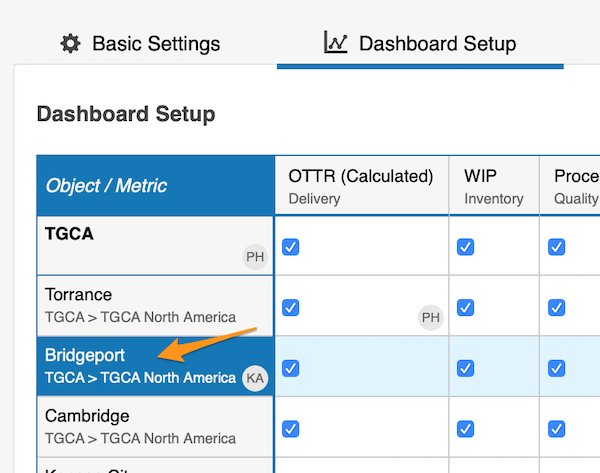
To set up the responsible for the whole org. unit, click the org. unit, choose the responsible and apply the changes.
See the responsible in the dashboard
The initials of the responsible for the whole org. unit are displayed in the dashboard right next to that org. unit. In this view, however, the responsible for an org. unit and metric combination is shown only when you hover over the cell.
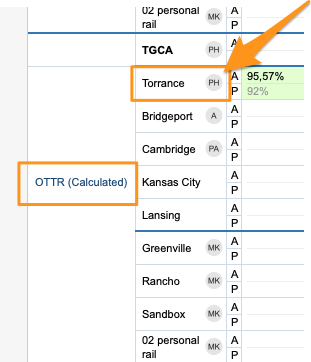
In a dashboard view set up as “show time periods in columns” by metrics or units, you also see the initials per metric or org. unit right next to it.
Set up the responsible automatically
Use the project leader in automatic dashboards
You can also set up the responsible for your projects in automatic metric dashboards. When you use an automatic metric dashboard for your projects, just tick the Set project leader as responsible box in the settings, and the responsible is added to your dashboard automatically.
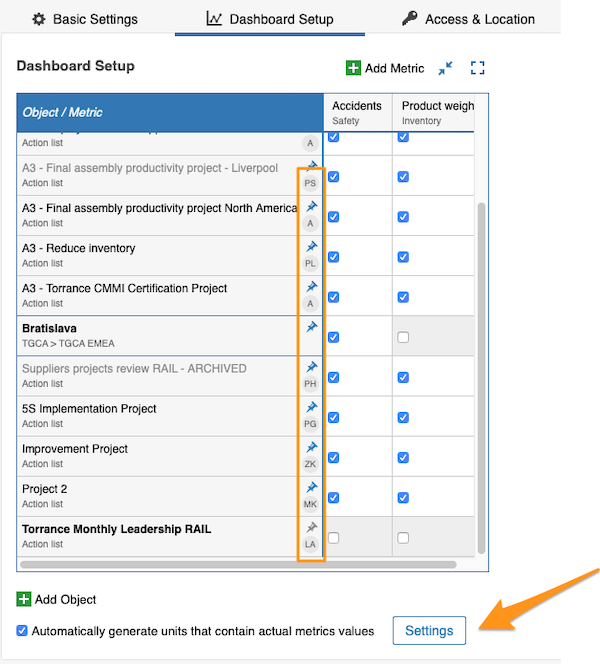
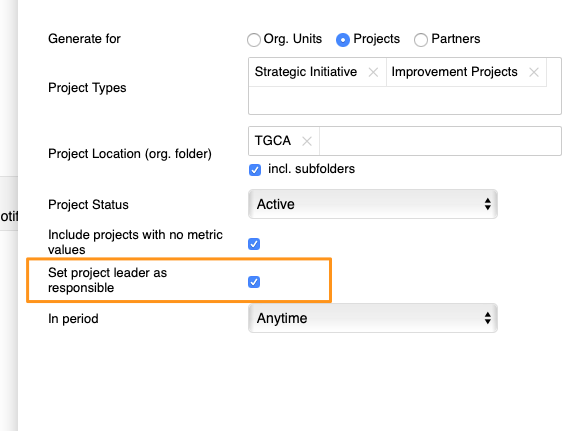
You can assign only one responsible per project.
Zodpovednú osobu nastavíte v nastaveniach KPI dashboardu na karte Nastavenie dashboardu.
Ručné nastavenie zodpovednej osoby
Zodpovedná osoba pre org. jednotku a metriku
Ak chcete nastaviť zodpovednú osobu pre kombináciu org. jednotky a metriky, kliknite na bunku, zvoľte zodpovednú osobu a zmeny použite.
Zodpovedná osoba pre celú org. jednotku
Ak chcete nastaviť zodpovednú osobu pre celú org. jednotku, kliknite na org. jednotku, zvoľte zodpovednú osobu a zmeny použite.
Zodpovedná osoba v dashboarde
Iniciály zodpovednej osoby za celú org. jednotku sa v dashboarde zobrazujú hneď vedľa tejto org. jednotky. Zodpovedná osoba za kombináciu org. jednotky a metriky sa však v tomto zobrazení ukáže iba vtedy, keď prejdete myšou nad bunku.
V zobrazení dashboardu nastavenom ako „obdobia v stĺpcoch“ podľa metrík alebo jednotiek vidíte iniciály aj hneď vedľa každej metriky alebo org. jednotky.
Automatické nastavenie zodpovednej osoby
Vedúci projektu v automatických dashboardoch
Zodpovednú osobu za projekty môžete nastaviť aj v automatických KPI dashboardoch. Ak pre projekty používate automatický KPI dashboard, stačí v nastaveniach začiarknuť pole Nastaviť vedúceho projektu ako zodpovedného a zodpovedná osoba sa do dashboardu pridá automaticky.
Pre každý projekt môžete priradiť iba jednu zodpovednú osobu.
Potrebujete ďalšiu pomoc?
Napíšte nám. V pracovné dni zvyčajne odpovedáme do hodiny.