Cómo definir el responsable en un dashboard de KPI
Traducción automática del inglés. Se muestra el original en inglés.
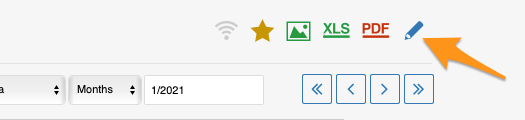
You can set up the responsible in the metric dashboard settings, on the Dashboard Setup tab.
Set up the responsible manually
Responsible for an org. unit and metric
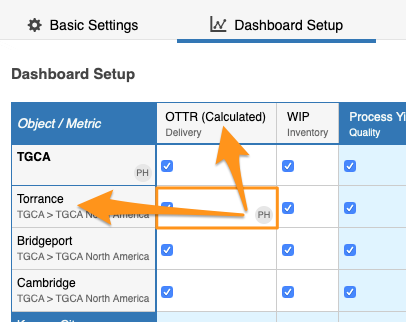
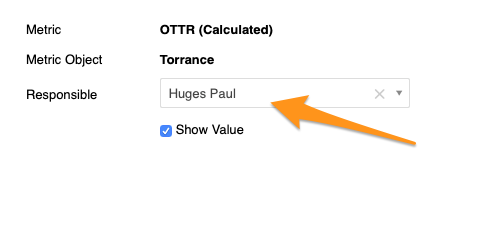
To set up the responsible for a combination of an org. unit and a metric, click the cell, choose your responsible and apply the changes.
Responsible for a whole org. unit
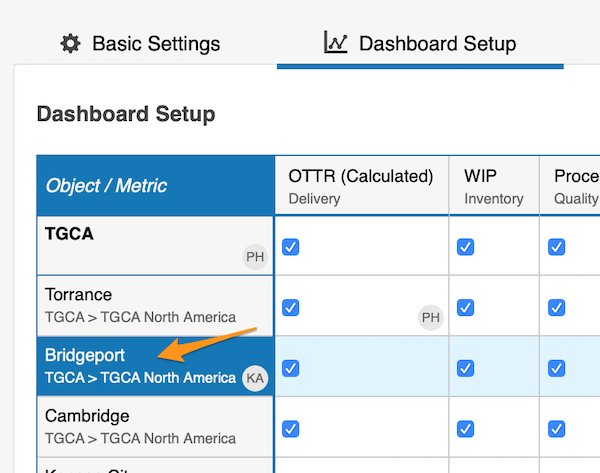
To set up the responsible for the whole org. unit, click the org. unit, choose the responsible and apply the changes.
See the responsible in the dashboard
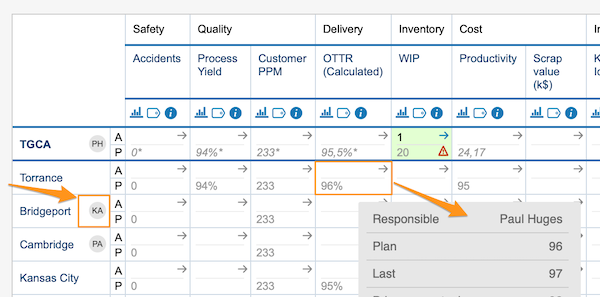
The initials of the responsible for the whole org. unit are displayed in the dashboard right next to that org. unit. In this view, however, the responsible for an org. unit and metric combination is shown only when you hover over the cell.
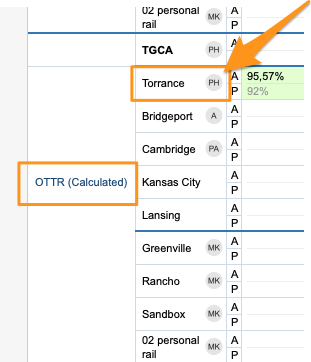
In a dashboard view set up as “show time periods in columns” by metrics or units, you also see the initials per metric or org. unit right next to it.
Set up the responsible automatically
Use the project leader in automatic dashboards
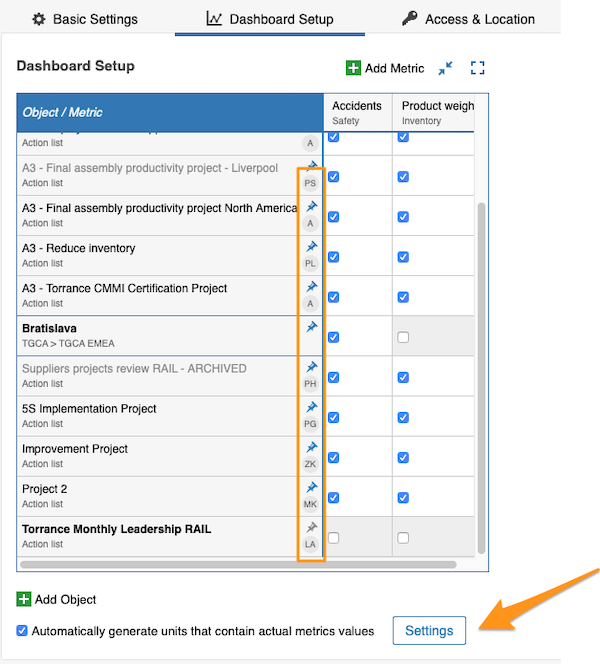
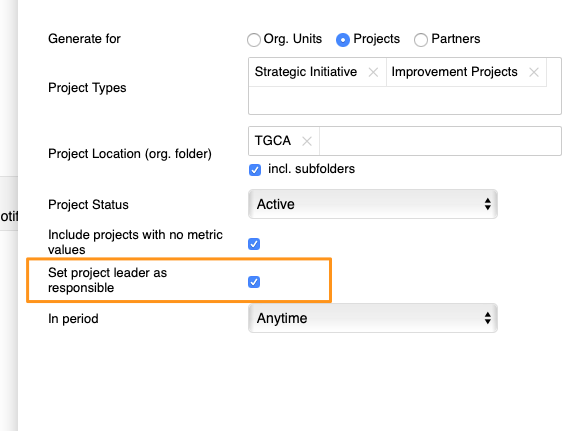
You can also set up the responsible for your projects in automatic metric dashboards. When you use an automatic metric dashboard for your projects, just tick the Set project leader as responsible box in the settings, and the responsible is added to your dashboard automatically.
You can assign only one responsible per project.
Puede definir el responsable en la configuración del dashboard de KPI, en la pestaña Configuración del dashboard.
Definir el responsable manualmente
Responsable de una unidad organizativa y una métrica
Para definir el responsable de una combinación de unidad organizativa y métrica, haga clic en la celda, elija el responsable y aplique los cambios.
Responsable de toda una unidad organizativa
Para definir el responsable de toda la unidad organizativa, haga clic en la unidad organizativa, elija el responsable y aplique los cambios.
Ver el responsable en el dashboard
Las iniciales del responsable de toda la unidad organizativa aparecen en el dashboard justo al lado de esa unidad. En esta vista, en cambio, el responsable de una combinación de unidad organizativa y métrica solo se muestra al pasar el cursor sobre la celda.
En una vista del dashboard configurada para “mostrar los períodos en columnas” por métricas o unidades, también ve las iniciales de cada métrica o unidad organizativa justo a su lado.
Definir el responsable automáticamente
Usar el líder del proyecto en dashboards automáticos
También puede definir el responsable de sus proyectos en los dashboards de KPI automáticos. Si usa un dashboard de KPI automático para sus proyectos, basta con marcar la casilla Asignar al líder del proyecto como responsable en la configuración, y el responsable se agrega automáticamente al dashboard.
Solo puede asignar un responsable por proyecto.
¿Necesita más ayuda?
Escríbanos. En días laborables solemos responder en menos de una hora.