如何在指标仪表板中设置负责人
本文由英文机器翻译。 当前显示英文原文。
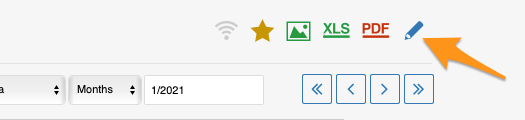
You can set up the responsible in the metric dashboard settings, on the Dashboard Setup tab.
Set up the responsible manually
Responsible for an org. unit and metric
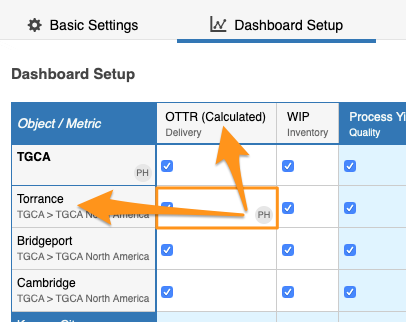
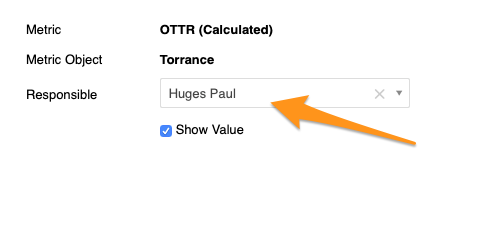
To set up the responsible for a combination of an org. unit and a metric, click the cell, choose your responsible and apply the changes.
Responsible for a whole org. unit
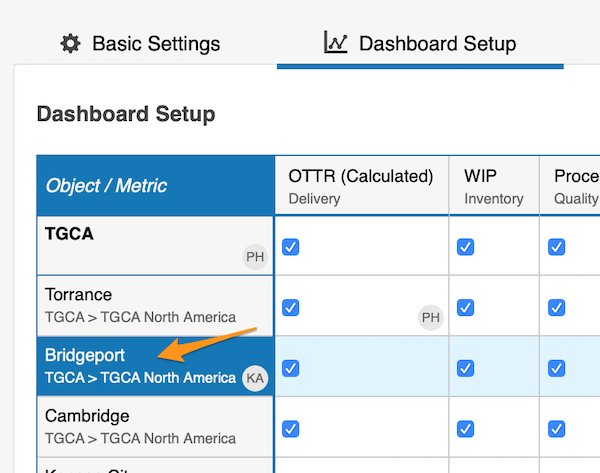
To set up the responsible for the whole org. unit, click the org. unit, choose the responsible and apply the changes.
See the responsible in the dashboard
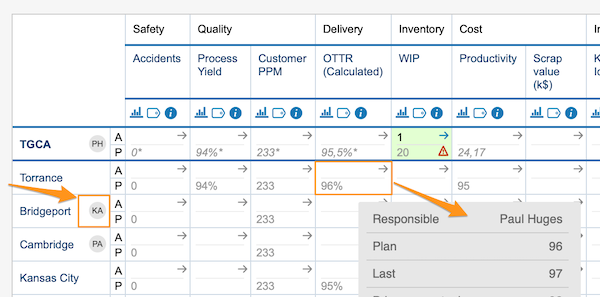
The initials of the responsible for the whole org. unit are displayed in the dashboard right next to that org. unit. In this view, however, the responsible for an org. unit and metric combination is shown only when you hover over the cell.
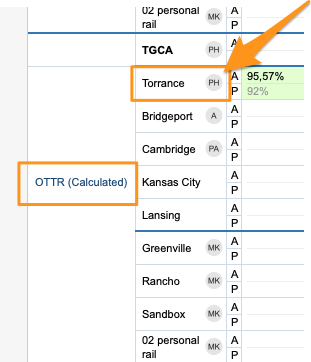
In a dashboard view set up as “show time periods in columns” by metrics or units, you also see the initials per metric or org. unit right next to it.
Set up the responsible automatically
Use the project leader in automatic dashboards
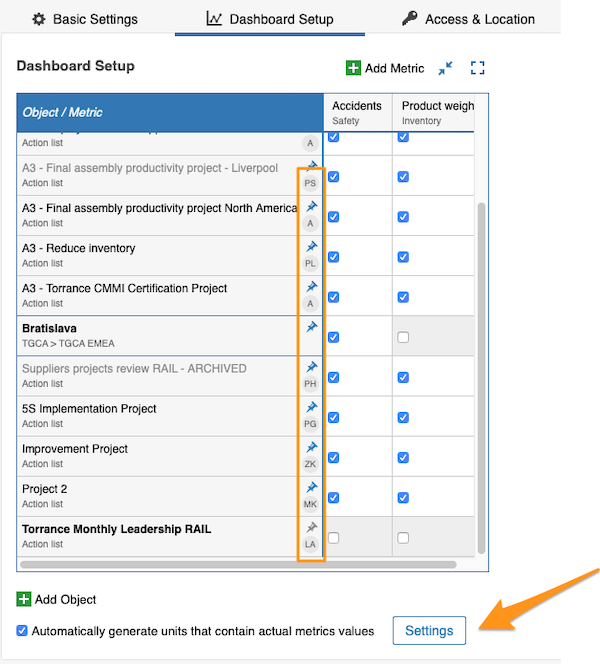
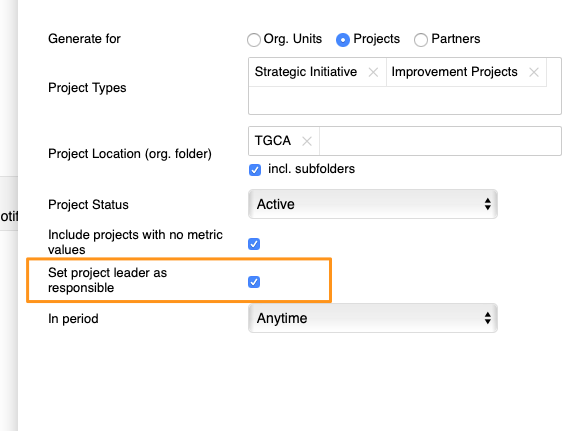
You can also set up the responsible for your projects in automatic metric dashboards. When you use an automatic metric dashboard for your projects, just tick the Set project leader as responsible box in the settings, and the responsible is added to your dashboard automatically.
You can assign only one responsible per project.
您可以在指标仪表板设置的 仪表板配置 选项卡中设置负责人。
手动设置负责人
组织单元与指标的负责人
要为组织单元与指标的组合设置负责人,请点击单元格,选择负责人并应用更改。
整个组织单元的负责人
要为整个组织单元设置负责人,请点击组织单元,选择负责人并应用更改。
在仪表板中查看负责人
整个组织单元负责人的姓名首字母会显示在仪表板中该组织单元的旁边。但在此视图中,组织单元与指标组合的负责人只有在鼠标悬停在单元格上时才会显示。
在按指标或单元设置为“按列显示时间周期”的仪表板视图中,每个指标或组织单元旁也会显示负责人首字母。
自动设置负责人
在自动仪表板中使用项目负责人
您还可以在自动指标仪表板中为项目设置负责人。为项目使用自动指标仪表板时,只需在设置中勾选 将项目负责人设为负责人 复选框,负责人就会自动添加到仪表板中。
每个项目只能指定一名负责人。
还需要帮助吗?
请给我们留言。工作日我们通常会在一小时内回复。