How to create a new report template
Report templates help you predefine the slide layout of your report.
-
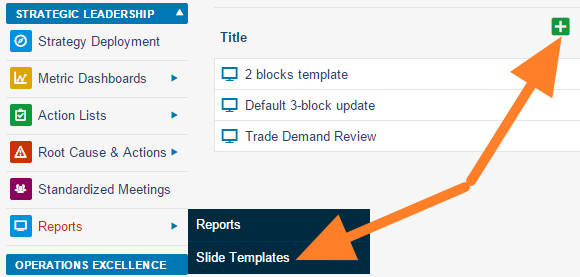
Add a slide template. Go to the Reports module menu, select the Slide Templates submenu and click the Add icon.
-
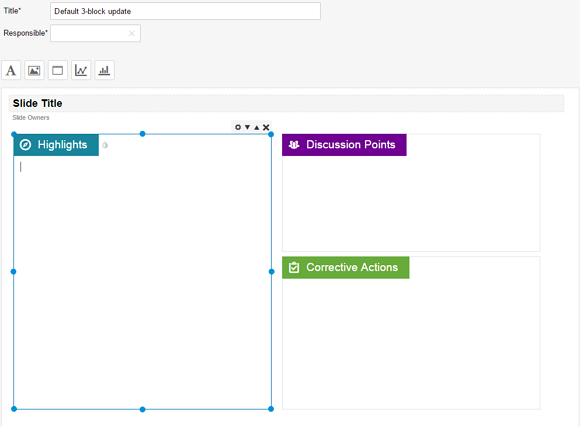
Name the template and add a box. Fill in the template name and the responsible person, and click the Add box icon.
-
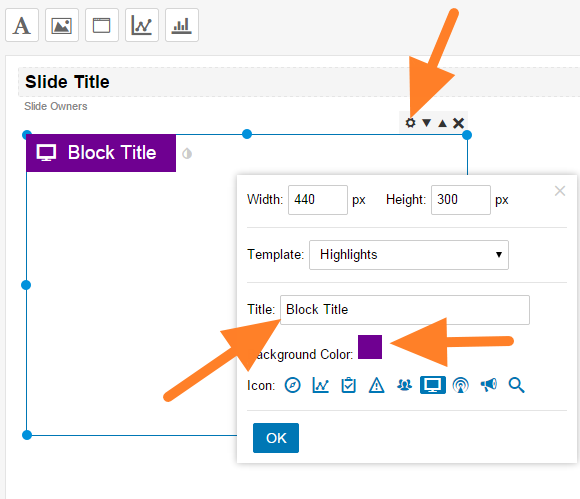
Customize the box. Click the Box Settings icon and customize the box title, color and icon.
-
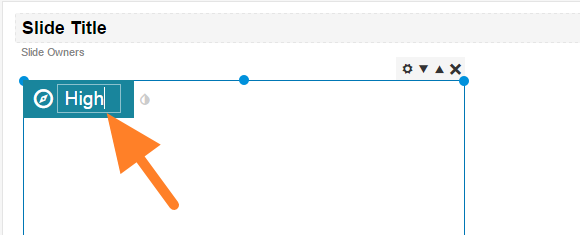
Rename the box. You can overwrite the box title directly after clicking it.
-
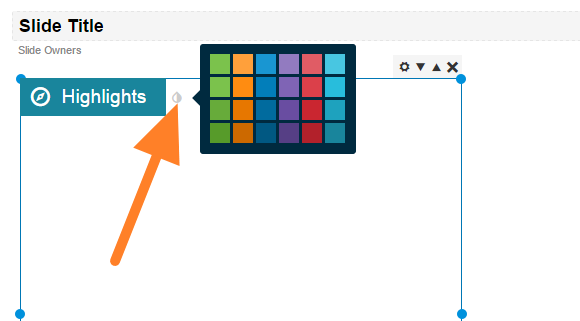
Change the box color. Change the color by clicking the small drop icon next to the box title.
-
Add more boxes and save. Add as many boxes as you need and save the template.
Still need help?
Write to us. We usually reply within an hour on business days.