How to view comments in your report
Monitor comments directly in your report with the Comments widget. Select the metrics, org. units and periods you want to display comments for, easily and quickly.
-
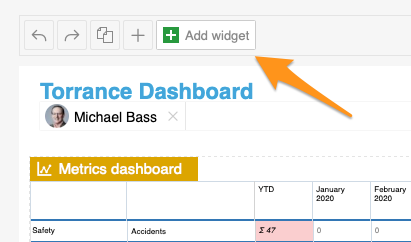
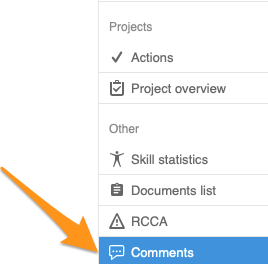
Add the Comments widget. Add the Comments widget to your slide.
-
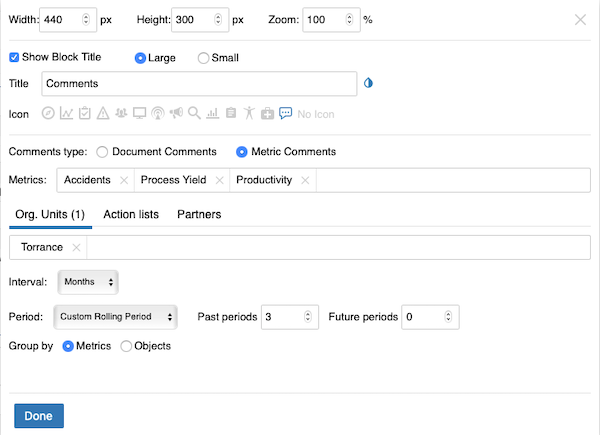
Set up the widget. Select the comment type (document or metric comments – you can view comments from different modules). Continue with all the other settings: metrics, org. units, time interval and others. When you finish your selection, click Done and save the changes.
-
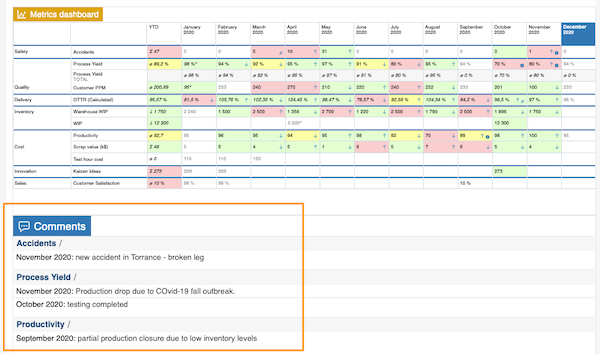
View the comments. The comments are displayed in your report.
Still need help?
Write to us. We usually reply within an hour on business days.