如何在报告中查看评论
本文由英文机器翻译。 当前显示英文原文。
Monitor comments directly in your report with the Comments widget. Select the metrics, org. units and periods you want to display comments for, easily and quickly.
-
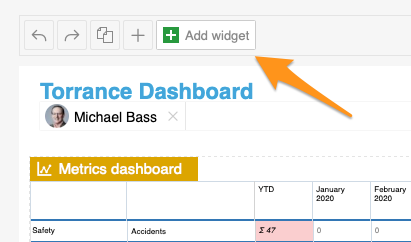
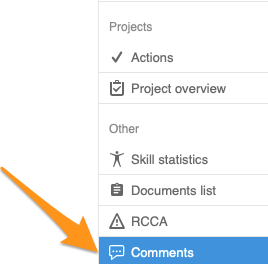
Add the Comments widget. Add the Comments widget to your slide.
-
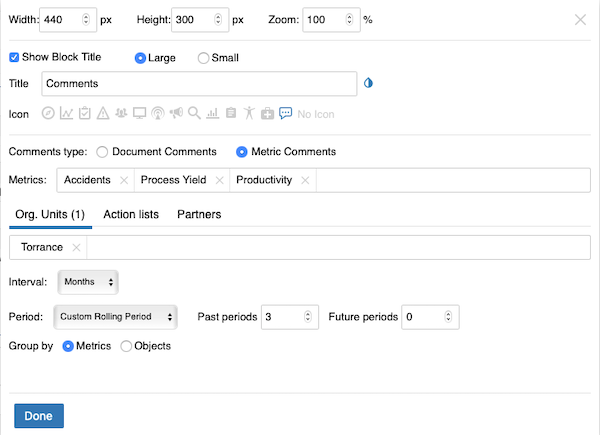
Set up the widget. Select the comment type (document or metric comments – you can view comments from different modules). Continue with all the other settings: metrics, org. units, time interval and others. When you finish your selection, click Done and save the changes.
-
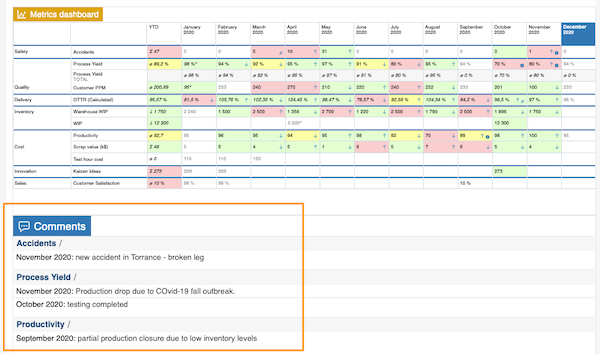
View the comments. The comments are displayed in your report.
使用评论组件,直接在报告中跟踪评论。快速选择要显示评论的指标、组织单元和期间。
-
添加评论组件。 将评论组件添加到幻灯片中。
-
设置组件。 选择评论类型(文档评论或指标评论,可以查看来自不同模块的评论)。然后完成其他设置:指标、组织单元、时间区间等。选择完成后,点击完成并保存更改。
-
查看评论。 评论会显示在报告中。
还需要帮助吗?
请给我们留言。工作日我们通常会在一小时内回复。