如何创建新技能?
本文由英文机器翻译。 当前显示英文原文。
Defining skills is the first step to creating a new skill matrix. (Video guide: learn how to create skills – 7:49)
To create a new skill, follow these steps:
-
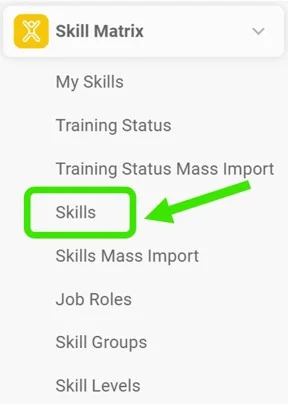
Open the skills. Go to the Skill Matrix > Skills submenu.
-
Click Create New. Click the Create New icon.

-
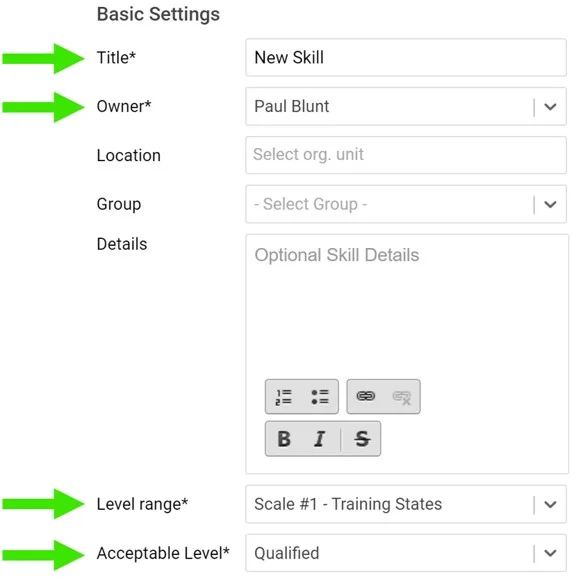
Fill in the required fields. Fill in the skill title and the required fields as shown below:
-
Add the skill requirements. Add your skill requirements:
- First choose a skill level. Two levels are predefined: qualified and trainer. You can create more levels if needed: go to the Skill Matrix menu, the Skill Levels submenu, and add a new level.
- Here you can also add details for your request and the validity of the skill requirements. If the skill requires knowledge of a document saved in the Documents module (SOP, work instructions, etc.), you can attach the document here. The document then appears in your skill matrix as required knowledge.

还需要帮助吗?
请给我们留言。工作日我们通常会在一小时内回复。