如何在报告中冻结、刷新或使用实时数据
本文由英文机器翻译。 当前显示英文原文。
Most widgets use LIVE data from the system, and the data in your report are updated automatically.
Report automation
Refresh widget data for a new period
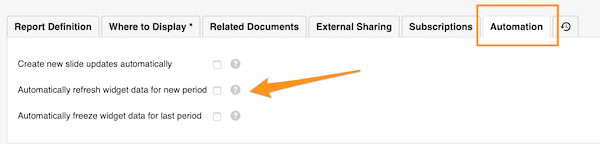
To REFRESH the widget data automatically for a new period, go to your report settings and click the Automation tab. Check the appropriate box.
Freeze widget data for the last period
If you want to keep the data of the previous period unchanged over time, you can FREEZE them automatically at the end of the period.
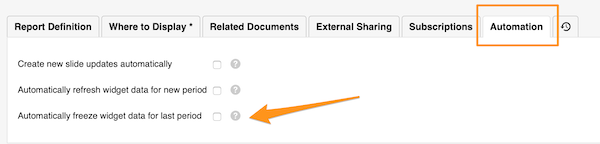
Go to your report settings and click the Automation tab. Check the appropriate box.
Widget settings
Choose live or frozen data per widget
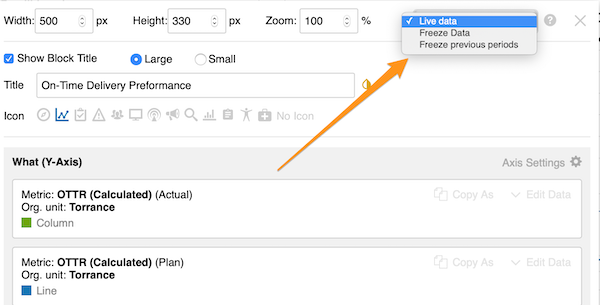
You can also choose whether to use live data, freeze data or freeze previous periods for a specific widget only (live data is the default setting).
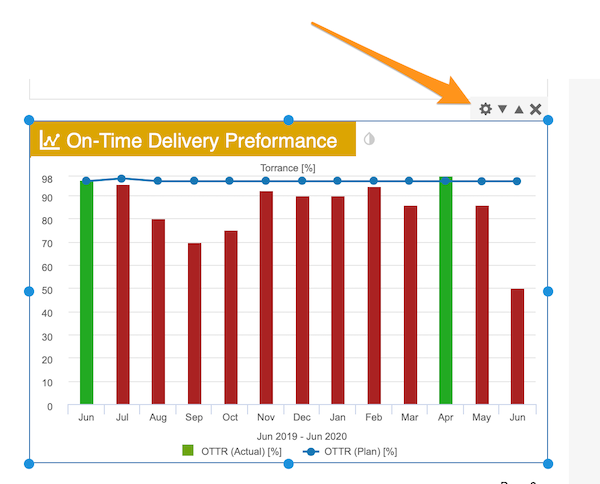
Click your widget and then its settings icon. In the upper right corner, select your preference.
大多数小部件使用系统中的实时数据,报告中的数据会自动更新。
报告自动化
为新周期刷新小部件数据
要在新周期自动刷新小部件数据,请进入报告设置,点击 自动化 选项卡,勾选相应的复选框。
冻结上一周期的小部件数据
如果希望上一周期的数据长期保持不变,可以在周期结束时自动冻结这些数据。
进入报告设置,点击 自动化 选项卡,勾选相应的复选框。
小部件设置
为每个小部件选择实时或冻结数据
您还可以 仅为特定小部件 选择使用实时数据、冻结数据或冻结以前的周期(默认设置为实时数据)。
点击小部件,然后点击其设置图标。在右上角选择所需的选项。
还需要帮助吗?
请给我们留言。工作日我们通常会在一小时内回复。