Cómo congelar, actualizar o usar datos en vivo en un informe
Traducción automática del inglés. Se muestra el original en inglés.
Most widgets use LIVE data from the system, and the data in your report are updated automatically.
Report automation
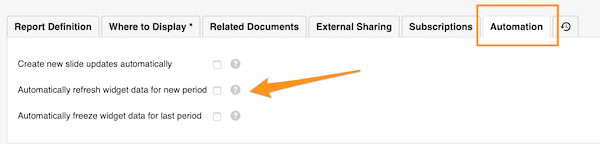
Refresh widget data for a new period
To REFRESH the widget data automatically for a new period, go to your report settings and click the Automation tab. Check the appropriate box.

Freeze widget data for the last period
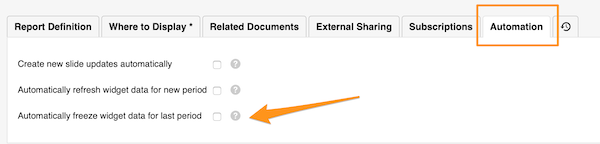
If you want to keep the data of the previous period unchanged over time, you can FREEZE them automatically at the end of the period.
Go to your report settings and click the Automation tab. Check the appropriate box.
Widget settings
Choose live or frozen data per widget
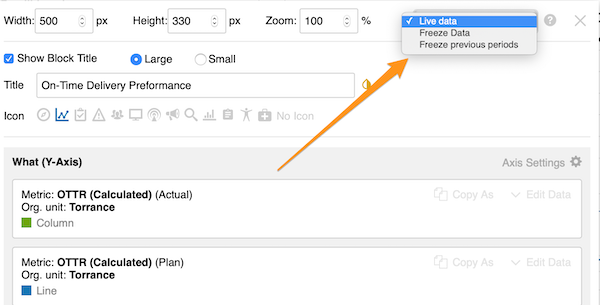
You can also choose whether to use live data, freeze data or freeze previous periods for a specific widget only (live data is the default setting).
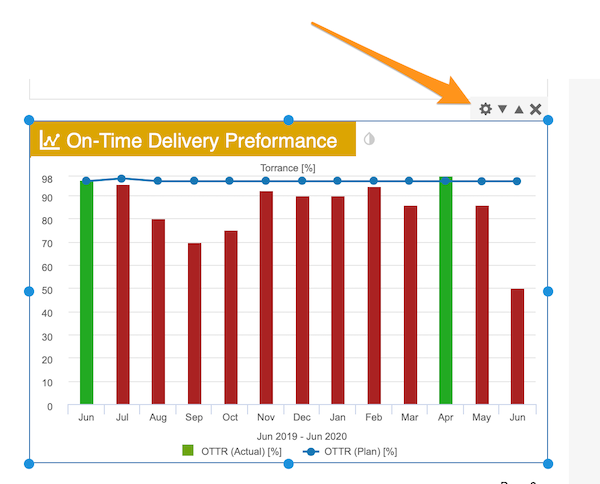
Click your widget and then its settings icon. In the upper right corner, select your preference.
La mayoría de los widgets usan datos EN VIVO del sistema, y los datos del informe se actualizan automáticamente.
Automatización del informe
Actualizar los datos de los widgets para un nuevo período
Para ACTUALIZAR automáticamente los datos de los widgets para un nuevo período, abra la configuración del informe y haga clic en la pestaña Automatización. Marque la casilla correspondiente.
Congelar los datos de los widgets del último período
Si quiere que los datos del período anterior no cambien con el tiempo, puede CONGELARLOS automáticamente al final del período.
Abra la configuración del informe y haga clic en la pestaña Automatización. Marque la casilla correspondiente.
Configuración de los widgets
Elegir datos en vivo o congelados por widget
También puede elegir si usar datos en vivo, congelar los datos o congelar los períodos anteriores solo para un widget concreto (los datos en vivo son la opción predeterminada).
Haga clic en el widget y luego en su icono de configuración. En la esquina superior derecha, seleccione la opción que prefiera.
¿Necesita más ayuda?
Escríbanos. En días laborables solemos responder en menos de una hora.