Ako v reporte zmraziť, obnoviť alebo použiť živé dáta
Strojový preklad z angličtiny. Zobrazený je anglický originál.
Most widgets use LIVE data from the system, and the data in your report are updated automatically.
Report automation
Refresh widget data for a new period
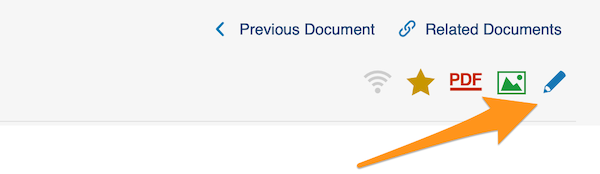
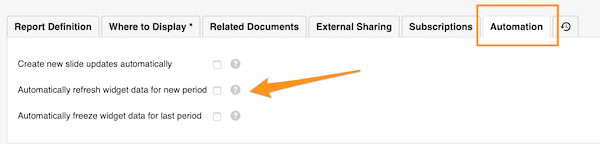
To REFRESH the widget data automatically for a new period, go to your report settings and click the Automation tab. Check the appropriate box.
Freeze widget data for the last period
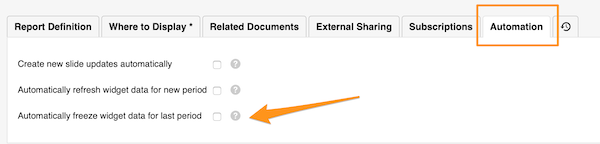
If you want to keep the data of the previous period unchanged over time, you can FREEZE them automatically at the end of the period.
Go to your report settings and click the Automation tab. Check the appropriate box.
Widget settings
Choose live or frozen data per widget
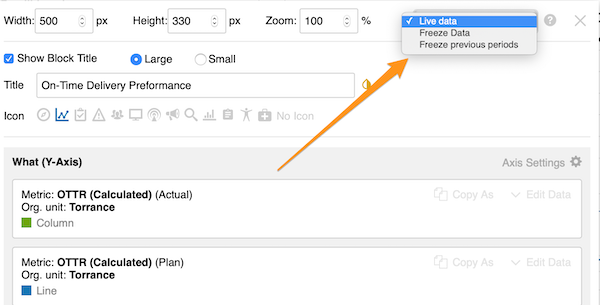
You can also choose whether to use live data, freeze data or freeze previous periods for a specific widget only (live data is the default setting).
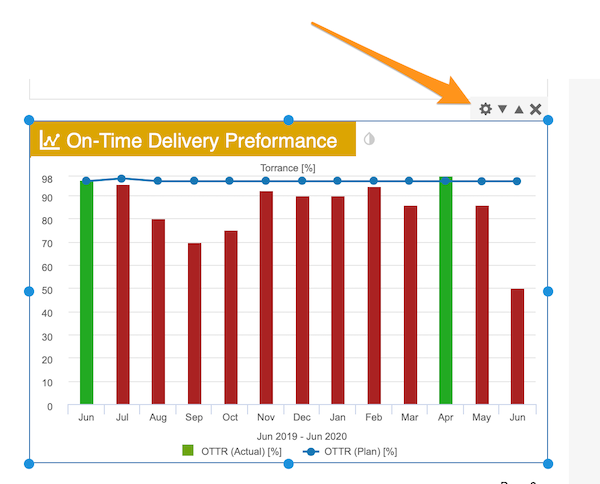
Click your widget and then its settings icon. In the upper right corner, select your preference.
Väčšina widgetov používa ŽIVÉ dáta zo systému a údaje v reporte sa aktualizujú automaticky.
Automatizácia reportu
Obnovenie dát widgetov pre nové obdobie
Ak chcete dáta widgetov pre nové obdobie OBNOVOVAŤ automaticky, prejdite do nastavení reportu a kliknite na kartu Automatizácia. Začiarknite príslušné pole.
Zmrazenie dát widgetov za posledné obdobie
Ak chcete, aby údaje predchádzajúceho obdobia zostali v čase nezmenené, môžete ich na konci obdobia automaticky ZMRAZIŤ.
Prejdite do nastavení reportu a kliknite na kartu Automatizácia. Začiarknite príslušné pole.
Nastavenia widgetu
Živé alebo zmrazené dáta pre jednotlivý widget
Aj pre konkrétny widget si môžete zvoliť, či použije živé dáta, zmrazí dáta alebo zmrazí predchádzajúce obdobia (predvolené sú živé dáta).
Kliknite na widget a potom na jeho ikonu nastavení. V pravom hornom rohu zvoľte požadovanú možnosť.
Potrebujete ďalšiu pomoc?
Napíšte nám. V pracovné dni zvyčajne odpovedáme do hodiny.