Cómo crear una nueva alerta de calidad
Traducción automática del inglés. Se muestra el original en inglés.
The Quality Alerts module helps you keep all relevant people informed about a quality issue, its scope, impact and resolution status. You can easily launch a linked RPS (RCCA) or 8D Report for an in-depth root cause analysis and corrective actions.
-
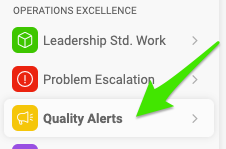
Create a new alert. Go to the Quality Alerts module and click the Create New button.

-
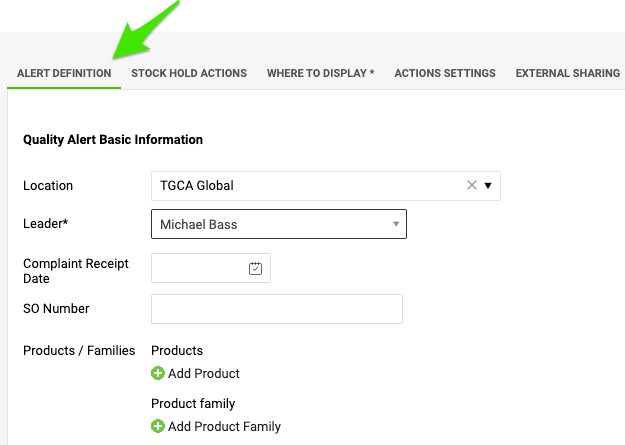
Define the alert. Fill in the title of the quality alert, select the location where the quality issue occurred, and add all available details about the product and the quantities.
-
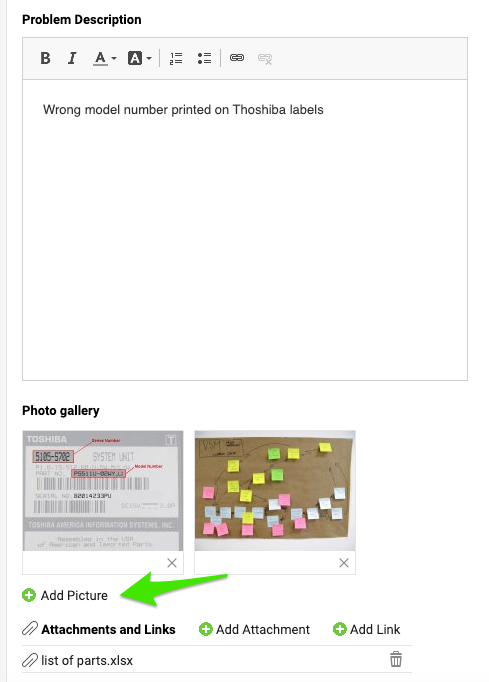
Describe the issue. Describe the quality issue and add pictures and attachments if needed.
-
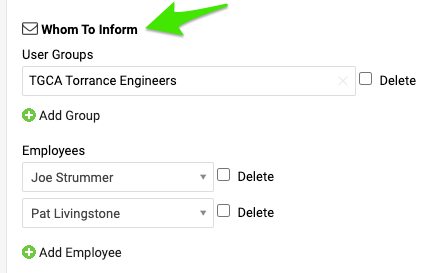
Choose whom to inform. Select the users or user groups that should be involved in this quality alert.
-
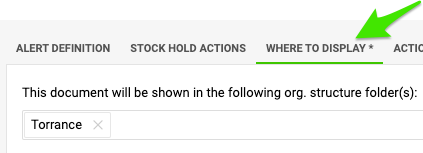
Choose where to display it. Before you save the document, open the Where to display tab and specify the organization unit that the document should be saved to.
-
Save the alert. Click Save & View.
El módulo Alertas de calidad le ayuda a mantener informadas a todas las personas implicadas sobre un problema de calidad, su alcance, su impacto y el estado de su resolución. Desde ahí puede iniciar fácilmente un RPS (RCCA) o un informe 8D vinculado para analizar a fondo la causa raíz y definir acciones correctivas.
-
Cree una nueva alerta. Abra el módulo Alertas de calidad y haga clic en el botón Crear nuevo.
-
Defina la alerta. Escriba el título de la alerta de calidad, elija la ubicación donde ocurrió el problema y agregue todos los datos disponibles sobre el producto y las cantidades.
-
Describa el problema. Describa el problema de calidad y, si es necesario, agregue fotos y archivos adjuntos.
-
Elija a quién informar. Seleccione los usuarios o grupos de usuarios que deben participar en esta alerta de calidad.
-
Elija dónde se muestra. Antes de guardar el documento, abra la pestaña Dónde mostrar e indique la unidad organizativa en la que se debe guardar.
-
Guarde la alerta. Haga clic en Guardar y ver.
¿Necesita más ayuda?
Escríbanos. En días laborables solemos responder en menos de una hora.