如何创建新的质量警报
本文由英文机器翻译。 当前显示英文原文。
The Quality Alerts module helps you keep all relevant people informed about a quality issue, its scope, impact and resolution status. You can easily launch a linked RPS (RCCA) or 8D Report for an in-depth root cause analysis and corrective actions.
-
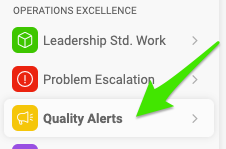
Create a new alert. Go to the Quality Alerts module and click the Create New button.

-
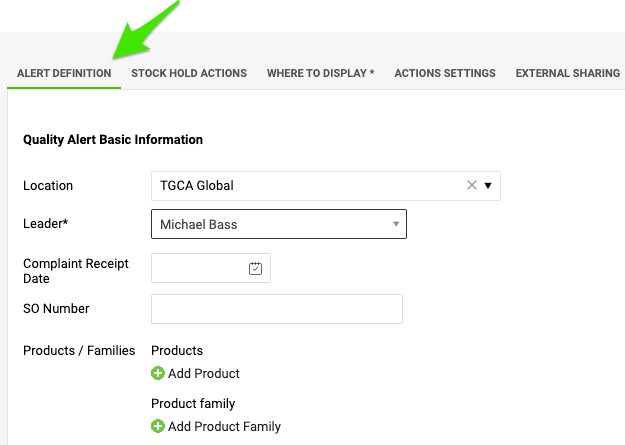
Define the alert. Fill in the title of the quality alert, select the location where the quality issue occurred, and add all available details about the product and the quantities.
-
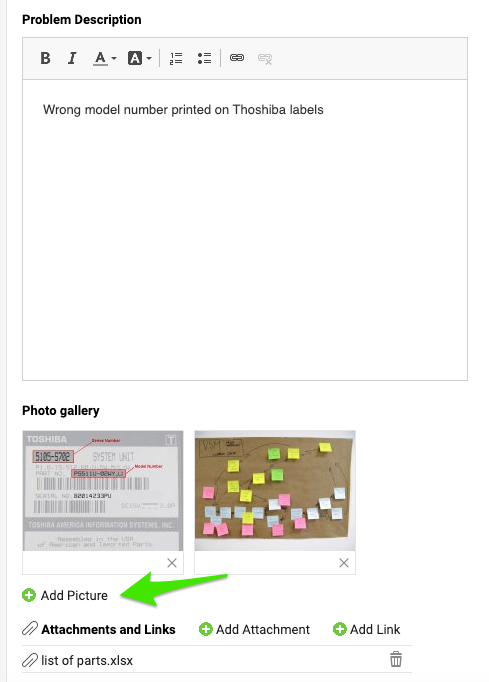
Describe the issue. Describe the quality issue and add pictures and attachments if needed.
-
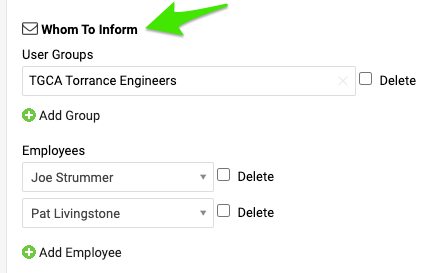
Choose whom to inform. Select the users or user groups that should be involved in this quality alert.
-
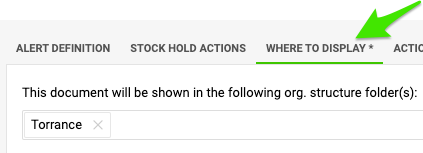
Choose where to display it. Before you save the document, open the Where to display tab and specify the organization unit that the document should be saved to.
-
Save the alert. Click Save & View.
质量警报 模块可帮助您让所有相关人员及时了解质量问题及其范围、影响和解决状态。您可以轻松启动关联的RPS(RCCA)或8D报告,进行深入的根本原因分析并制定纠正措施。
-
新建警报。 打开 质量警报 模块,点击 新建 按钮。
-
定义警报。 填写质量警报的标题,选择发生质量问题的地点,并补充有关产品和数量的所有可用信息。
-
描述问题。 描述质量问题,如有需要可添加图片和附件。
-
选择通知对象。 选择应参与此质量警报的用户或用户组。
-
选择显示位置。 保存文档之前,打开 显示位置 选项卡,指定文档要保存到的组织单元。
-
保存警报。 点击 保存并查看。
还需要帮助吗?
请给我们留言。工作日我们通常会在一小时内回复。