How to enable 2-Step Verification
When your company endorses Multi-Factor Authentication (MFA) for logging in, you can make your account more secure by enabling 2-Step Verification.
To enable or disable 2-Step Verification for your account, follow these steps:
-
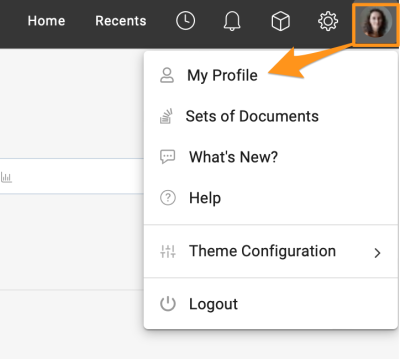
Open your profile. Go to your profile and select My Profile.
-
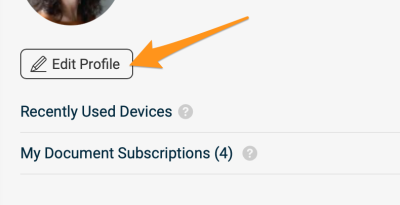
Edit your profile. Click the Edit Profile button to access your account settings.
-
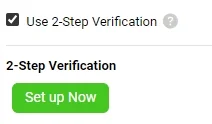
Switch 2-Step Verification on or off. In the Personal Information section, find the option to enable or disable 2-Step Verification.
To learn how to log in with it, see How to log in with 2-Step Verification.
Please note that if your company requires MFA for logging in, the option to disable this feature is not available.
Still need help?
Write to us. We usually reply within an hour on business days.