Estatísticas de RCCA no módulo Relatórios: widgets de gráfico
Tradução automática do inglês. Exibindo o original em inglês.
Connect your RCCA documents with our Reports module, where you can create different types of statistics. Monitor the number of your total, new, open and closed documents, and keep track of your RCCA documents by problem type, location, severity, and more.
Create the chart widget
Add a widget
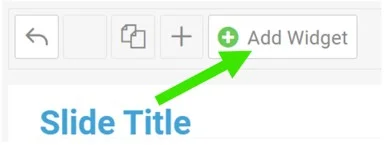
In your report, click Add Widget.
Select the chart
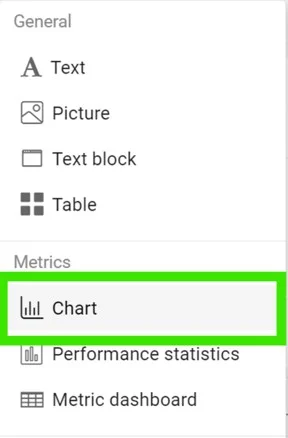
Select Chart from the submenu.
Add a data series
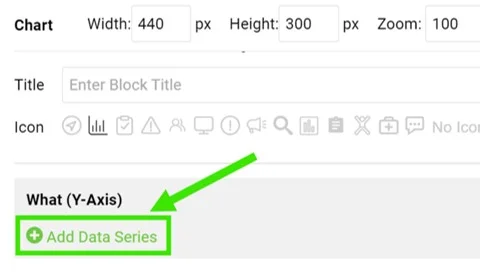
Click Add Data Series.
Select the data source
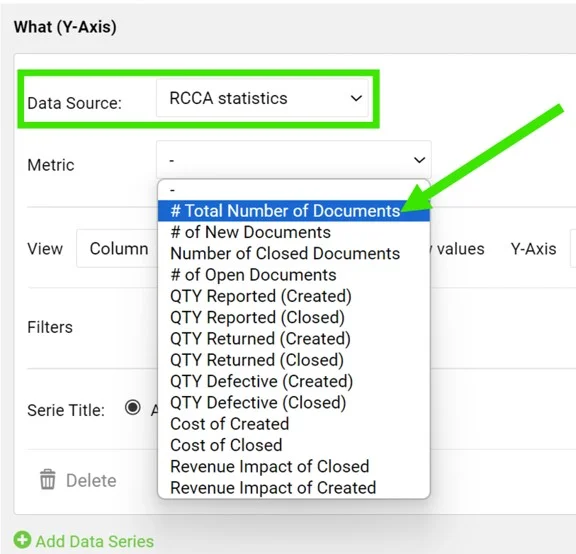
Select RCCA statistics as the data source and choose your metric.
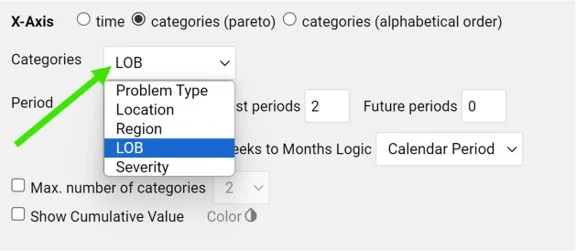
Define the categories
Define the categories, the time period and other settings.
Set filters and the view
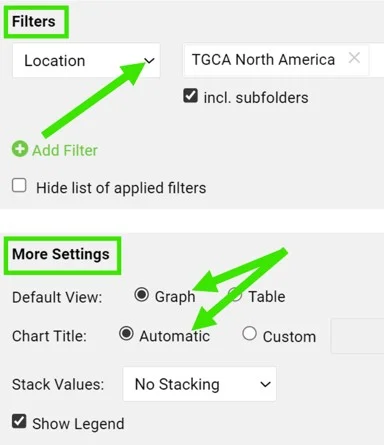
You can also set up additional filters (e.g. location, metric, RCCA template, etc.) and the view, title and legend in the More Settings section.
View the statistics
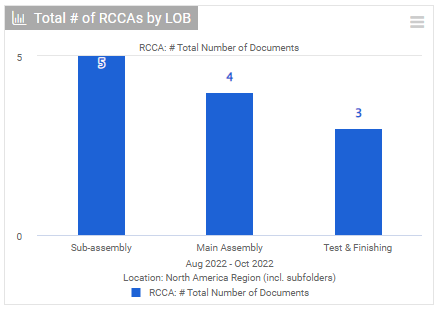
View your charts
View your charts in the report.
Track development over time
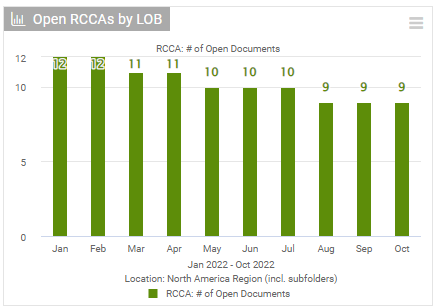
You can also view the development of your RCCA documents over a specific time period.
Please follow this link to learn more about setting up your reports.
Conecte seus documentos de RCCA ao módulo Relatórios, onde você pode criar vários tipos de estatística. Acompanhe a quantidade total de documentos, os novos, os abertos e os encerrados, e controle seus documentos de RCCA por tipo de problema, local, gravidade e mais.
Criar o widget de gráfico
Adicionar um widget
No relatório, clique em Adicionar widget.
Selecionar o gráfico
Selecione Gráfico no submenu.
Adicionar uma série de dados
Clique em Adicionar série de dados.
Selecionar a fonte de dados
Selecione Estatísticas de RCCA como fonte de dados e escolha a métrica.
Definir as categorias
Defina as categorias, o período e as demais configurações.
Definir filtros e visualização
Na seção Mais configurações, você também pode definir filtros adicionais (por exemplo, local, métrica, modelo de RCCA etc.), além da visualização, do título e da legenda.
Ver as estatísticas
Ver os gráficos
Veja os gráficos no relatório.
Acompanhar a evolução ao longo do tempo
Você também pode ver a evolução dos documentos de RCCA em um período específico.
Use este link para saber mais sobre como configurar relatórios.
Precisa de mais ajuda?
Escreva para nós. Em dias úteis, costumamos responder em até uma hora.