Štatistiky RCCA v module Reporty – widgety grafov
Strojový preklad z angličtiny. Zobrazený je anglický originál.
Connect your RCCA documents with our Reports module, where you can create different types of statistics. Monitor the number of your total, new, open and closed documents, and keep track of your RCCA documents by problem type, location, severity, and more.
Create the chart widget
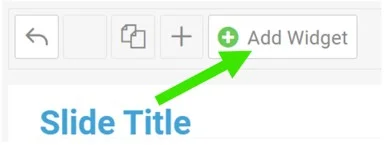
Add a widget
In your report, click Add Widget.
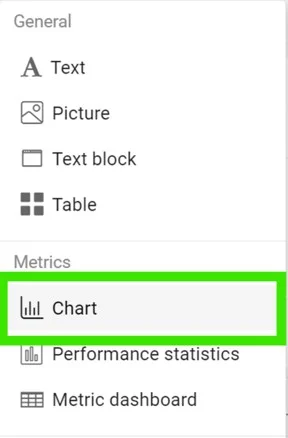
Select the chart
Select Chart from the submenu.
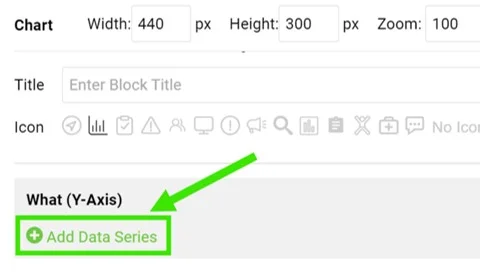
Add a data series
Click Add Data Series.
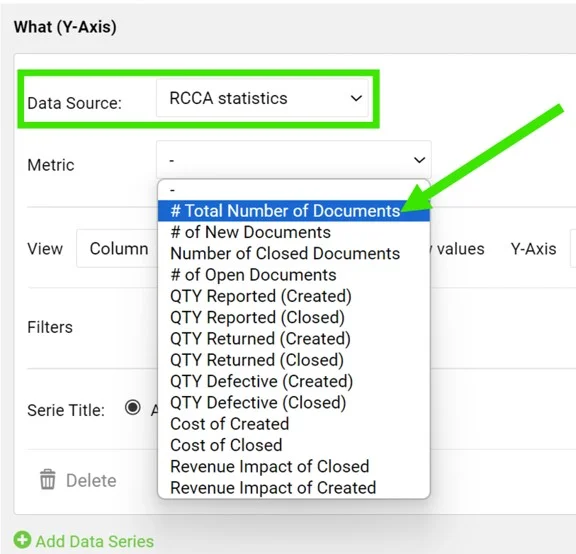
Select the data source
Select RCCA statistics as the data source and choose your metric.
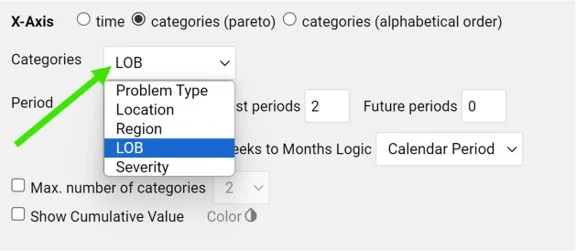
Define the categories
Define the categories, the time period and other settings.
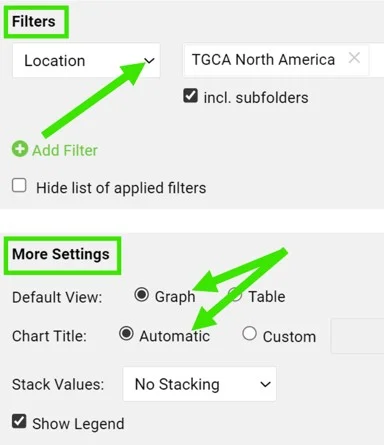
Set filters and the view
You can also set up additional filters (e.g. location, metric, RCCA template, etc.) and the view, title and legend in the More Settings section.
View the statistics
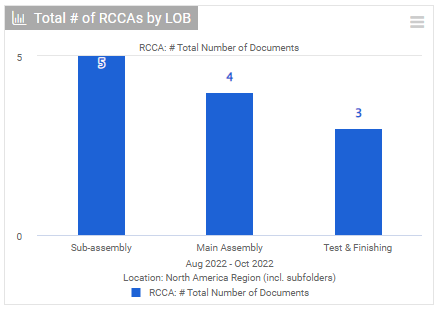
View your charts
View your charts in the report.
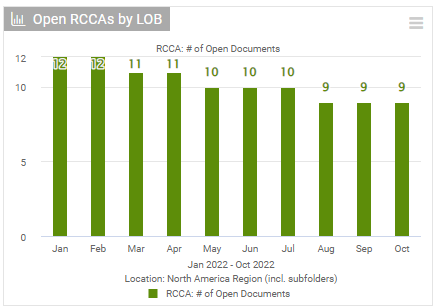
Track development over time
You can also view the development of your RCCA documents over a specific time period.
Please follow this link to learn more about setting up your reports.
Prepojte dokumenty RCCA s modulom Reporty, v ktorom si vytvoríte rôzne druhy štatistík. Sledujte celkový počet dokumentov aj počet nových, otvorených a uzavretých a majte prehľad o dokumentoch RCCA podľa typu problému, miesta, závažnosti a ďalších kritérií.
Vytvorenie widgetu grafu
Pridajte widget
V reporte kliknite na Pridať widget.
Vyberte graf
V podmenu vyberte Graf.
Pridajte dátový rad
Kliknite na Pridať dátový rad.
Vyberte zdroj dát
Ako zdroj dát vyberte Štatistiky RCCA a zvoľte metriku.
Určte kategórie
Určte kategórie, obdobie a ďalšie nastavenia.
Nastavte filtre a zobrazenie
V časti Ďalšie nastavenia môžete nastaviť aj ďalšie filtre (napr. miesto, metriku, šablónu RCCA atď.), zobrazenie, nadpis a legendu.
Zobrazenie štatistík
Pozrite si grafy
Grafy si pozrite v reporte.
Sledujte vývoj v čase
Môžete si pozrieť aj vývoj dokumentov RCCA za určité obdobie.
Viac o nastavení reportov sa dozviete na tomto odkaze.
Potrebujete ďalšiu pomoc?
Napíšte nám. V pracovné dni zvyčajne odpovedáme do hodiny.