Statystyki RCCA w module Raporty: widżety wykresów
Tłumaczenie maszynowe z angielskiego. Wyświetlany jest oryginał po angielsku.
Connect your RCCA documents with our Reports module, where you can create different types of statistics. Monitor the number of your total, new, open and closed documents, and keep track of your RCCA documents by problem type, location, severity, and more.
Create the chart widget
Add a widget
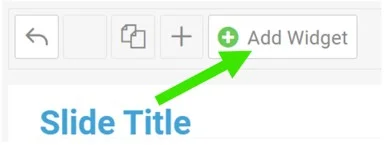
In your report, click Add Widget.
Select the chart
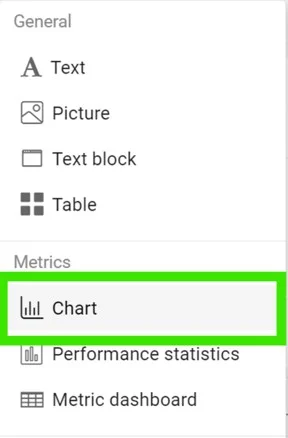
Select Chart from the submenu.
Add a data series
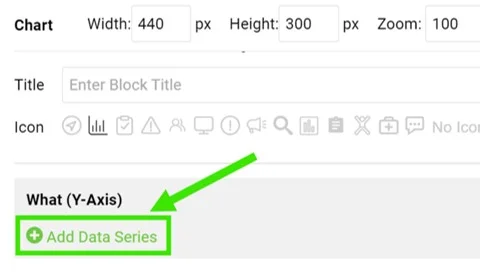
Click Add Data Series.
Select the data source
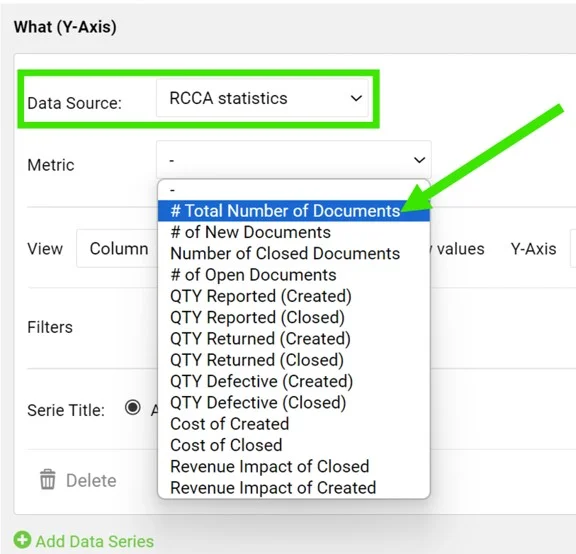
Select RCCA statistics as the data source and choose your metric.
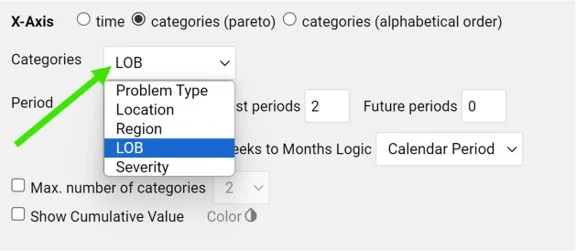
Define the categories
Define the categories, the time period and other settings.
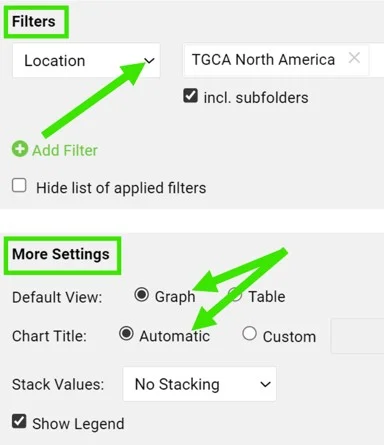
Set filters and the view
You can also set up additional filters (e.g. location, metric, RCCA template, etc.) and the view, title and legend in the More Settings section.
View the statistics
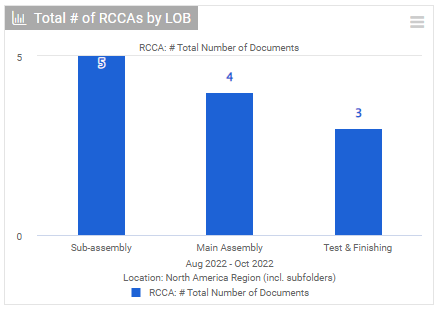
View your charts
View your charts in the report.
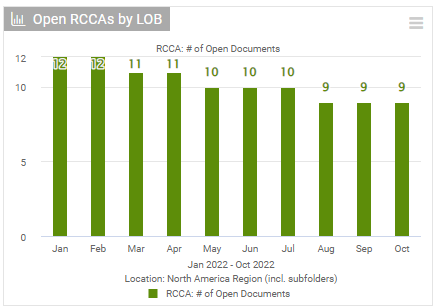
Track development over time
You can also view the development of your RCCA documents over a specific time period.
Please follow this link to learn more about setting up your reports.
Połącz dokumenty RCCA z modułem Raporty, w którym utworzysz różne statystyki. Śledź liczbę wszystkich, nowych, otwartych i zamkniętych dokumentów oraz analizuj dokumenty RCCA według typu problemu, lokalizacji, ważności i innych kryteriów.
Utwórz widżet wykresu
Dodaj widżet
W raporcie kliknij Dodaj widżet.
Wybierz wykres
Wybierz z podmenu Wykres.
Dodaj serię danych
Kliknij Dodaj serię danych.
Wybierz źródło danych
Jako źródło danych wybierz Statystyki RCCA i wskaż wskaźnik.
Określ kategorie
Określ kategorie, okres i pozostałe ustawienia.
Ustaw filtry i widok
W sekcji Więcej ustawień możesz też ustawić dodatkowe filtry (np. lokalizację, wskaźnik, szablon RCCA itd.) oraz widok, tytuł i legendę.
Przeglądaj statystyki
Wyświetl wykresy
Wykresy zobaczysz w raporcie.
Śledź zmiany w czasie
Możesz też zobaczyć, jak zmieniała się liczba dokumentów RCCA w wybranym okresie.
Więcej o ustawianiu raportów dowiesz się z tego linku.
Potrzebujesz dalszej pomocy?
Napisz do nas. W dni robocze zwykle odpowiadamy w ciągu godziny.