Exiba ações no seu relatório
Tradução automática do inglês. Exibindo o original em inglês.
You can display actions in a report and filter them as needed.
Add the Actions widget
-
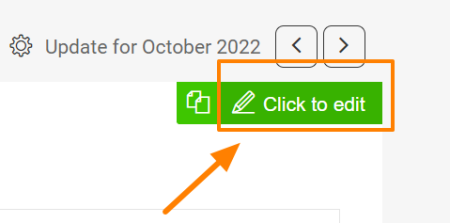
Open the slide in edit mode. Go to a slide and click the Click to edit icon in the upper right corner.
-
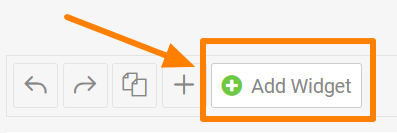
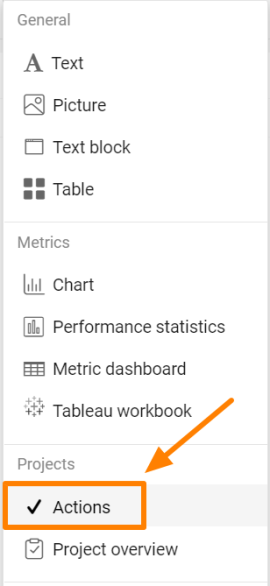
Add the Actions widget. Click the green plus button Add Widget and select Actions from the submenu.
-
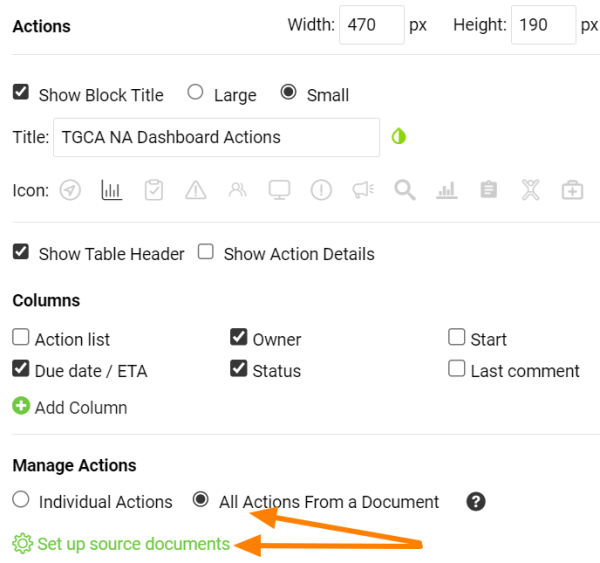
Choose the type of actions. Choose All Actions From a Document or Individual Actions, then click Set up source documents.
-
Select the source documents. Select the source document(s) and use the filter below to set up the criteria.
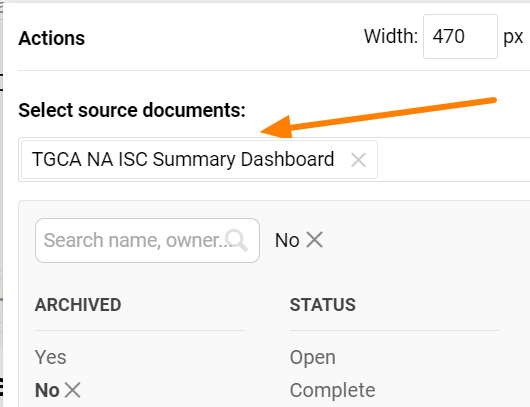
Please note that the Actions widget doesn’t display live data. It shows the latest status at the time the report was updated. To display the current status of the actions, refresh the widget.
Refresh the actions
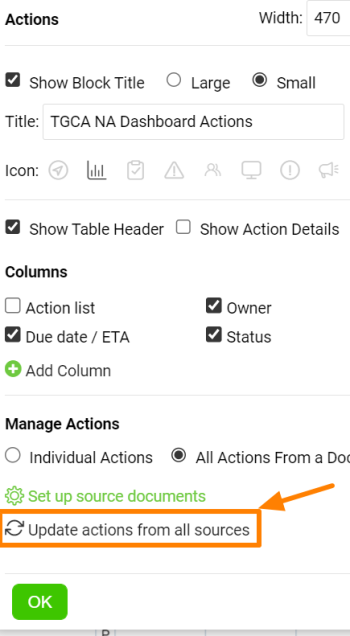
Refresh a single widget
You can update each Actions widget separately.
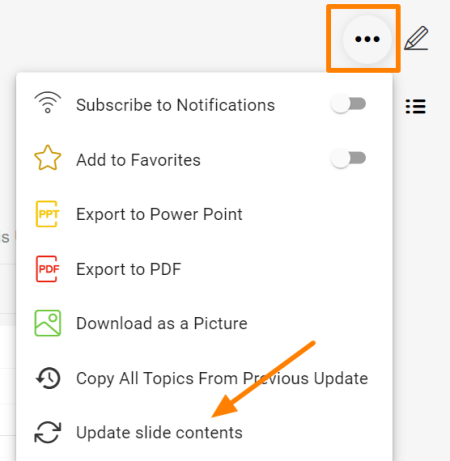
Refresh all Actions widgets
Or you can update all Actions widgets in your report at once with this function in the upper right corner of the report.
Você pode exibir ações em um relatório e filtrá-las como precisar.
Adicione o widget de ações
-
Abra o slide no modo de edição. Acesse um slide e clique no ícone Clique para editar no canto superior direito.
-
Adicione o widget de ações. Clique no botão verde de mais Adicionar widget e selecione Ações no submenu.
-
Escolha o tipo de ações. Escolha Todas as ações de um documento ou Ações individuais e clique em Configurar documentos de origem.
-
Selecione os documentos de origem. Selecione o(s) documento(s) de origem e use o filtro abaixo para definir os critérios.
Observação: o widget de ações não mostra dados ao vivo. Ele mostra o último status no momento em que o relatório foi atualizado. Para exibir o status atual das ações, atualize o widget.
Atualize as ações
Atualize um único widget
Você pode atualizar cada widget de ações separadamente.
Atualize todos os widgets de ações
Ou pode atualizar todos os widgets de ações do relatório de uma vez com esta função, no canto superior direito do relatório.
Precisa de mais ajuda?
Escreva para nós. Em dias úteis, costumamos responder em até uma hora.