Mostrar acciones en un informe
Traducción automática del inglés. Se muestra el original en inglés.
You can display actions in a report and filter them as needed.
Add the Actions widget
-
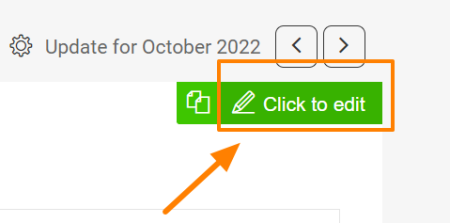
Open the slide in edit mode. Go to a slide and click the Click to edit icon in the upper right corner.
-
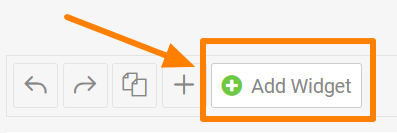
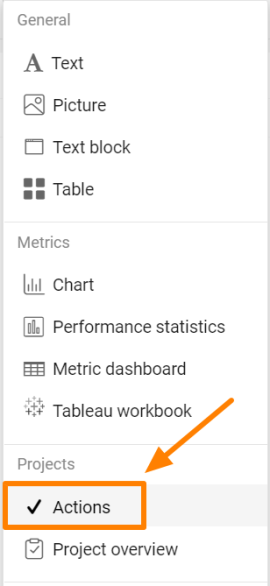
Add the Actions widget. Click the green plus button Add Widget and select Actions from the submenu.
-
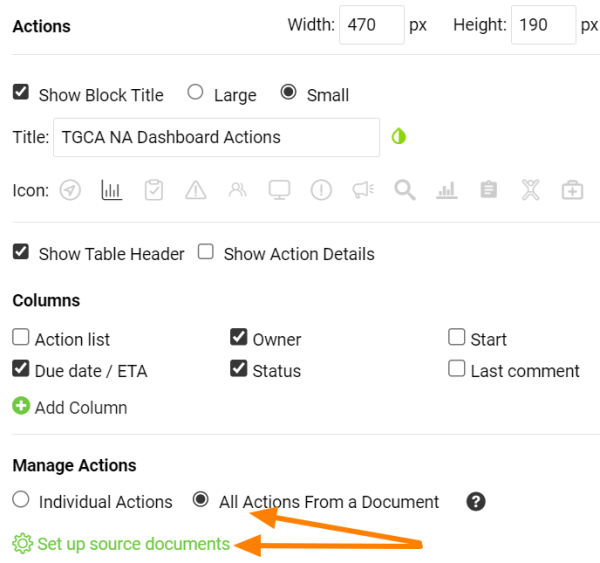
Choose the type of actions. Choose All Actions From a Document or Individual Actions, then click Set up source documents.
-
Select the source documents. Select the source document(s) and use the filter below to set up the criteria.
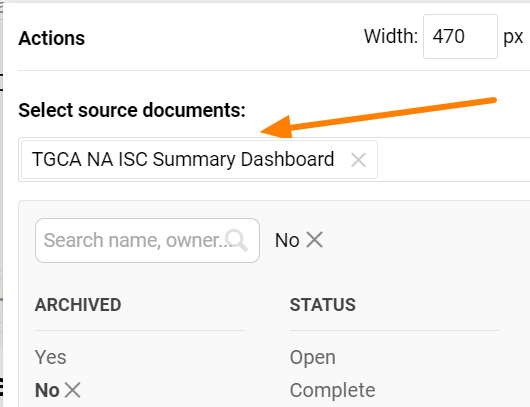
Please note that the Actions widget doesn’t display live data. It shows the latest status at the time the report was updated. To display the current status of the actions, refresh the widget.
Refresh the actions
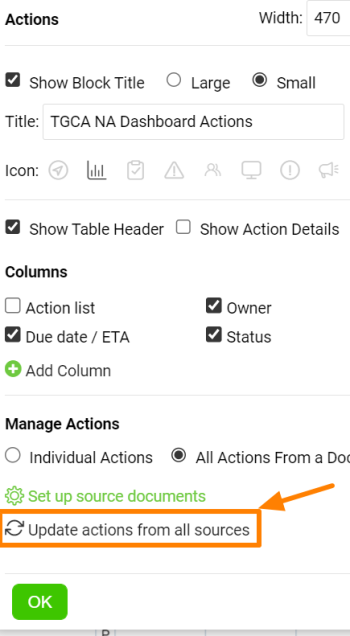
Refresh a single widget
You can update each Actions widget separately.
Refresh all Actions widgets
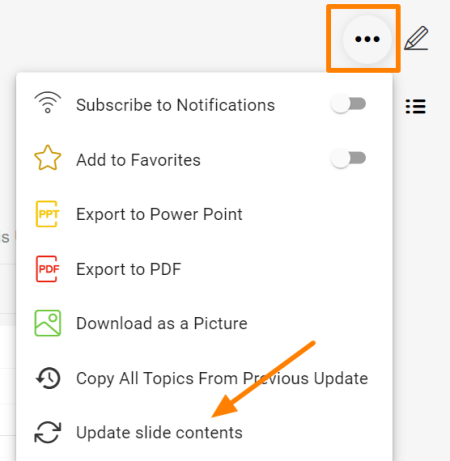
Or you can update all Actions widgets in your report at once with this function in the upper right corner of the report.
Puede mostrar acciones en un informe y filtrarlas según lo necesite.
Agregar el widget Acciones
-
Abra la diapositiva en modo de edición. Vaya a una diapositiva y haga clic en el icono Clic para editar en la esquina superior derecha.
-
Agregue el widget Acciones. Haga clic en el botón verde con el signo más Agregar widget y seleccione Acciones en el submenú.
-
Elija el tipo de acciones. Elija Todas las acciones de un documento o Acciones individuales y haga clic en Configurar documentos de origen.
-
Seleccione los documentos de origen. Seleccione los documentos de origen y use el filtro de abajo para definir los criterios.
Tenga en cuenta que el widget Acciones no muestra datos en vivo. Muestra el último estado en el momento en que se actualizó el informe. Para ver el estado actual de las acciones, actualice el widget.
Actualizar las acciones
Actualizar un solo widget
Puede actualizar cada widget Acciones por separado.
Actualizar todos los widgets Acciones
También puede actualizar a la vez todos los widgets Acciones del informe con esta función, en la esquina superior derecha del informe.
¿Necesita más ayuda?
Escríbanos. En días laborables solemos responder en menos de una hora.