Where to view the informed and/or to-be-informed users & how to mark an employee as informed
To see the list of informed or to-be-informed employees, go to the Informed Employees tab of the particular document. To mark an employee as informed:
-
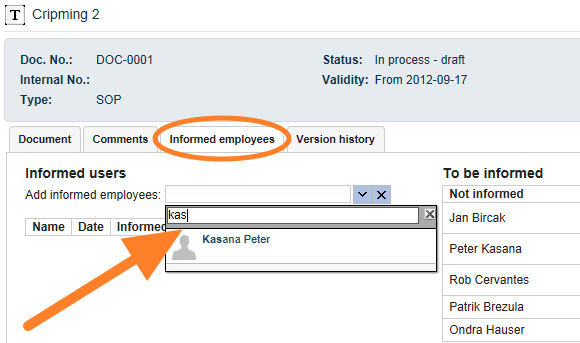
Enter an employee manually. Enter the name of an employee who has been informed. This way is usually used for ad hoc users.
-
Or inform a predefined employee. Click the Inform button next to the employee’s name. These users are set up on the document edit screen, in the User groups tab, as predefined people who should be familiar with the document. If you also work with the Skill Matrix module and the document is part of the required knowledge, the employees set up in the Skill Matrix appear here as to-be-informed users automatically.

-
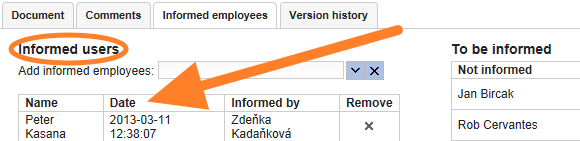
Check who was informed. You can see who was informed, when, and by whom.
Still need help?
Write to us. We usually reply within an hour on business days.