Who can approve a document and how?
A document has to be approved before it can be activated.
Specify the approvers
The people who can approve the document are specified on the document edit screen, as shown below.
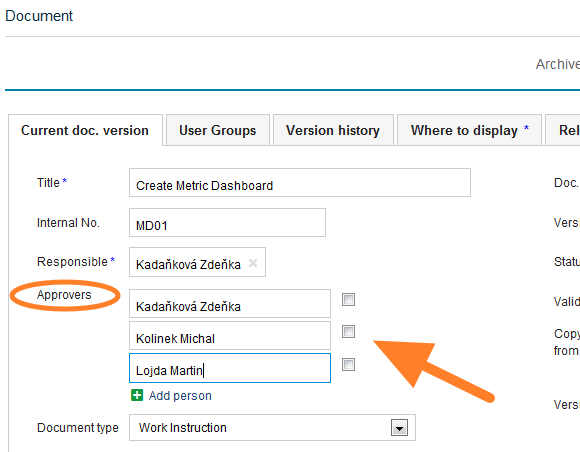
Approve a newly created document
-
Save the draft. Click Save & View if you need to make other changes later. The document stays as a draft.
-
Send it for approval. Click Save & Send for Approval if no changes are to be made.
-
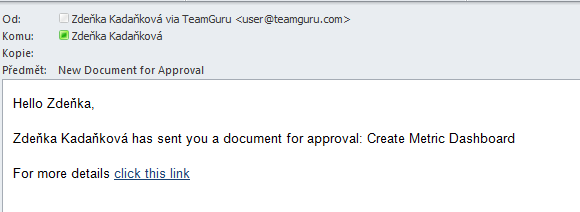
Approvers are notified. The approvers receive an email notification asking them to approve the document.
-
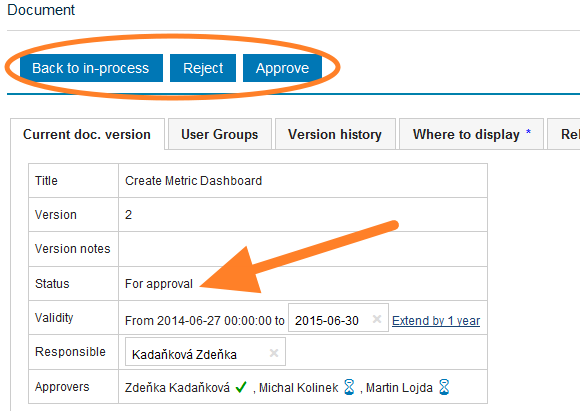
The approvers decide. The approvers approve or disapprove the document, or return it to the in-process status.
-
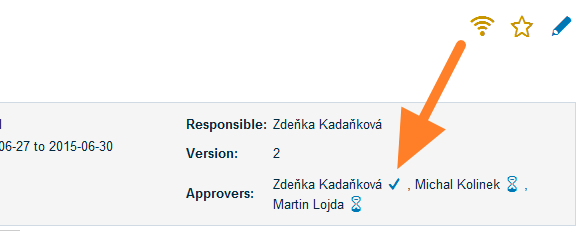
Check the approval progress. When you open the document, you can see who has approved it and whose approval is pending.
-
The document becomes active. Once all the approvers have approved the document, its status changes to Approved and the document becomes Active.
Still need help?
Write to us. We usually reply within an hour on business days.