Trabalho padronizado do líder (LSW)
Tradução automática do inglês. Exibindo o original em inglês.
A Leadership Standardized Work document helps you manage the regular activities performed by leaders at all levels.
Designing a robust system of regular checks, actions and reviews into the standard work of every leader will significantly improve the performance of your teams. You can also reduce the need for traditional process audits.
Video guide
Create an LSW document
-
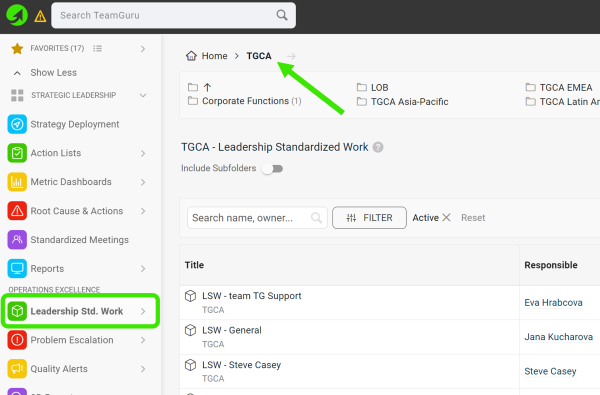
Select a folder. Go to the Leadership Std. Work module and select a folder (the location of your LSW document).
-
Create a new LSW document. Click the green Create New icon in the upper right corner.

-
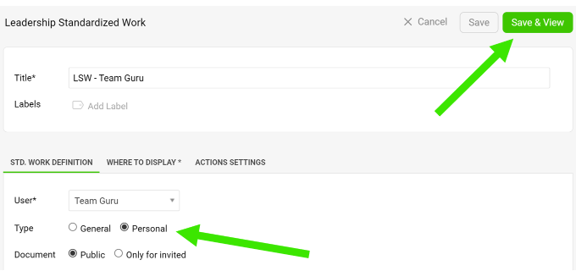
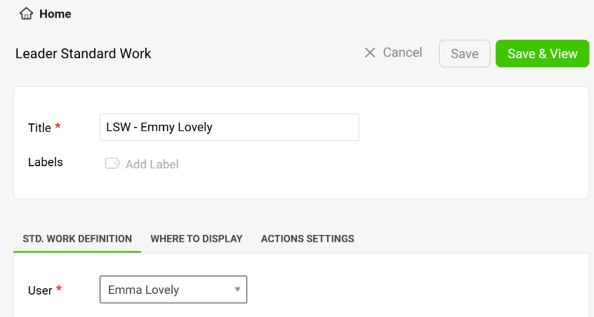
Define the settings. Define all the settings, select the type and click the Save & View button. The General type is a team LSW, the Personal type is an individual LSW.
-
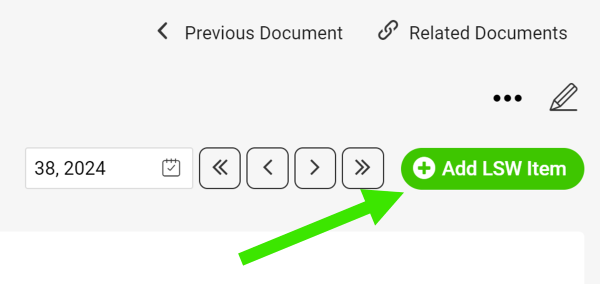
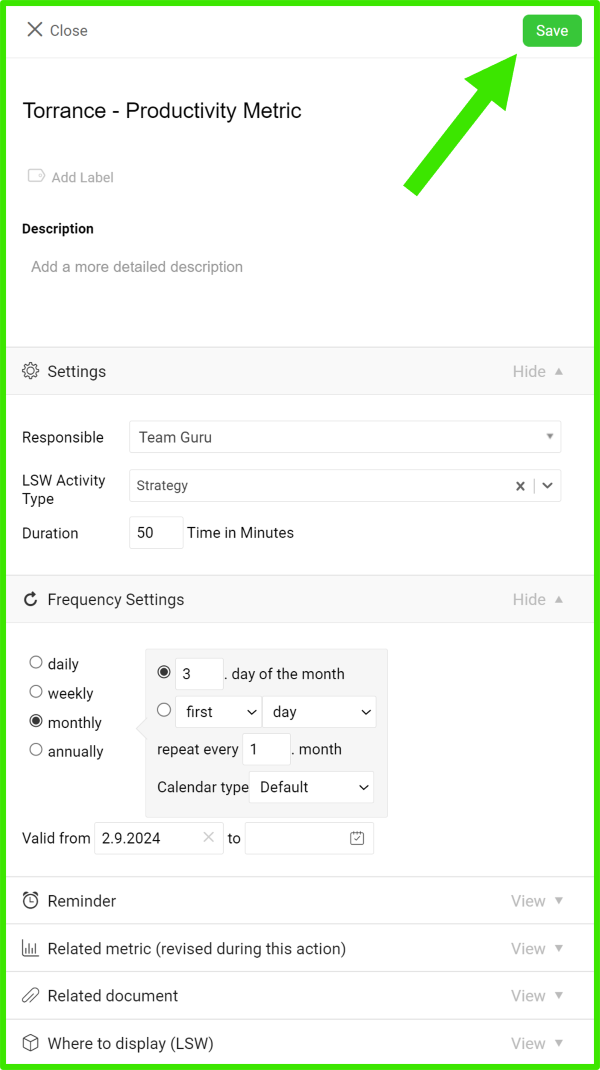
Add an LSW item. Add your LSW item, define its settings and click Save.
-
Edit an LSW item. To edit the settings of an LSW item (action), click the edit icon next to the item.

-
Manage your actions.
-
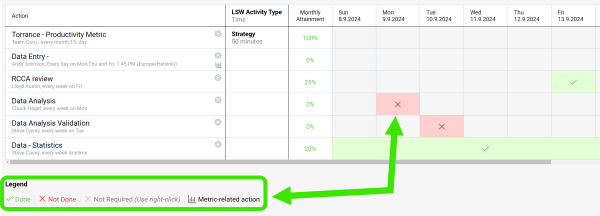
Click into each field and select a status based on the Legend.
-
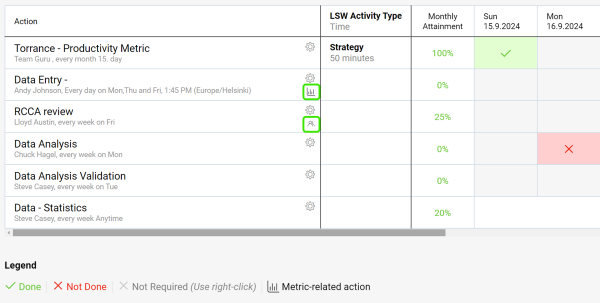
Use live links to get directly to other related documents (e.g. metric dashboards, meetings, etc.).
-
-
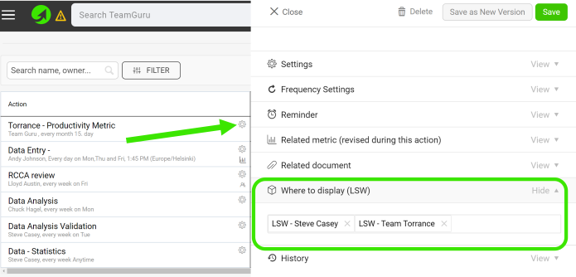
Link your LSW documents. In the action settings, scroll down to the Where to display (LSW) section and select the other LSW documents where you want your action to be displayed as well.
-
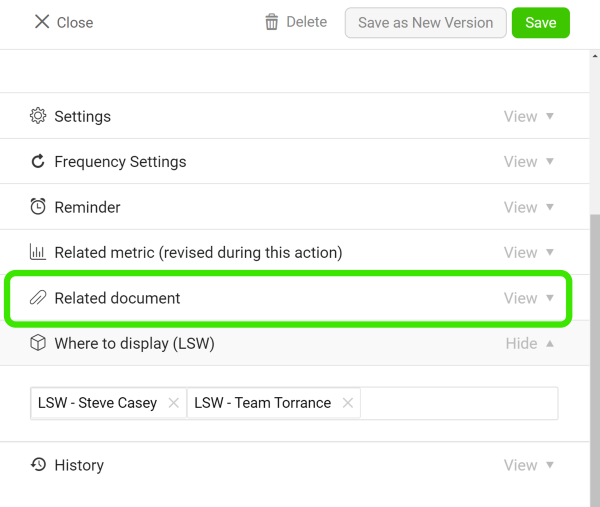
Add related documents. Add related documents to your LSW document.
Assign actions to your team
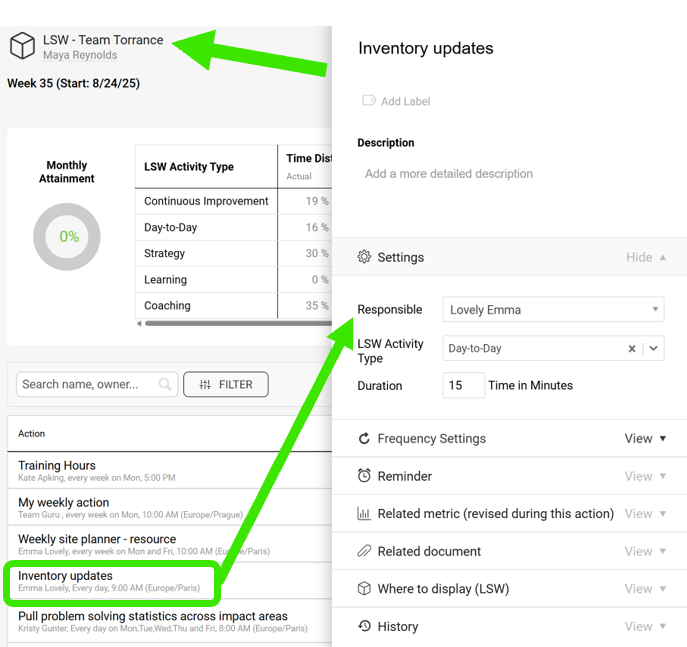
Assign actions in a team LSW
When you create a General LSW document, you can assign actions to your team members.
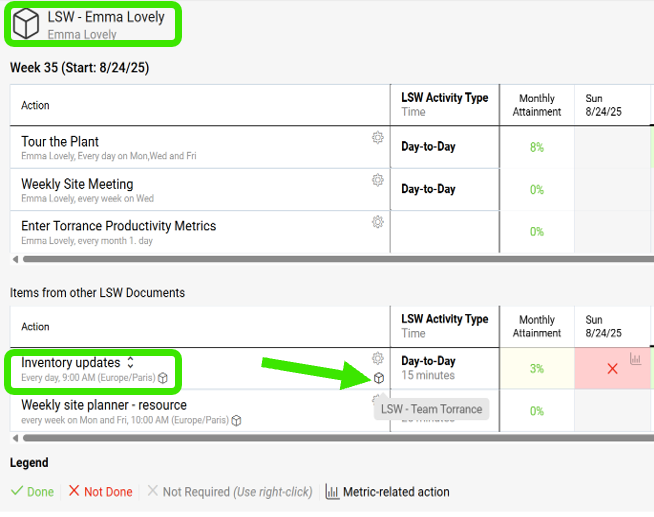
Find the action in a personal LSW
Team members who already have a personal LSW see the action there, under Items from other LSW Documents, with a live link.
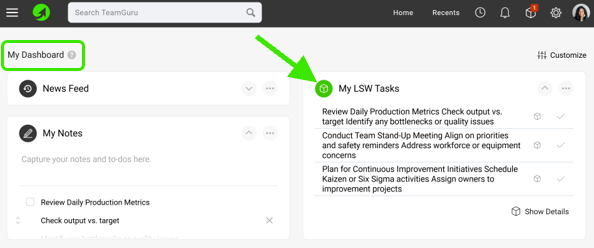
Update the action on My Dashboard
Otherwise, the action is displayed on the My Dashboard page, where they can update it.
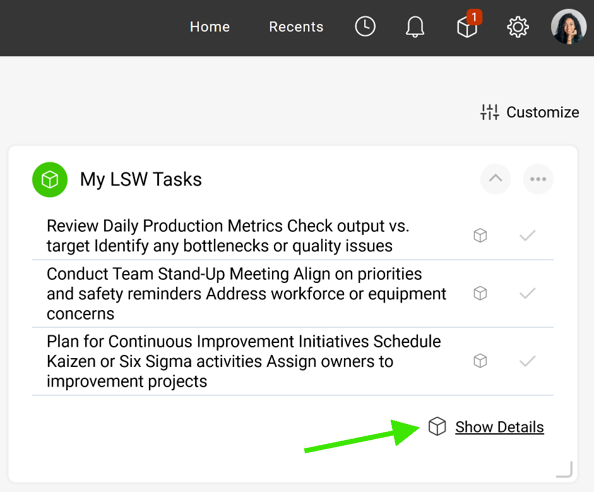
Create a personal LSW from the dashboard
If they click Show Details, they are redirected to a new LSW document, which they can save. This establishes their own LSW document.
Um documento de Trabalho padronizado do líder ajuda você a gerenciar as atividades de rotina dos líderes em todos os níveis.
Incluir no trabalho padronizado de cada líder um sistema sólido de verificações, ações e revisões regulares melhora muito o desempenho das equipes. Você também pode reduzir a necessidade de auditorias de processo tradicionais.
Guia em vídeo
Crie um documento de LSW
-
Selecione uma pasta. Acesse o módulo Trabalho padronizado do líder e selecione uma pasta (o local do documento de LSW).
-
Crie um novo documento de LSW. Clique no ícone verde Criar novo no canto superior direito.
-
Defina as configurações. Defina todas as configurações, selecione o tipo e clique no botão Salvar e visualizar. O tipo Geral é um LSW de equipe; o tipo Pessoal é um LSW individual.
-
Adicione um item de LSW. Adicione o item de LSW, defina as configurações dele e clique em Salvar.
-
Edite um item de LSW. Para editar as configurações de um item de LSW (ação), clique no ícone de edição ao lado do item.
-
Gerencie suas ações.
-
Clique em cada campo e selecione um status conforme a Legenda.
-
Use os links diretos para ir aos outros documentos relacionados (por exemplo, dashboards de KPI, reuniões etc.).
-
-
Vincule seus documentos de LSW. Nas configurações da ação, role até a seção Onde exibir (LSW) e selecione os outros documentos de LSW em que a ação também deve aparecer.
-
Adicione documentos relacionados. Adicione documentos relacionados ao seu documento de LSW.
Atribua ações à sua equipe
Atribua ações em um LSW de equipe
Ao criar um documento de LSW do tipo Geral, você pode atribuir ações aos membros da equipe.
Encontre a ação em um LSW pessoal
Os membros da equipe que já têm um LSW pessoal veem a ação nele, em Itens de outros documentos de LSW, com um link direto.
Atualize a ação em Meu painel
Caso contrário, a ação aparece na página Meu painel, onde eles podem atualizá-la.
Crie um LSW pessoal a partir do painel
Ao clicar em Mostrar detalhes, eles são levados a um novo documento de LSW, que podem salvar. Assim, criam o próprio documento de LSW.
Precisa de mais ajuda?
Escreva para nós. Em dias úteis, costumamos responder em até uma hora.