Štandard práce vedúcich – LSW
Strojový preklad z angličtiny. Zobrazený je anglický originál.
A Leadership Standardized Work document helps you manage the regular activities performed by leaders at all levels.
Designing a robust system of regular checks, actions and reviews into the standard work of every leader will significantly improve the performance of your teams. You can also reduce the need for traditional process audits.
Video guide
Create an LSW document
-
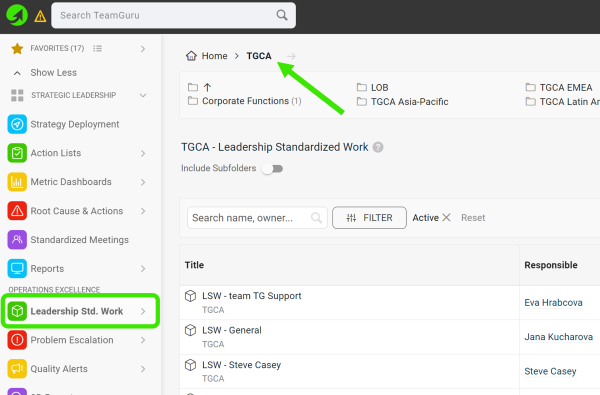
Select a folder. Go to the Leadership Std. Work module and select a folder (the location of your LSW document).
-
Create a new LSW document. Click the green Create New icon in the upper right corner.

-
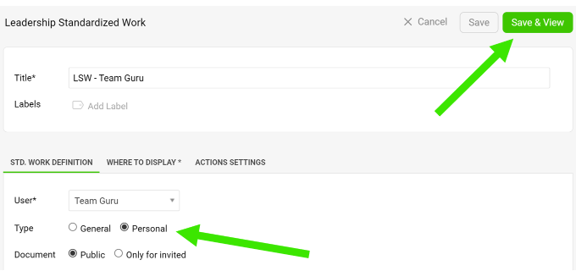
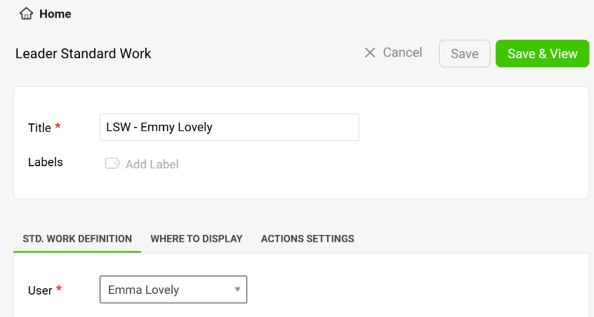
Define the settings. Define all the settings, select the type and click the Save & View button. The General type is a team LSW, the Personal type is an individual LSW.
-
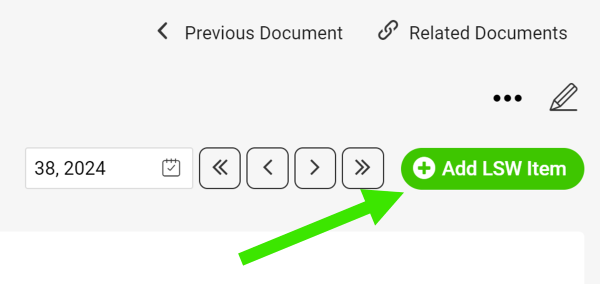
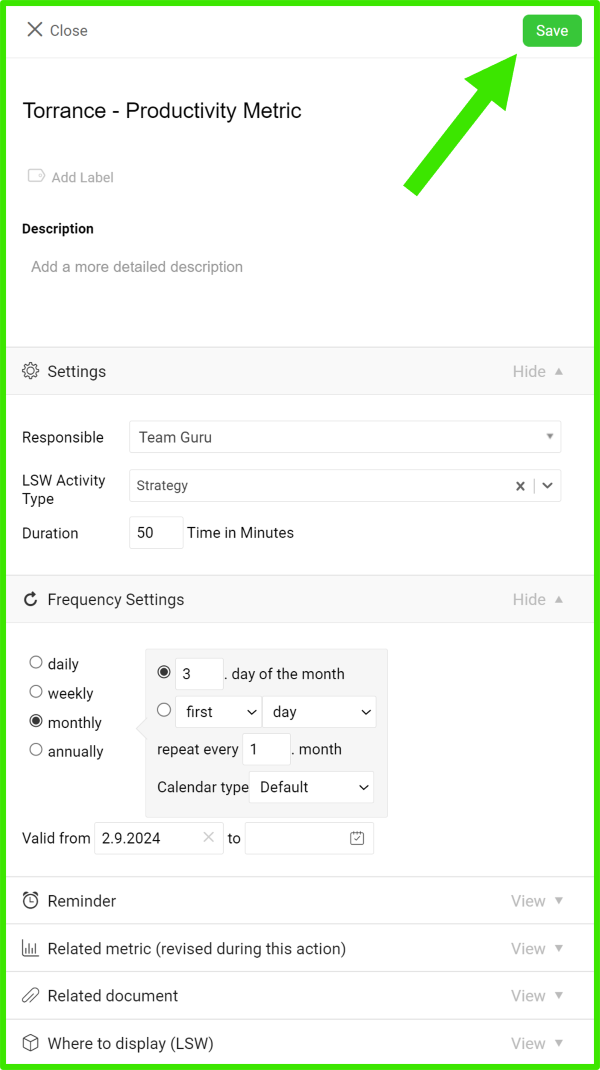
Add an LSW item. Add your LSW item, define its settings and click Save.
-
Edit an LSW item. To edit the settings of an LSW item (action), click the edit icon next to the item.

-
Manage your actions.
-
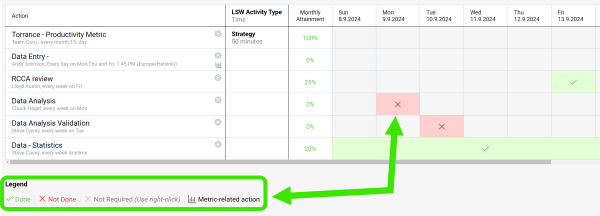
Click into each field and select a status based on the Legend.
-
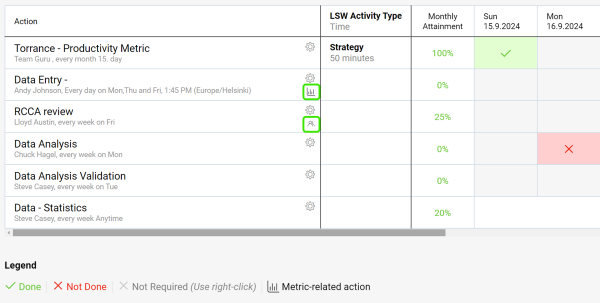
Use live links to get directly to other related documents (e.g. metric dashboards, meetings, etc.).
-
-
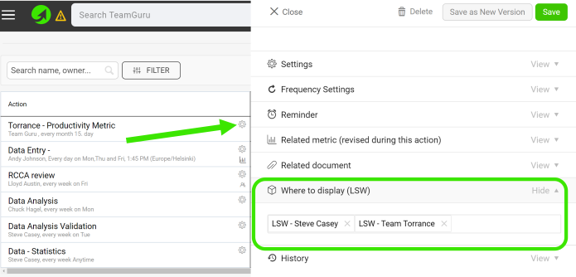
Link your LSW documents. In the action settings, scroll down to the Where to display (LSW) section and select the other LSW documents where you want your action to be displayed as well.
-
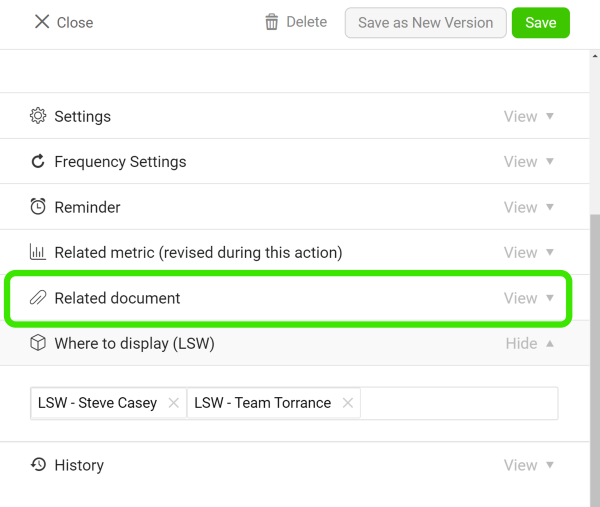
Add related documents. Add related documents to your LSW document.
Assign actions to your team
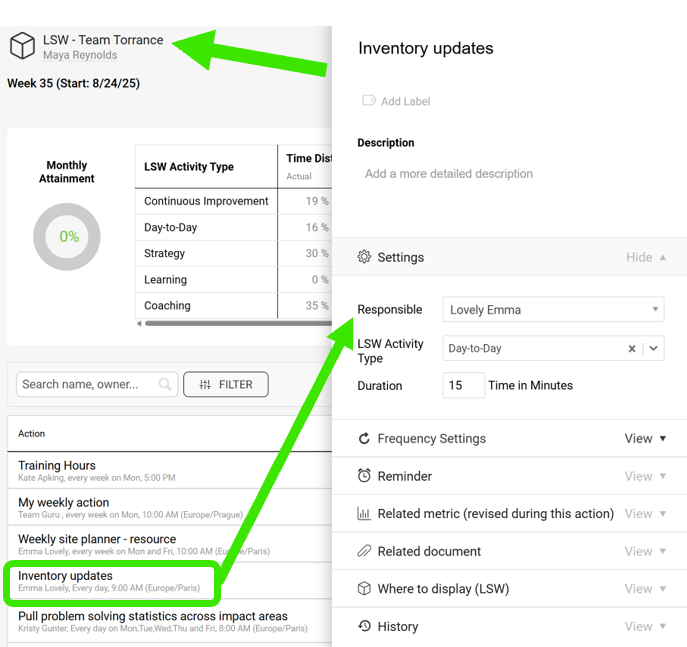
Assign actions in a team LSW
When you create a General LSW document, you can assign actions to your team members.
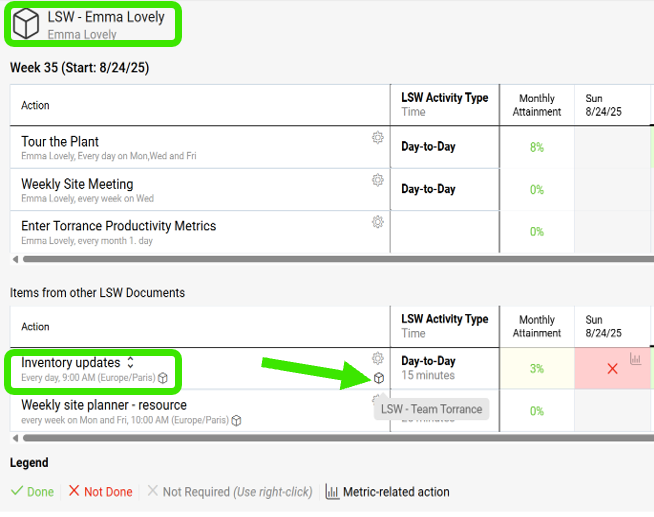
Find the action in a personal LSW
Team members who already have a personal LSW see the action there, under Items from other LSW Documents, with a live link.
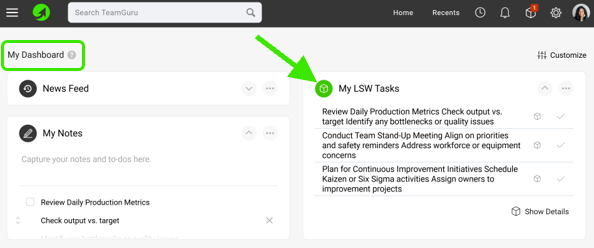
Update the action on My Dashboard
Otherwise, the action is displayed on the My Dashboard page, where they can update it.
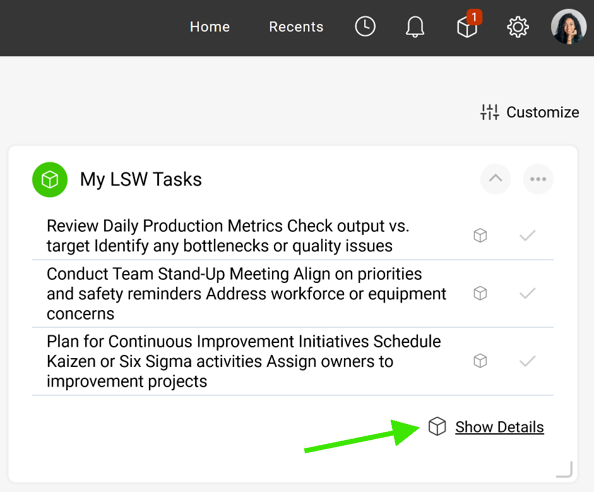
Create a personal LSW from the dashboard
If they click Show Details, they are redirected to a new LSW document, which they can save. This establishes their own LSW document.
Dokument Štandard práce vedúcich vám pomáha riadiť pravidelné činnosti vedúcich na všetkých úrovniach.
Keď do štandardnej práce každého vedúceho zabudujete spoľahlivý systém pravidelných kontrol, akcií a preskúmaní, výkonnosť vašich tímov sa výrazne zlepší. Zároveň môžete obmedziť potrebu tradičných procesných auditov.
Video návod
Vytvorenie dokumentu LSW
-
Zvoľte priečinok. Prejdite do modulu Štandard práce vedúcich a vyberte priečinok (umiestnenie dokumentu LSW).
-
Vytvorte nový dokument LSW. Kliknite na zelenú ikonu Vytvoriť nový v pravom hornom rohu.
-
Nastavte dokument. Vyplňte všetky nastavenia, zvoľte typ a kliknite na tlačidlo Uložiť a zobraziť. Typ Všeobecný je tímový LSW, typ Osobný je individuálny LSW.
-
Pridajte položku LSW. Pridajte položku LSW, nastavte ju a kliknite na Uložiť.
-
Upravte položku LSW. Nastavenia položky LSW (akcie) upravíte kliknutím na ikonu úprav vedľa položky.
-
Spravujte akcie.
-
Kliknite do každého poľa a vyberte stav podľa Legendy.
-
Cez aktívne odkazy sa dostanete priamo do ďalších súvisiacich dokumentov (napríklad KPI dashboardov, porád a pod.).
-
-
Prepojte dokumenty LSW. V nastaveniach akcie sa posuňte nižšie do sekcie Kde zobraziť (LSW) a vyberte ďalšie dokumenty LSW, v ktorých sa má akcia tiež zobrazovať.
-
Pridajte súvisiace dokumenty. K dokumentu LSW pridajte súvisiace dokumenty.
Priradenie akcií tímu
Priradenie akcií v tímovom LSW
Keď vytvoríte dokument LSW typu Všeobecný, môžete akcie priradiť členom tímu.
Akcia v osobnom LSW
Členovia tímu, ktorí už osobný LSW majú, uvidia akciu v ňom v časti Položky z iných dokumentov LSW aj s aktívnym odkazom.
Aktualizácia akcie na stránke Môj dashboard
Inak sa akcia zobrazí na stránke Môj dashboard, kde ju môžu aktualizovať.
Vytvorenie osobného LSW z dashboardu
Keď kliknú na Zobraziť podrobnosti, otvorí sa im nový dokument LSW, ktorý môžu uložiť. Tým si založia vlastný dokument LSW.
Potrebujete ďalšiu pomoc?
Napíšte nám. V pracovné dni zvyčajne odpovedáme do hodiny.