在其他报告中共享主题
本文由英文机器翻译。 当前显示英文原文。
You can share topics in several reports. That way, you can easily create any summary report based on topics from other reports.
Please note that a sufficient role is required to use this functionality.
Share a topic
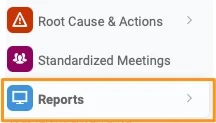
Open the Reports module
Go to the Reports module.
Add a topic
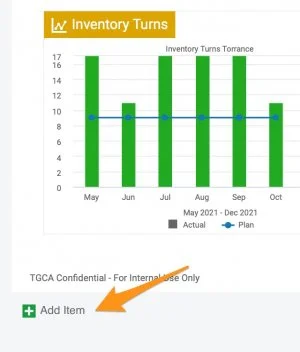
Click the green plus button Add item to create a topic.
Choose a topic from another report
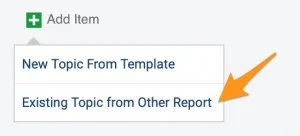
Choose Existing Topic from Other Report.
Select the topics
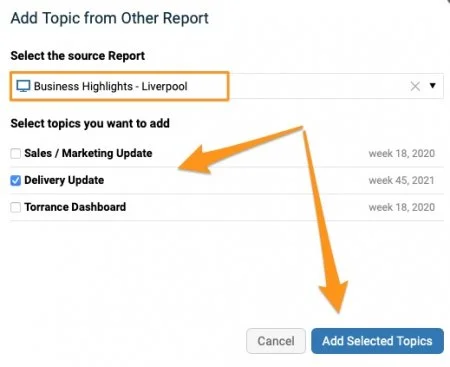
Select the source report and the topic(s) you want to add. Click the Add Selected Topics button.
Recognize a shared topic
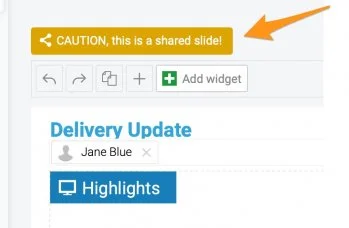
An extra icon above the topic shows that it is included in multiple reports.

Mind the change alert
When a topic is modified, an alert notification is activated. Please note that any change is applied to all the reports where this topic is shared.
Unshare topics
Choose how to unshare
If you decide not to share topics any longer, you have several options:
-
Remove the slides (topics) from the report(s).
-
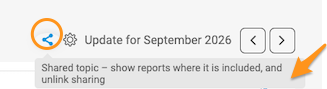
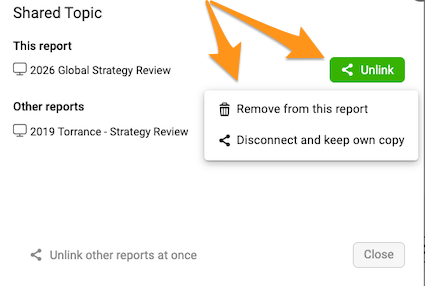
Disconnect and keep your own copy. Click the Share icon above your slide (topic). When you click the Unlink button, you can select the Disconnect and keep own copy option.

-
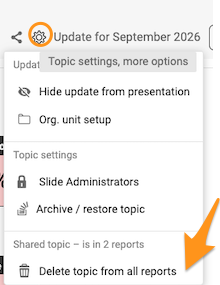
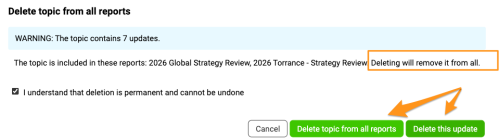
Remove the topic. Click the Settings icon above your topic (slide) and select Delete topic from all reports. You can then choose to remove only the update or all historical updates.
Please note that the selected update(s) are removed from ALL reports where the topic is shared.
您可以在多个报告中共享主题。这样,就能轻松地基于其他报告中的主题创建任意汇总报告。
请注意,使用此功能需要具备相应的角色。
共享主题
打开报告模块
进入报告模块。
添加主题
点击绿色加号按钮添加项目创建主题。
从其他报告中选择主题
选择其他报告中的现有主题。
选择主题
选择来源报告和要添加的主题,然后点击添加所选主题按钮。
识别共享主题
主题上方多出的图标表示该主题包含在多个报告中。
注意更改提醒
修改主题时,系统会显示提醒通知。请注意,任何更改都会应用到共享该主题的所有报告。
取消共享主题
选择取消共享的方式
如果您决定不再共享主题,可以选择以下方式:
-
从报告中删除幻灯片(主题)。
-
断开链接并保留自己的副本。 点击幻灯片(主题)上方的共享图标。点击取消链接按钮后,可以选择断开链接并保留自己的副本选项。
-
删除主题。 点击主题(幻灯片)上方的设置图标,选择从所有报告中删除主题。然后可以选择只删除该更新,还是删除所有历史更新。
请注意,所选更新会从共享该主题的所有报告中删除。
还需要帮助吗?
请给我们留言。工作日我们通常会在一小时内回复。