How to create and browse through documents
-
Understand where documents are stored. Documents are stored in folders as defined in the organization structure of your system (see How do I manage the organization structure). How you browse through the individual folders depends on the module they belong to (e.g. Strategy Deployment, Action Lists, etc.). User access to the individual folders is driven by the user rights assigned to a user’s profile.
-
Select a module and a folder. To create a new document, select a module and an organization folder.
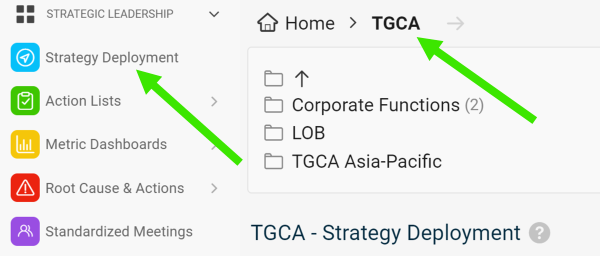
-
Create the document. Click the Add icon.

-
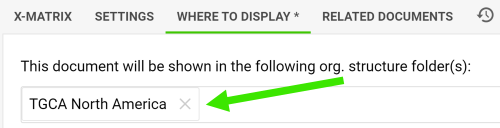
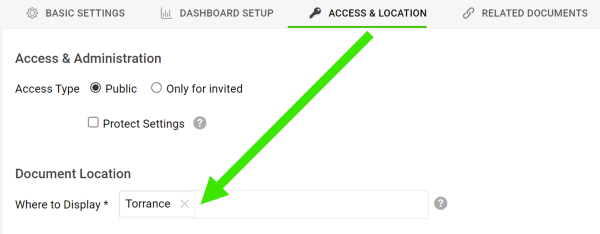
Change the location if needed. The new document is automatically located in the folder you created it in. You can change the location anytime on the Where to Display tab or the Access & Location tab.
Still need help?
Write to us. We usually reply within an hour on business days.