Grey Fields in TeamGuru
A grey field means one of the following:
- No value applicable for the combination of metric, org. unit and time period.
- Data is not being collected for the combination of metric and org. unit.
- The combination of org. unit and metric is deactivated in the dashboard.
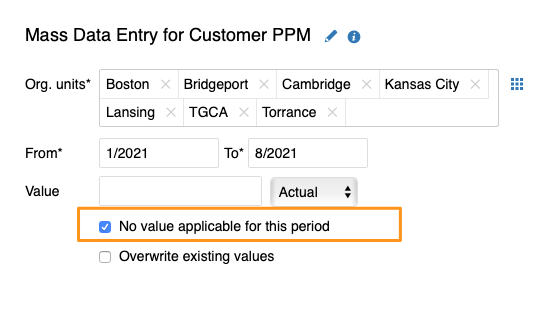
No value applicable for this period
Mark a cell as not applicable
If no value applies to an org. unit/metric combination in a specific time period (e.g. a holiday period), tick the appropriate box instead of entering values. The cell is then greyed out.
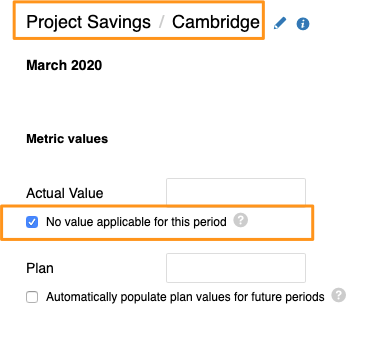
If you need to set No value applicable for several metrics, org. units or time periods in your dashboard, you can use the following two functions.
Use the spreadsheet view
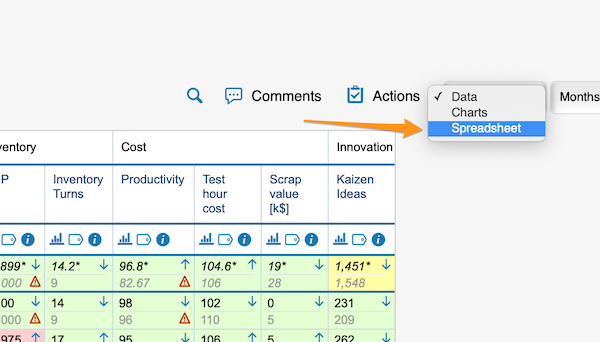
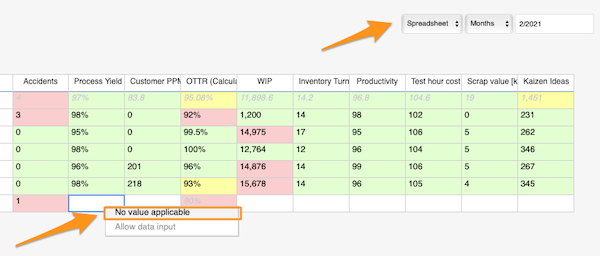
Change the Data view above your dashboard to the Spreadsheet view. In the spreadsheet view, right-click the cell, select No value applicable and copy it as needed.
Use mass data entry
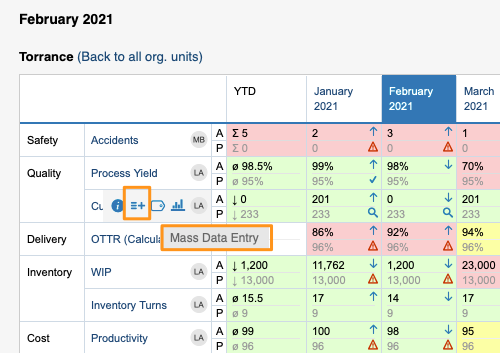
Hover over your metric and click the Mass Data Entry icon (=+). Then select your org. units and time period, tick the No value applicable for this period box and save.
Org. units for which data is not collected
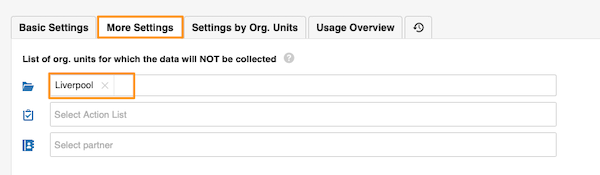
Exclude org. units in the metric settings
In the metric settings, on the More Settings tab, you can select the org. units which, in combination with this metric, will not appear in the dashboards.
Org. unit/metric combination deactivated in the dashboard
Uncheck the combination in the dashboard setup
You can grey out the fields of an org. unit/metric combination in your dashboard. They are greyed out only in this dashboard and nowhere else.
To set it up, go to your dashboard’s settings and, on the Dashboard Setup tab, uncheck the box for the metric/org. unit combination.
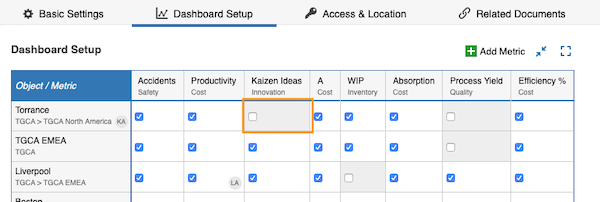
A grey field is not a locked field. Users can still enter values, but the values will not be displayed.
Still need help?
Write to us. We usually reply within an hour on business days.