Metric dashboard – mass import
TeamGuru lets you mass upload your data from your internal system. The data needs to be saved in the standard CSV format.
Supported file formats
A: Single metric in one row
Example: uploading various metrics for the org. unit TGCB for November and December 2024.
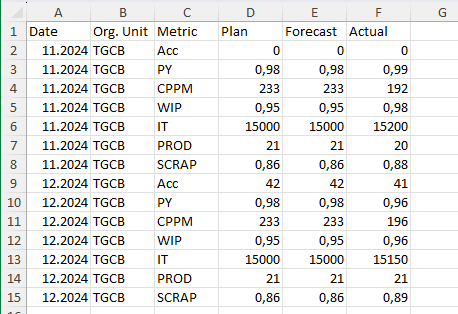
B: Multiple metrics in one row
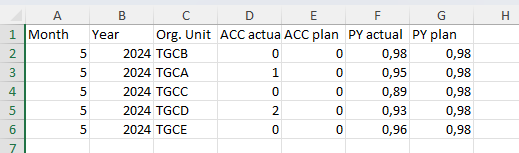
Supported date formats
- Daily values: D.M.YYYY or YYYY-M-D (e.g. 1.3.2024 for March 1st, 2024)
- Weekly values: W.YYYY or W/YYYY (e.g. 1.2024 for week 1 in 2024)
- Monthly values: M.YYYY or M/YYYY (e.g. 1.2024 for January 2024)
Import the data
-
Save the file as CSV. Save the file in the .csv format: in Microsoft Excel, go to Save As and select the .csv (semicolon-separated values) format instead of .xls.
-
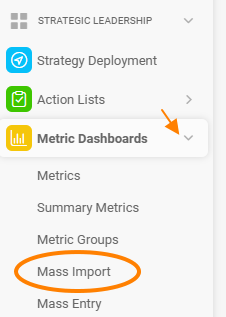
Open the mass import. Go to Metric Dashboards and select Mass Import in the submenu.
-
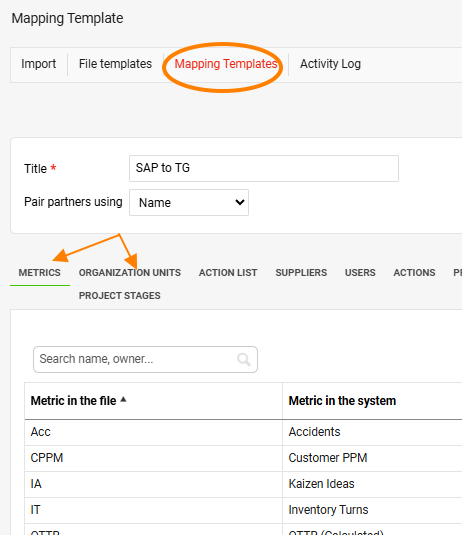
Create a mapping template. Create a Mapping Template, which makes sure that the metric and org. unit names in the source file are assigned to the correct metrics and org. units in TeamGuru.
-
Create a file template. Create a File Template so that TeamGuru can decode which values are stored in which columns of the source file.
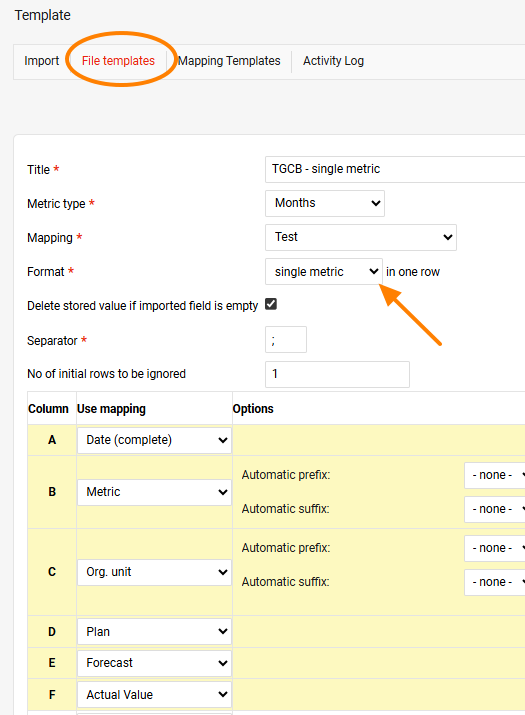
- Select the single metric format if your file is organized as in example A above.
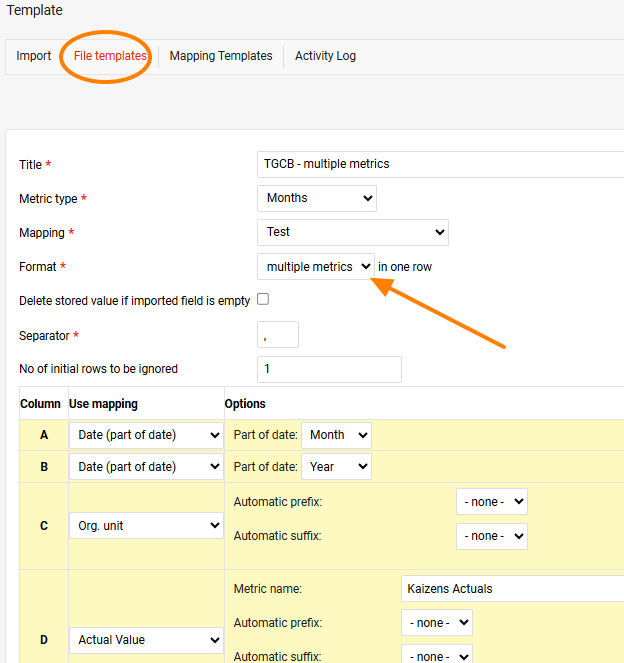
- Select the multiple metrics format if your file is organized as in example B above.
Specify what data each column of your spreadsheet contains.
Example A:
Example B:
-
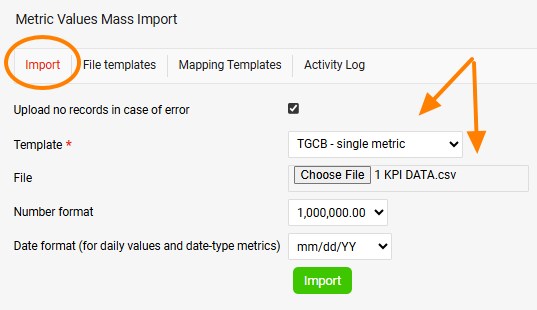
Upload the data. Upload the data from your source file: select the template, open the source .csv file and click Import.
Still need help?
Write to us. We usually reply within an hour on business days.