How to create a new partner's card
The Partners module helps you manage information about your customers and suppliers in one place. You can consolidate contacts, related documents, actions and shared documents.
-
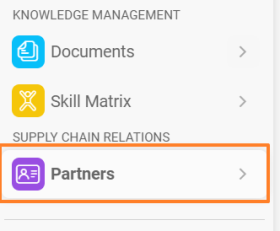
Create a new partner. In the Partners module, click the plus icon Create New in the upper right corner.

-
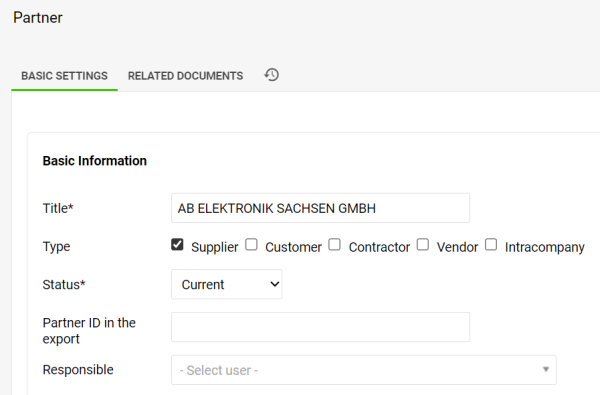
Fill in the partner details. Fill in your partner’s details and tick at least one partner type.
-
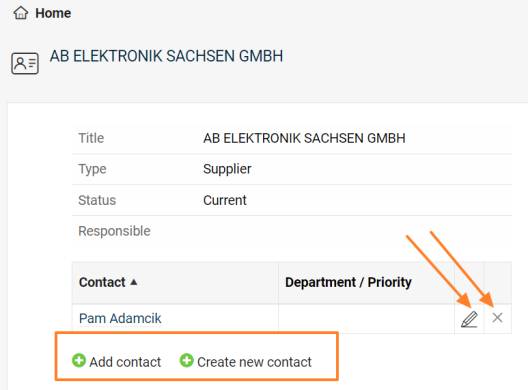
Save and add contacts. To be able to create a new contact for the partner, you need to save all the data first. Once you click the Save & View button, you can add an existing contact, create a new contact, and edit or remove an already linked contact.
-
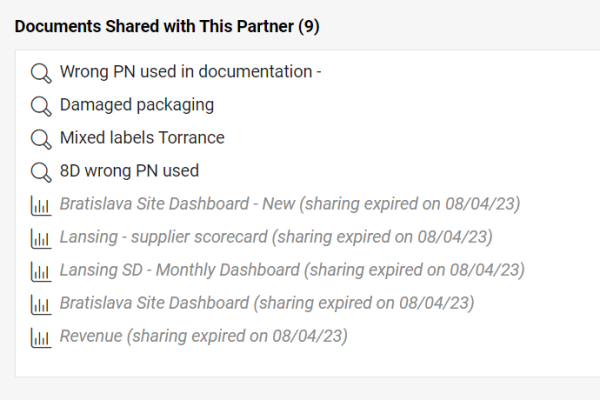
Review the shared documents. The list of shared documents, including live links, is displayed at the bottom of the partner’s card.
Still need help?
Write to us. We usually reply within an hour on business days.