如何创建新的合作伙伴卡片
本文由英文机器翻译。 当前显示英文原文。
The Partners module helps you manage information about your customers and suppliers in one place. You can consolidate contacts, related documents, actions and shared documents.
-
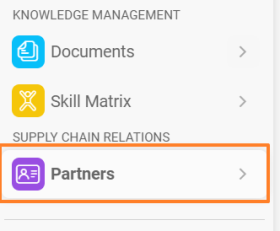
Create a new partner. In the Partners module, click the plus icon Create New in the upper right corner.

-
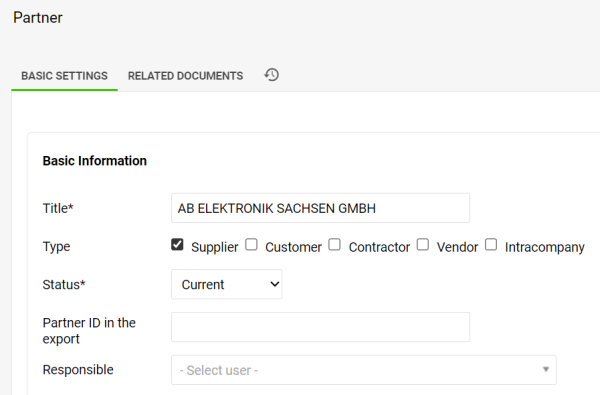
Fill in the partner details. Fill in your partner’s details and tick at least one partner type.
-
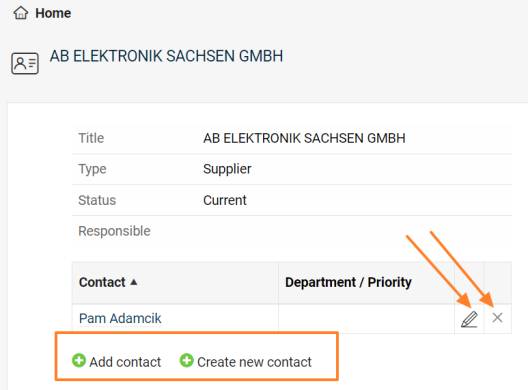
Save and add contacts. To be able to create a new contact for the partner, you need to save all the data first. Once you click the Save & View button, you can add an existing contact, create a new contact, and edit or remove an already linked contact.
-
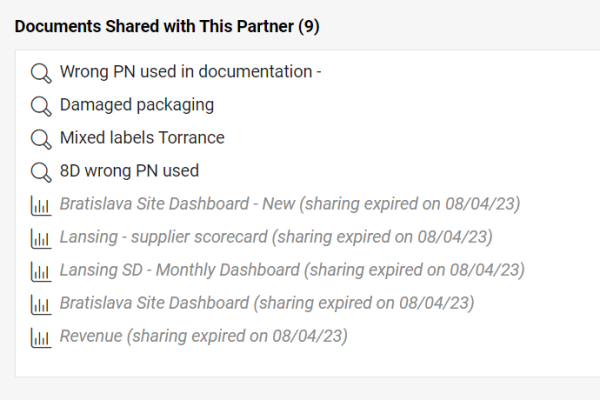
Review the shared documents. The list of shared documents, including live links, is displayed at the bottom of the partner’s card.
合作伙伴 模块可帮助您在一处集中管理客户和供应商信息。您可以汇总联系人、相关文档、行动和共享文档。
-
新建合作伙伴。 在 合作伙伴 模块中,点击右上角的加号图标 新建。
-
填写合作伙伴信息。 填写合作伙伴的详细信息,并至少勾选一种合作伙伴类型。
-
保存并添加联系人。 要为合作伙伴创建新联系人,需要先保存所有数据。点击 保存并查看 按钮后,您可以添加现有联系人、创建新联系人,以及编辑或移除已关联的联系人。
-
查看共享文档。 合作伙伴卡片底部会显示共享文档列表,并附有实时链接。
还需要帮助吗?
请给我们留言。工作日我们通常会在一小时内回复。