Jak utworzyć nową kartę partnera
Tłumaczenie maszynowe z angielskiego. Wyświetlany jest oryginał po angielsku.
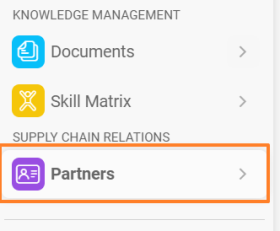
The Partners module helps you manage information about your customers and suppliers in one place. You can consolidate contacts, related documents, actions and shared documents.
-
Create a new partner. In the Partners module, click the plus icon Create New in the upper right corner.
-
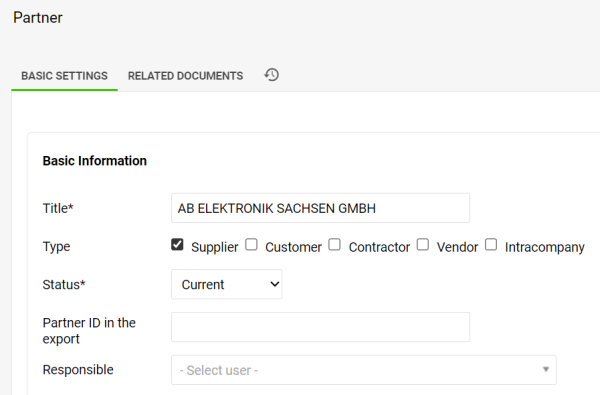
Fill in the partner details. Fill in your partner’s details and tick at least one partner type.
-
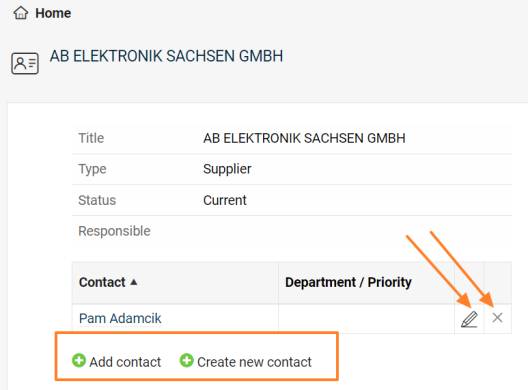
Save and add contacts. To be able to create a new contact for the partner, you need to save all the data first. Once you click the Save & View button, you can add an existing contact, create a new contact, and edit or remove an already linked contact.
-
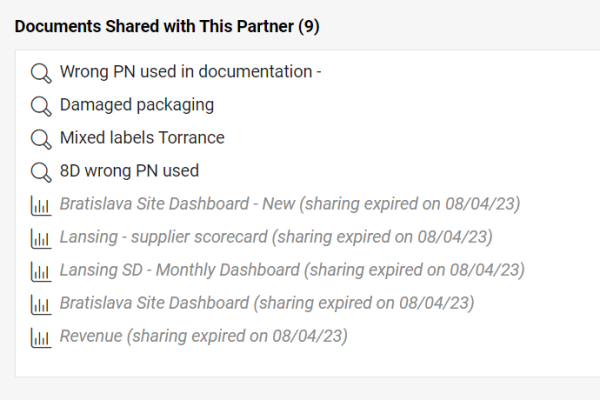
Review the shared documents. The list of shared documents, including live links, is displayed at the bottom of the partner’s card.
Moduł Partnerzy pomaga zarządzać informacjami o klientach i dostawcach w jednym miejscu. Zbierzesz w nim kontakty, powiązane dokumenty, działania i udostępnione dokumenty.
-
Utwórz nowego partnera. W module Partnerzy kliknij ikonę plusa Utwórz nowy w prawym górnym rogu.
-
Uzupełnij dane partnera. Wpisz dane partnera i zaznacz co najmniej jeden typ partnera.
-
Zapisz i dodaj kontakty. Aby utworzyć nowy kontakt partnera, najpierw zapisz wszystkie dane. Po kliknięciu przycisku Zapisz i wyświetl możesz dodać istniejący kontakt, utworzyć nowy oraz edytować lub usunąć już powiązany kontakt.
-
Przejrzyj udostępnione dokumenty. Lista udostępnionych dokumentów wraz z aktywnymi linkami jest na dole karty partnera.
Potrzebujesz dalszej pomocy?
Napisz do nas. W dni robocze zwykle odpowiadamy w ciągu godziny.