How to set up Problem Escalation to send an SMS
Problem Escalation (PE) can inform the responsible people not only by email, but also by an SMS sent to their mobile phones.
-
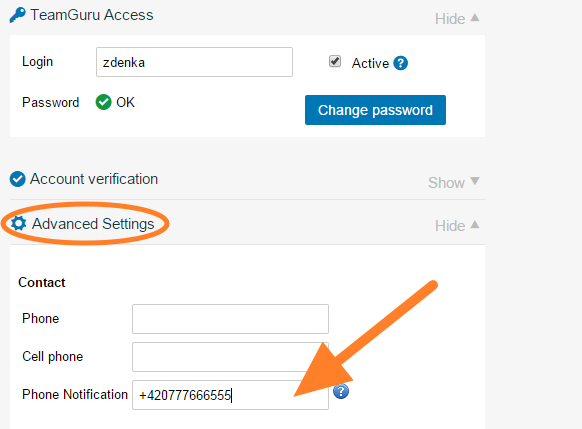
Enter the mobile number. Enter a mobile number in the user’s profile. Only system administrators can do this.
-
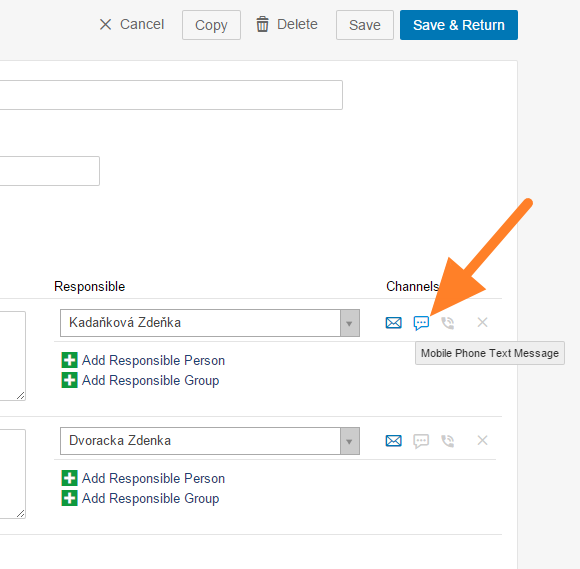
Choose the SMS channel. Choose the SMS option in the Channels section of your escalation template, or directly in the problem escalation, if you are allowed to set it up there.
Still need help?
Write to us. We usually reply within an hour on business days.