什么是用户验证?如何进行?
本文由英文机器翻译。 当前显示英文原文。
User verification is a routine check that an individual is still affiliated with your company. It maintains system security and accuracy. Users have to go through verification periodically, typically every year, although the interval can be adjusted as needed. To complete the verification successfully, users must have a valid email address in their profile.
Verify your account
-
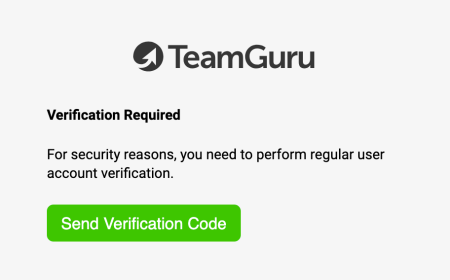
Get the verification notice. When you log in to your TeamGuru instance, you receive a notification saying Verification Required.
-
Send the verification code. Click the Send Verification Code button. The verification code is sent to your email.
-
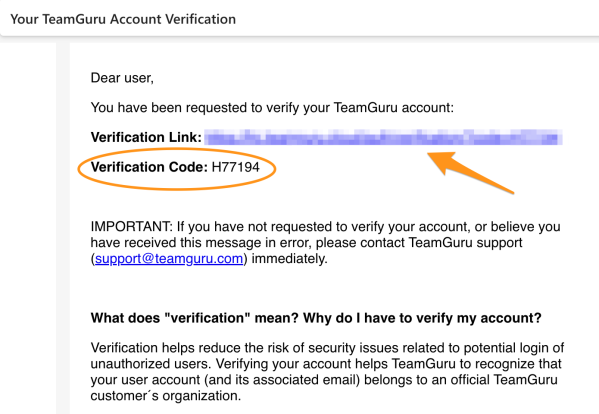
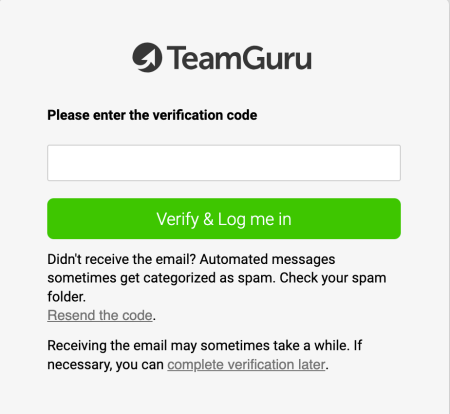
Verify with the link or code. In the notification email, either click the verification link, or copy the verification code and enter it in the Verify & Log me in field.
-
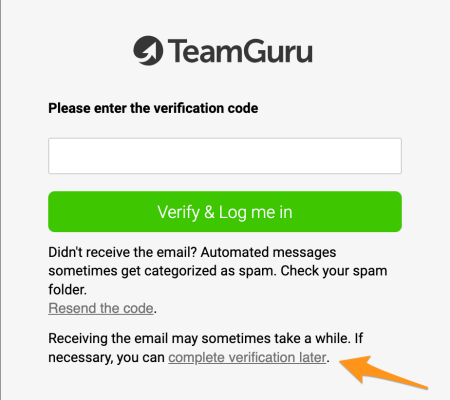
Or verify later. You can also complete your verification later. If you choose this option, make sure you complete it promptly: otherwise the system automatically logs you out and blocks your account.
-
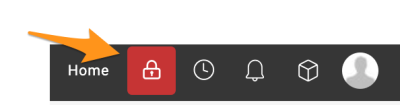
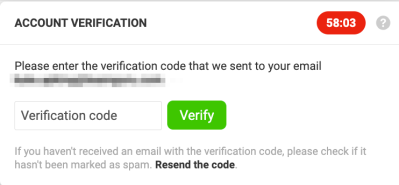
Check the remaining time. If you postpone the verification, a red lock icon appears in the top banner. Click it to see the remaining time before your account gets blocked and to enter the verification code. You can also request the code to be resent.
-
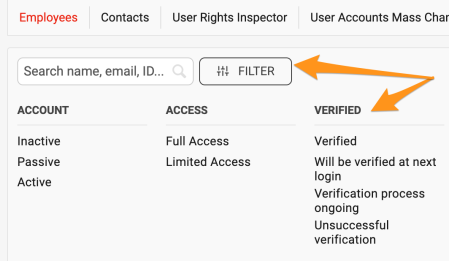
Monitor the verification (administrators). Administrators can monitor the users’ verification status through the filtering options in their user management section.
Icons in the Verified column
Verification completed
A green tick means that the verification was completed successfully.

Verification pending
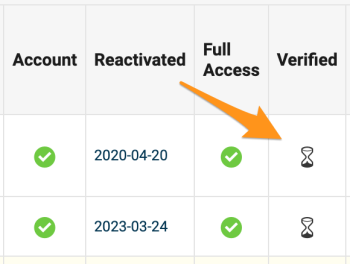
A sandglass means that the user will be verified at the next login, or that the verification process is ongoing.

Verification failed
A red dot means that the verification has failed.

Related article: How to unblock the user? Manual verification.
用户验证是一项例行检查,用于确认用户是否仍在贵公司任职,以保障系统的安全性和准确性。用户需要定期进行验证,通常每年一次,但可以根据需要调整间隔。要成功完成验证,用户的个人资料中必须有有效的电子邮件地址。
验证您的账户
-
收到验证提示。 登录TeamGuru实例时,您会收到 需要验证 的通知。
-
发送验证码。 点击 发送验证码 按钮。验证码会发送到您的电子邮箱。
-
通过链接或验证码验证。 在通知邮件中点击验证链接,或复制验证码并输入到 验证并登录 字段中。
-
或稍后验证。 您也可以稍后完成验证。如果选择此方式,请尽快完成,否则系统会自动将您注销并锁定您的账户。
-
查看剩余时间。 如果推迟验证,顶部横幅中会出现红色锁形图标。点击该图标可查看账户被锁定前的剩余时间并输入验证码,也可以请求重新发送验证码。
-
跟踪验证情况(管理员)。 管理员可以通过用户管理中的筛选选项查看用户的验证状态。
已验证列中的图标
验证已完成
绿色对勾表示验证已成功完成。
等待验证
沙漏表示用户将在下次登录时进行验证,或验证正在进行中。
验证失败
红点表示验证失败。
相关文章:如何解锁用户?手动验证
还需要帮助吗?
请给我们留言。工作日我们通常会在一小时内回复。