如何直接从指标仪表板启动RCCA
本文由英文机器翻译。 当前显示英文原文。
You can monitor and solve performance (metric) related problems via an RCCA document. The RCCA document can be linked to a specific metric/org. unit combination: an RCCA icon is then shown directly in the metric dashboard at that combination, and the details of the RCCA document can be accessed and viewed from the dashboard.
-
Open the dashboard. Go to the dashboard overview.
-
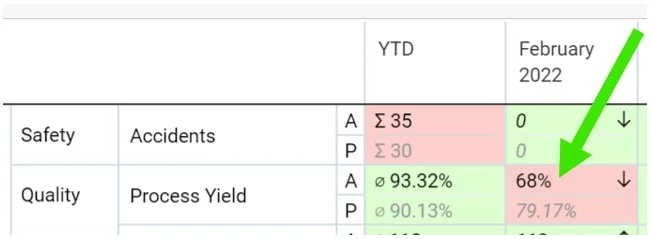
Click the metric. Click the metric for which the RCCA should be created.
-
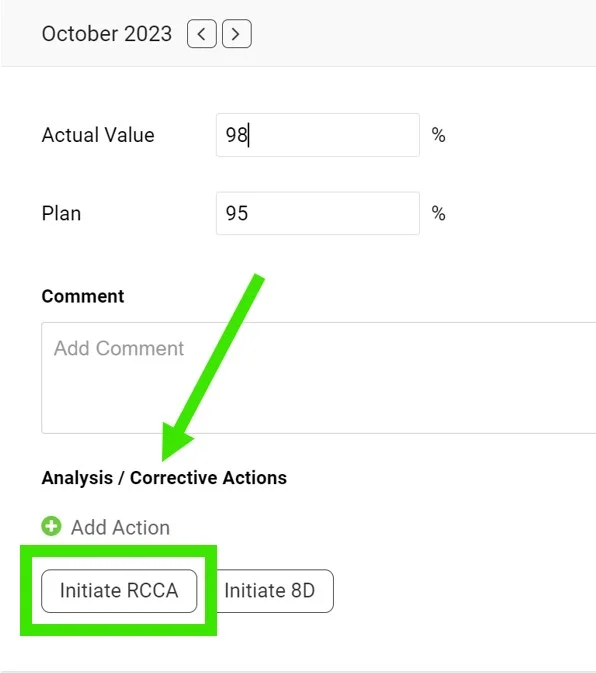
Initiate the RCCA. Scroll down and click Initiate RCCA.
-
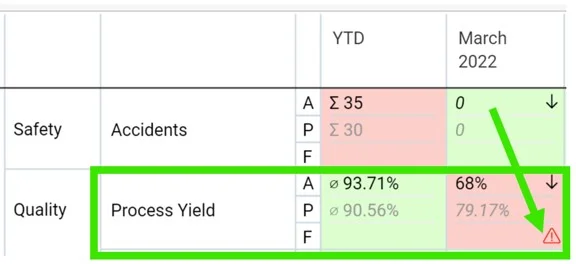
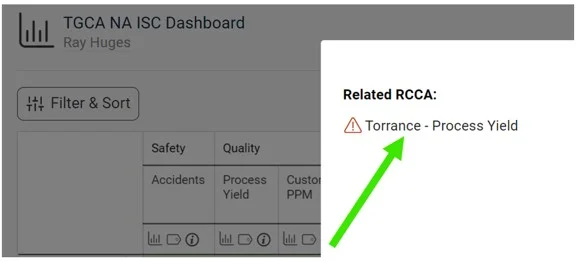
Access the RCCA from the dashboard. When you create a new RCCA, the RCCA icon is displayed in the original dashboard, and you can easily access the RCCA through it.
-
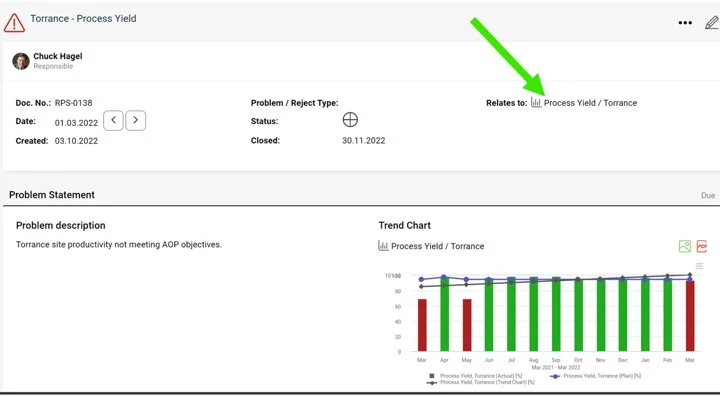
Check the RCCA graph. The metric values are automatically pulled into the RCCA graph.
您可以通过RCCA文档跟踪并解决绩效(指标)相关问题。RCCA文档可以关联到特定的指标与组织单元组合:关联后,指标仪表板中该组合的位置会直接显示RCCA图标,您可以从仪表板中打开并查看RCCA文档的详细信息。
-
打开仪表板。 进入仪表板概览。
-
点击指标。 点击需要创建RCCA的指标。
-
启动RCCA。 向下滚动,点击 启动RCCA。
-
从仪表板打开RCCA。 新建RCCA后,原仪表板中会显示RCCA图标,点击该图标即可打开RCCA。
-
查看RCCA图表。 指标值会自动导入RCCA图表。
还需要帮助吗?
请给我们留言。工作日我们通常会在一小时内回复。