如何显示年初至今的值
本文由英文机器翻译。 当前显示英文原文。
Metric dashboards give you the option to see all “to date” values.
Define the to-date formula
The formula for the YTD/QTD/MTD/WTD calculation is defined directly in the metric’s general settings, under Optional: Advanced Settings, as shown in the picture below.
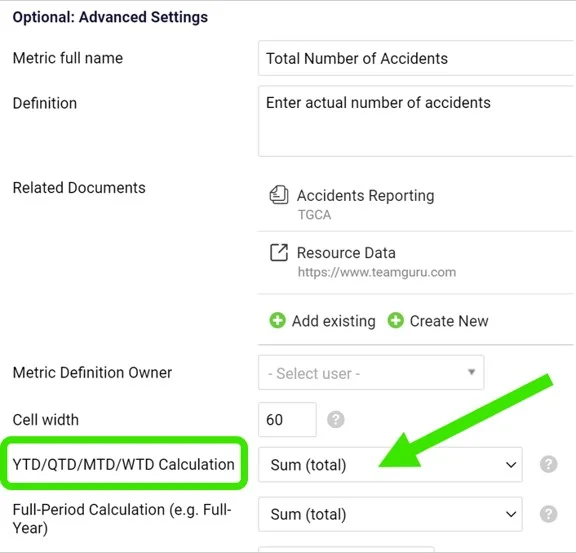
The calculation is usually defined when creating a new metric.
Show to-date values in the dashboard
To see the values in your metric dashboard, open the dashboard’s edit screen and follow these steps:
-
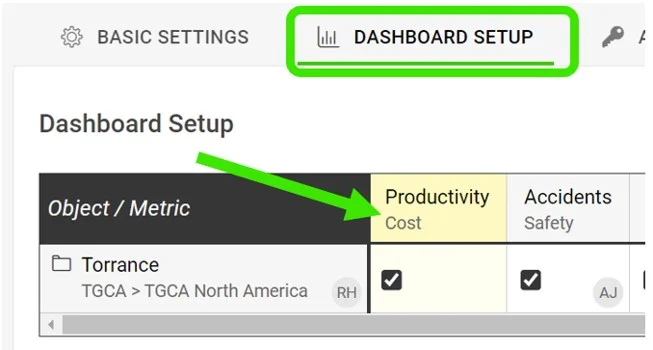
Open the dashboard settings. Go to the metric dashboard and click the Edit icon.

-
Select the metric. Click the particular metric you want to set up the to-date calculation for.
-
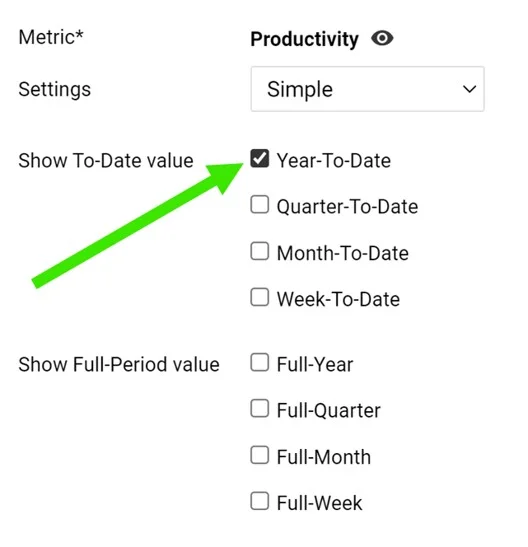
Tick the to-date values. Tick the boxes for YTD, QTD, MTD or WTD to display the values.
-
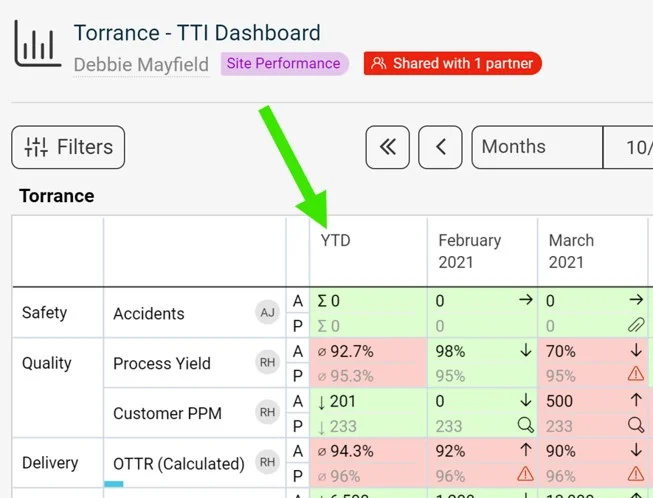
Save and view the dashboard. Click Save, then Save & View.
指标仪表板可以显示各类“截至目前”的累计值。
定义累计值公式
YTD/QTD/MTD/WTD的计算公式直接在指标的常规设置中定义,位于 可选:高级设置 下,如下图所示。
该计算通常在创建新指标时定义。
在仪表板中显示累计值
要在指标仪表板中查看这些值,请打开仪表板的编辑界面,然后按以下步骤操作:
-
打开仪表板设置。 进入指标仪表板,点击 编辑 图标。
-
选择指标。 点击要设置累计值计算的指标。
-
勾选累计值。 勾选YTD、QTD、MTD或WTD复选框,以显示相应的值。
-
保存并查看仪表板。 点击 保存,然后点击 保存并查看。
还需要帮助吗?
请给我们留言。工作日我们通常会在一小时内回复。