如何为仪表板中的指标设置黄色
本文由英文机器翻译。 当前显示英文原文。
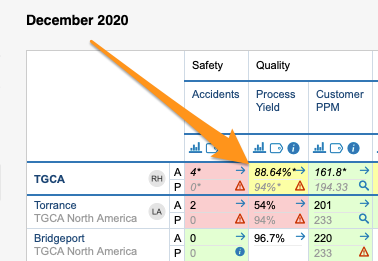
Color coding in your dashboard is displayed only if both plan (or forecast) and actual values are entered. The default colors are red and green. To get a wider color range by adding amber, follow these steps:
-
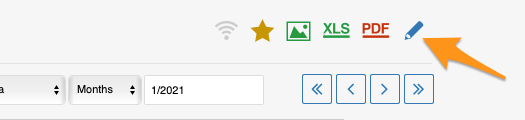
Open the dashboard settings. Click the dashboard Edit icon.
-
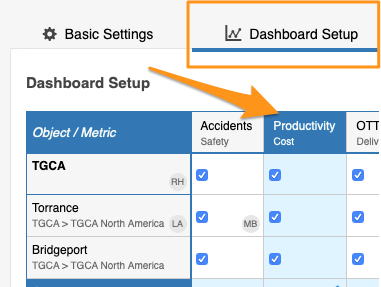
Select the metric. Go to the Dashboard Setup tab and click your particular metric.
-
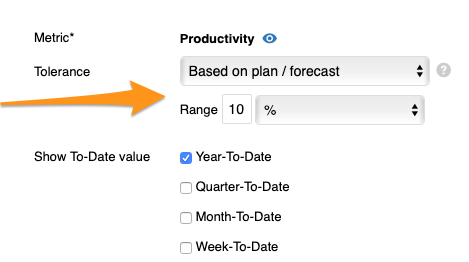
Set the tolerance. Enter the Tolerance value in the field provided.
-
Save and view the dashboard. Click Save & View.
只有同时录入计划值(或预测值)和实际值时,仪表板才会显示颜色标识。默认颜色为红色和绿色。如需增加黄色以扩展颜色范围,请按以下步骤操作:
-
打开仪表板设置。 点击仪表板的 编辑 图标。
-
选择指标。 打开 仪表板设置 选项卡,点击相应的指标。
-
设置容差。 在相应字段中输入 容差 值。
-
保存并查看仪表板。 点击 保存并查看。
还需要帮助吗?
请给我们留言。工作日我们通常会在一小时内回复。