How to extend sharing validity of Dashboards, Action lists, Reports and other TeamGuru documents
To share TeamGuru documents (such as Metric Dashboards, Action Lists, RCCA, QA, Standardized Meetings and Reports), you have to set a date until which the sharing is valid. You can set it at the document level or with the mass function Document Sharing.
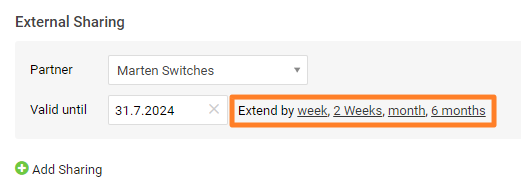
Setting the validity date in a particular document is described in How to share the document with an external partner.
Extend the validity of several documents
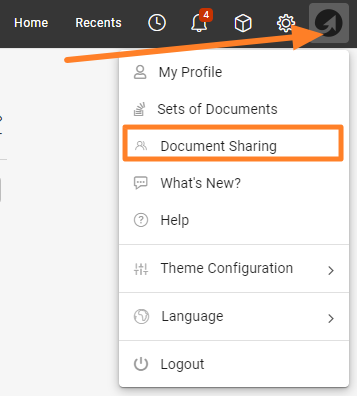
Open Document Sharing
If you need to extend the validity date of several documents at the same time, use the mass function Document Sharing, available under your user photo (icon).
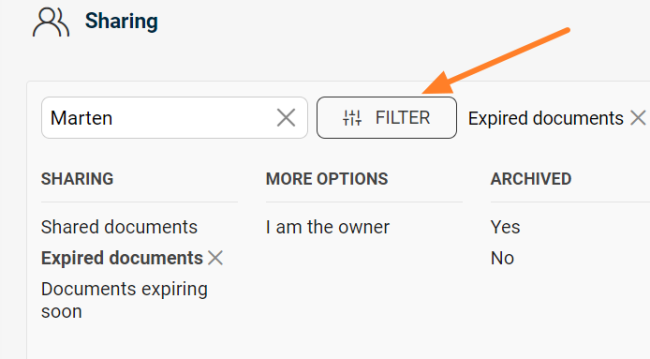
Filter the documents
Use the filter to get the list of documents whose validity needs to be extended.
Show the mass actions
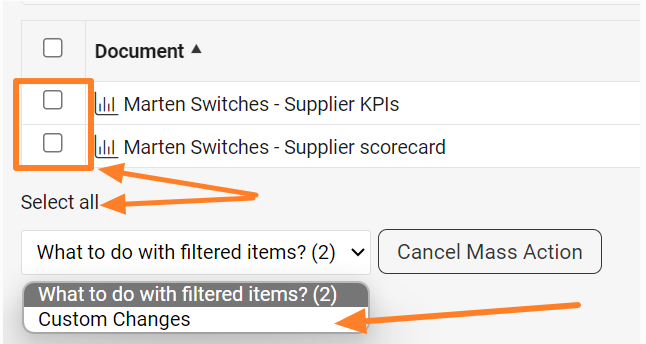
Scroll down below the list of documents to the Show Mass Actions button.

Select the documents and the change
Select all documents, or only particular ones using the checkboxes. In the dropdown menu, choose Custom Changes.
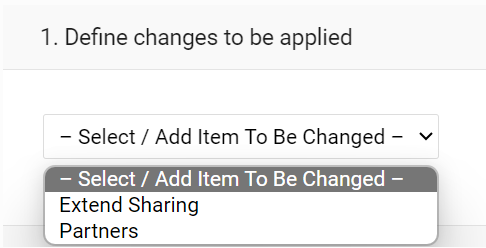
Edit partners in bulk
Here you can also mass edit the partners (remove or add them).
Apply the mass change
Once you have made the change, click the Apply Mass Change button in the top right corner.

Still need help?
Write to us. We usually reply within an hour on business days.