Create a Skill Matrix defined by Job roles
Learn how to create a skill matrix defined by job roles. You can define different required knowledge levels for each job position, and at the same time predefine the list of all skills the position requires. Whenever you add a new skill to a job role, the change is automatically reflected in all skill matrices where the job role is used. (Video guide – Skill Matrix 17:30)
Learn also how to create a skill matrix defined by a list of skills.
-
Define the skills, levels and job roles first. Before creating a skill matrix, you need to define the skills (see How to create a new skill), the skill levels (see How to set up a skill level) and the job roles (see How to set up a job role) in the system.
-
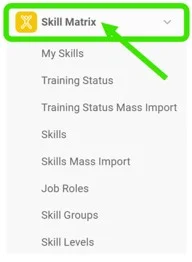
Open the Skill Matrix module. To create a new skill matrix, click the Skill Matrix module header.
-
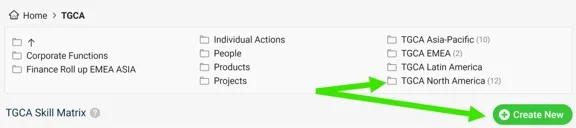
Choose the folder and create the matrix. Choose the folder where you want to display the skill matrix and add a new matrix by clicking the Create New button with the green plus sign.
-
Define the skill matrix settings.
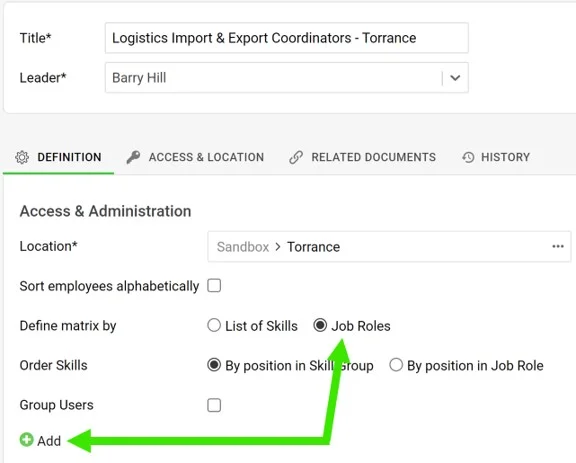
- Complete the basic settings, such as Title, Leader and Location. Don’t forget to define Access & Location if security settings are required.
- Define the skill matrix by Job roles.
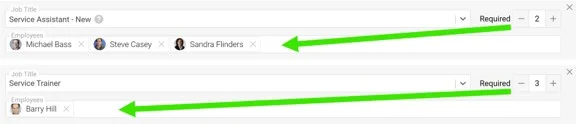
- Add new job roles by clicking the green plus button. Select a job title from the predefined options in the submenu, select the employees and the Required number (how many people need to be trained).
- When you are done with all the settings, click the Save & View button in the upper right corner.
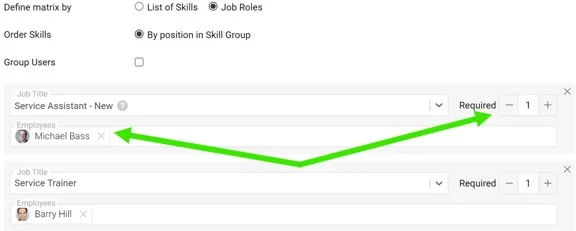
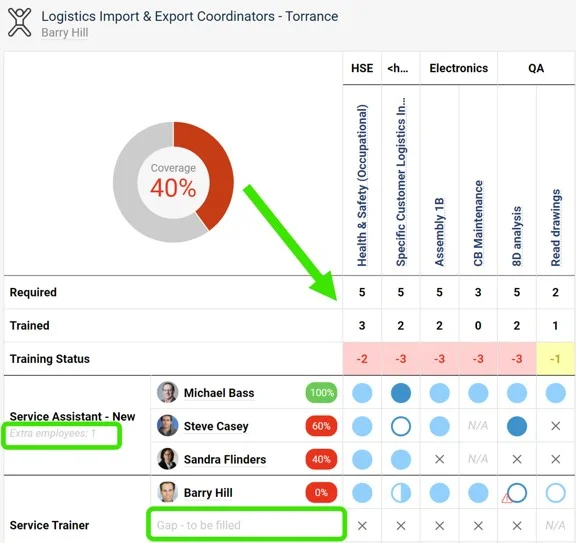
Please note: The Required number doesn’t always equal the number of selected employees. It can be higher (a free position to be filled) or lower (an extra position). This is reflected in the skill matrix statistics.
-
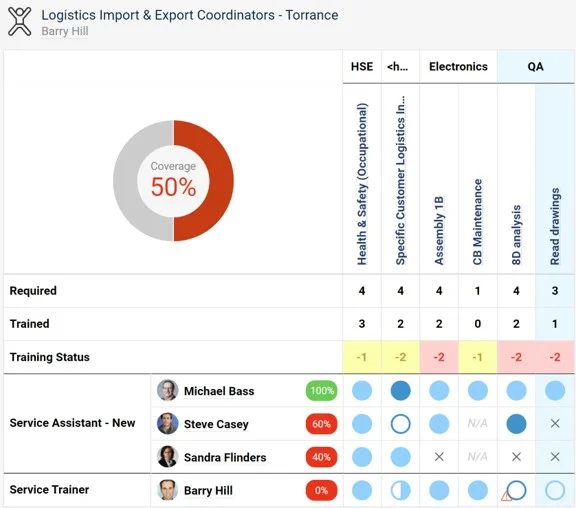
Review the skill matrix. The skill matrix is created.
Still need help?
Write to us. We usually reply within an hour on business days.