什么是“我的仪表板”?
本文由英文机器翻译。 当前显示英文原文。
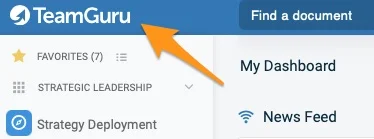
The My Dashboard screen shows updates, news and your open actions in the system. It opens automatically when you log in to TeamGuru, and you can open it anytime by clicking the TeamGuru logo in the upper left corner of the application.
Dashboard sections
-
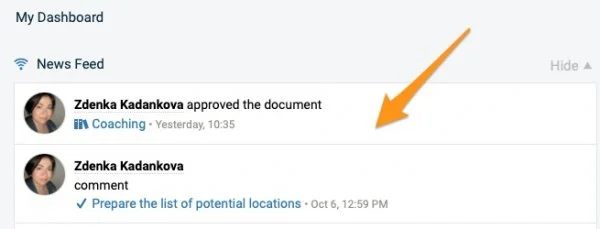
News Feed. The News Feed section displays the key system information (e.g. a document’s request for approval, a new document, etc.).
Please note: to subscribe to the news related to a specific document, click the icon in the upper right corner above the document.
-
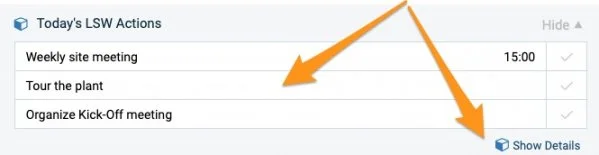
Today’s LSW Actions. The Today’s LSW Actions section shows the actions due today and helps you manage them easily with the Show Details icon. Please note that only users with access to the LSW module can see it.
-
My Notes & To-Do List. The My Notes & To-Do List section contains your personal notes and items to do (private, not shared with others).
To add an item, click the plus icon and press Enter.
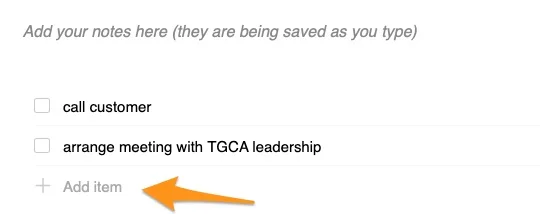
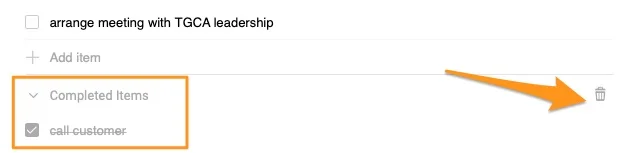
To remove an item, click the x icon on the right. To move your items, drag and drop them using the handle on the left. To mark an item as done, tick its box: the item moves to the completed items.

To delete completed items, click the trash icon.
-
My Actions. The My Actions section displays only open actions, sorted by due date. You can update an action directly from here by clicking its title in the first column. To open the action’s main document, click the source document’s title in the second column.
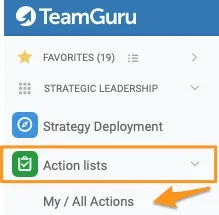
Please note that once you close an action, it disappears from this list, but you can still find it in the My/All Actions section.


-
Items to Review or Approve. The Items to Review or Approve section lists all actions that need your attention.

我的仪表板页面显示系统中的动态、新闻以及您未完成的行动。登录TeamGuru时,该页面会自动打开;您也可以随时点击应用左上角的TeamGuru徽标打开它。
仪表板各部分
-
新闻动态。 新闻动态部分显示重要的系统信息(例如文档的审批申请、新文档等)。
请注意:要订阅与特定文档相关的新闻,请点击文档上方右上角的图标。
-
今日领导标准工作行动。 今日领导标准工作行动部分显示今天到期的行动,并可通过显示详情图标轻松管理这些行动。请注意,只有能够访问领导标准工作模块的用户才能看到此部分。
-
我的笔记和待办事项。 我的笔记和待办事项部分包含您的个人笔记和待办事项(仅自己可见,不与他人共享)。
要添加事项,请点击加号图标并按Enter键。
要移除事项,请点击右侧的x图标。要移动事项,请使用左侧的拖动柄拖放。要将事项标记为已完成,请勾选其复选框:该事项会移到已完成事项中。
要删除已完成的事项,请点击垃圾桶图标。
-
我的行动。 我的行动部分只显示未完成的行动,按截止日期排序。点击第一列中的行动标题,即可直接在这里更新行动。要打开行动所在的主文档,请点击第二列中的来源文档标题。
请注意,行动关闭后会从此列表中消失,但您仍可以在我的/所有行动中找到它。
-
待审核或审批的项目。 待审核或审批的项目部分列出所有需要您处理的行动。
还需要帮助吗?
请给我们留言。工作日我们通常会在一小时内回复。