从仪表板下载附件
本文由英文机器翻译。 当前显示英文原文。
Besides Comments and Actions, you can also view all your Attachments right next to your dashboard and download them as a zip file.
View the attachments
Open the attachments
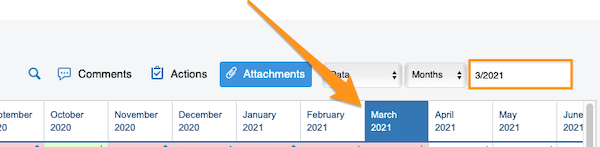
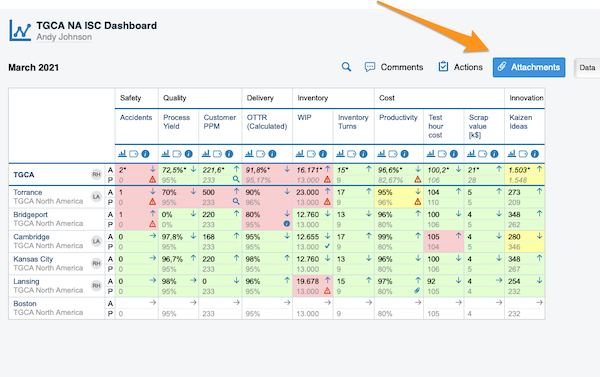
Select your time period and click the Attachments button.
Browse the files
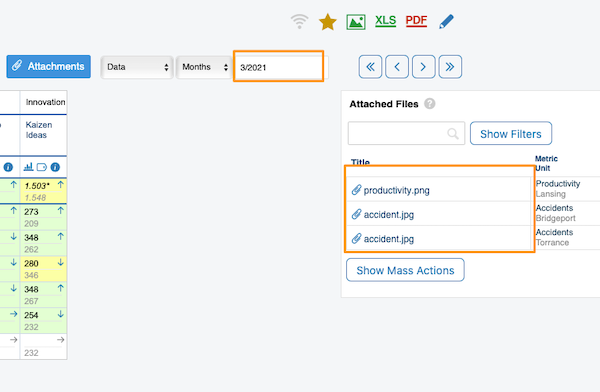
After you click the Attachments button, all the files from your dashboard for the selected time period are displayed next to your dashboard.
Download the files as a zip
Download all attachments
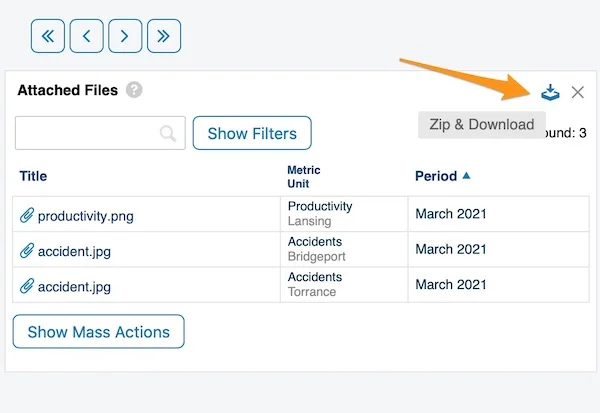
To download all attachments as a zip file, click the Zip & Download icon in the upper right corner.
Select files with mass actions
Alternatively, use the Show Mass Actions button.
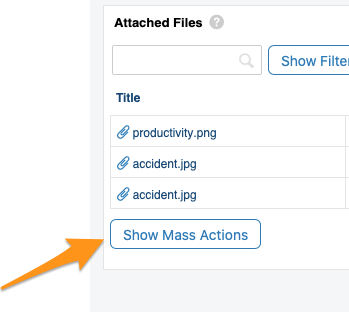
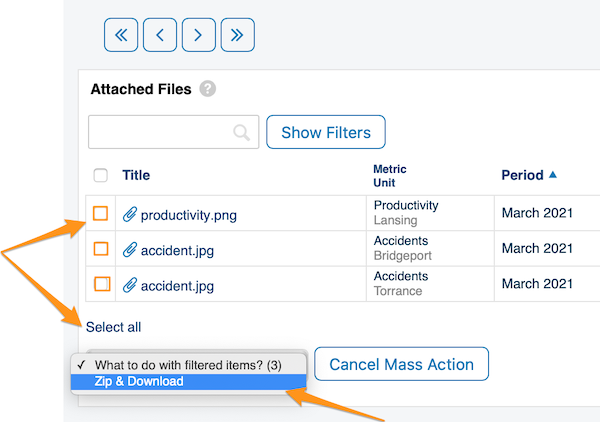
After you click Show Mass Actions, select the files you want to download: click Select all, or tick only the specific files. Then choose Zip & Download from the submenu.
Confirm the download
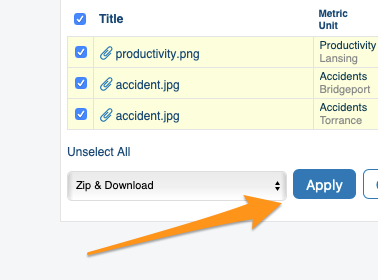
Click the Apply button and confirm with OK. Your files are downloaded as a zip file to your Downloads folder.
Which attachments are displayed
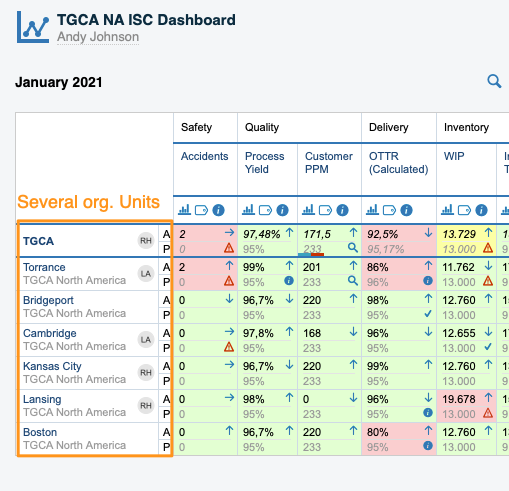
Dashboards with several org. units
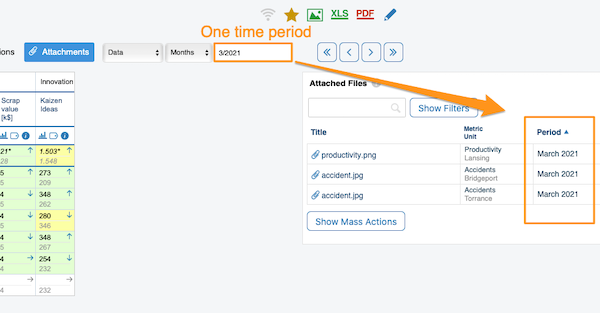
In a dashboard that shows several org. units for one time period (e.g. March), only the attachments of that active period (March) are displayed.
Dashboards in the matrix time view
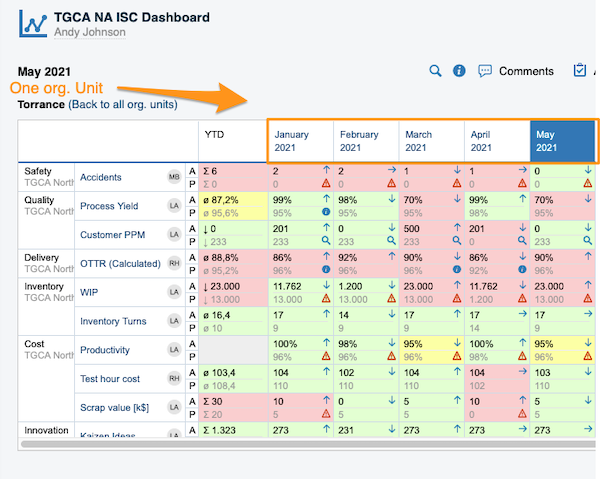
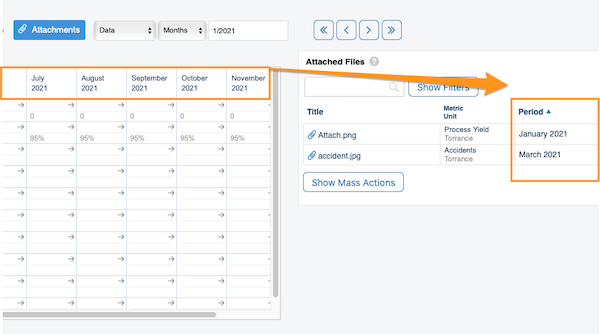
In a dashboard displayed in the matrix time view (weeks, months, etc. in columns), the attachments of the entire displayed period are shown.
If your dashboard contains more than one org. unit, you also get this time period view once you click a specific org. unit.
Show the selected period only
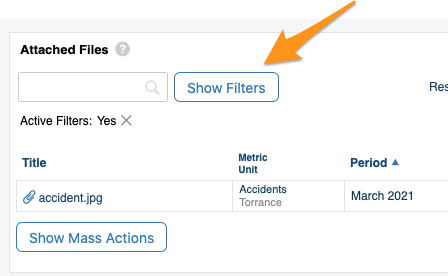
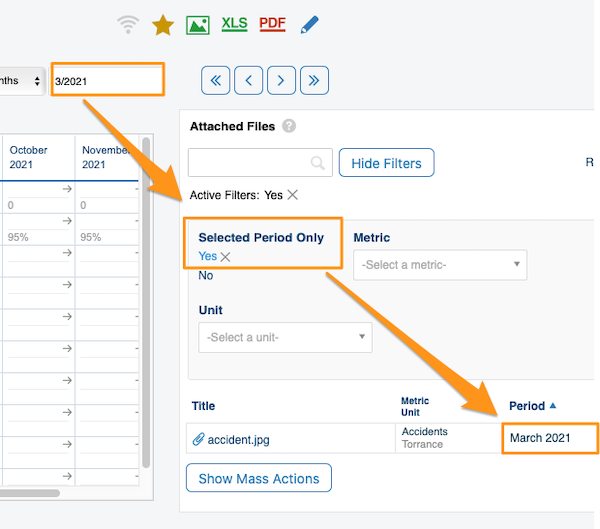
To view the attachments of a specific time period only, choose your time period, click Show Filters and set Selected Period Only to Yes.
除了评论和行动,您还可以在仪表板旁边查看所有附件,并将它们打包成zip文件下载。
查看附件
打开附件
选择时间期间,然后点击附件按钮。
浏览文件
点击附件按钮后,仪表板旁边会显示所选时间期间内仪表板中的所有文件。
以zip文件下载
下载所有附件
要将所有附件打包成zip文件下载,请点击右上角的打包下载图标。
通过批量操作选择文件
也可以使用显示批量操作按钮。
点击显示批量操作后,选择要下载的文件:点击全选,或只勾选特定文件。然后从子菜单中选择打包下载。
确认下载
点击应用按钮,并点击确定确认。文件将以zip文件形式下载到“下载”文件夹。
显示哪些附件
包含多个组织单元的仪表板
如果仪表板显示一个时间期间(例如3月)内的多个组织单元,则只显示该活动期间(3月)的附件。
矩阵时间视图中的仪表板
如果仪表板以矩阵时间视图显示(各列为周、月等),则显示整个显示期间的附件。
如果仪表板包含多个组织单元,点击某个组织单元后,也会进入这种时间期间视图。
仅显示所选期间
如果只想查看特定时间期间的附件,请选择时间期间,点击显示筛选,并将仅所选期间设为是。
还需要帮助吗?
请给我们留言。工作日我们通常会在一小时内回复。