Ako vytvoriť nového dodávateľa a jeho prihlasovacie údaje?
Strojový preklad z angličtiny. Zobrazený je anglický originál.
-
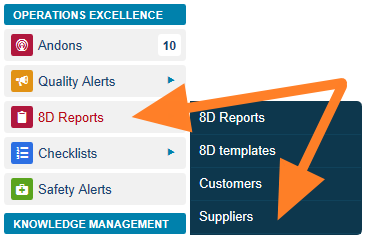
Open the suppliers. Go to the 8D Reports module and the Suppliers submenu.
-
Edit or add a supplier. The list of your suppliers is displayed. You can either edit an existing supplier by clicking the Edit icon

or create a new one by clicking the Add icon.

-
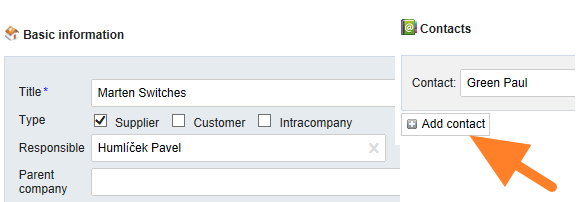
Fill in the company details. Fill in the company details and create a contact person.
-
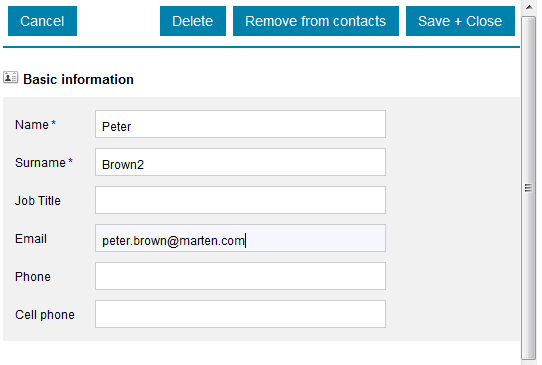
Fill in the contact person. Fill in the contact person’s details: name, surname and email.
-
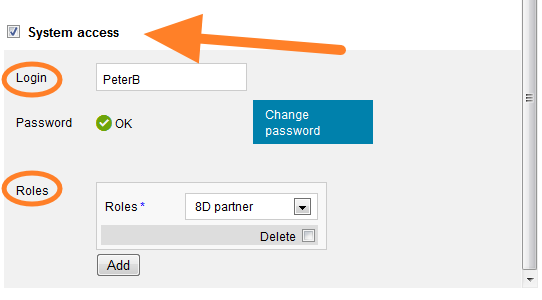
Give the contact system access. Tick the System access box and select 8D partner as the user’s role.
-
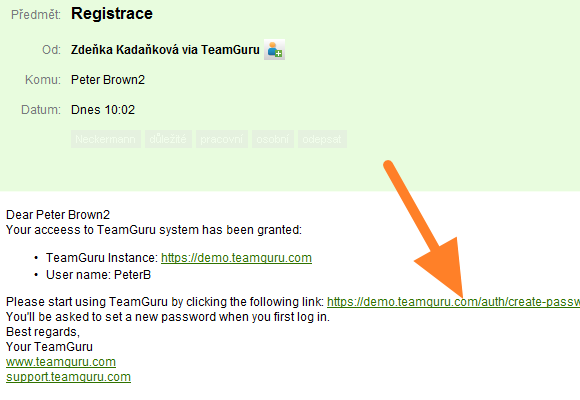
The supplier receives the login details. The supplier receives a registration email with the login details.
-
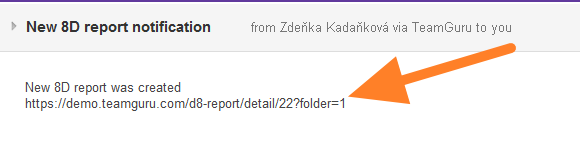
The supplier is notified of new 8Ds. Once a new 8D report has been created, the supplier’s contact person receives an email notification with a link to the TeamGuru instance.
-
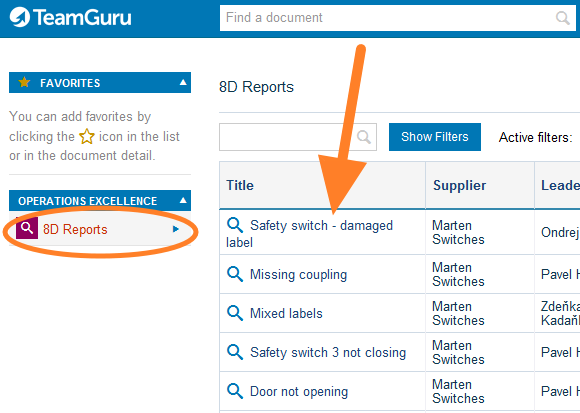
The supplier sees the 8Ds. After logging in, the supplier sees all the newly created 8Ds and their status.
-
Otvorte dodávateľov. Otvorte modul 8D reporty a podmenu Dodávatelia.
-
Upravte alebo pridajte dodávateľa. Zobrazí sa zoznam vašich dodávateľov. Existujúceho dodávateľa môžete upraviť kliknutím na ikonu Upraviť
alebo vytvoriť nového kliknutím na ikonu Pridať.
-
Vyplňte údaje o firme. Vyplňte údaje o firme a vytvorte kontaktnú osobu.
-
Vyplňte kontaktnú osobu. Vyplňte údaje kontaktnej osoby: meno, priezvisko a e-mail.
-
Dajte kontaktu prístup do systému. Začiarknite políčko Prístup do systému a ako rolu používateľa vyberte 8D partner.
-
Dodávateľ dostane prihlasovacie údaje. Dodávateľ dostane registračný e-mail s prihlasovacími údajmi.
-
Dodávateľ dostáva upozornenia na nové 8D. Po vytvorení nového 8D reportu dostane kontaktná osoba dodávateľa e-mailové upozornenie s odkazom na inštanciu TeamGuru.
-
Dodávateľ vidí svoje 8D. Po prihlásení dodávateľ vidí všetky novo vytvorené 8D a ich stav.
Potrebujete ďalšiu pomoc?
Napíšte nám. V pracovné dni zvyčajne odpovedáme do hodiny.